ppendix 1: Easy-
PhotoPrint EX Settings
> Changing Position, Angle and Size of Photos
Changing Position, Angle and Size of Photos
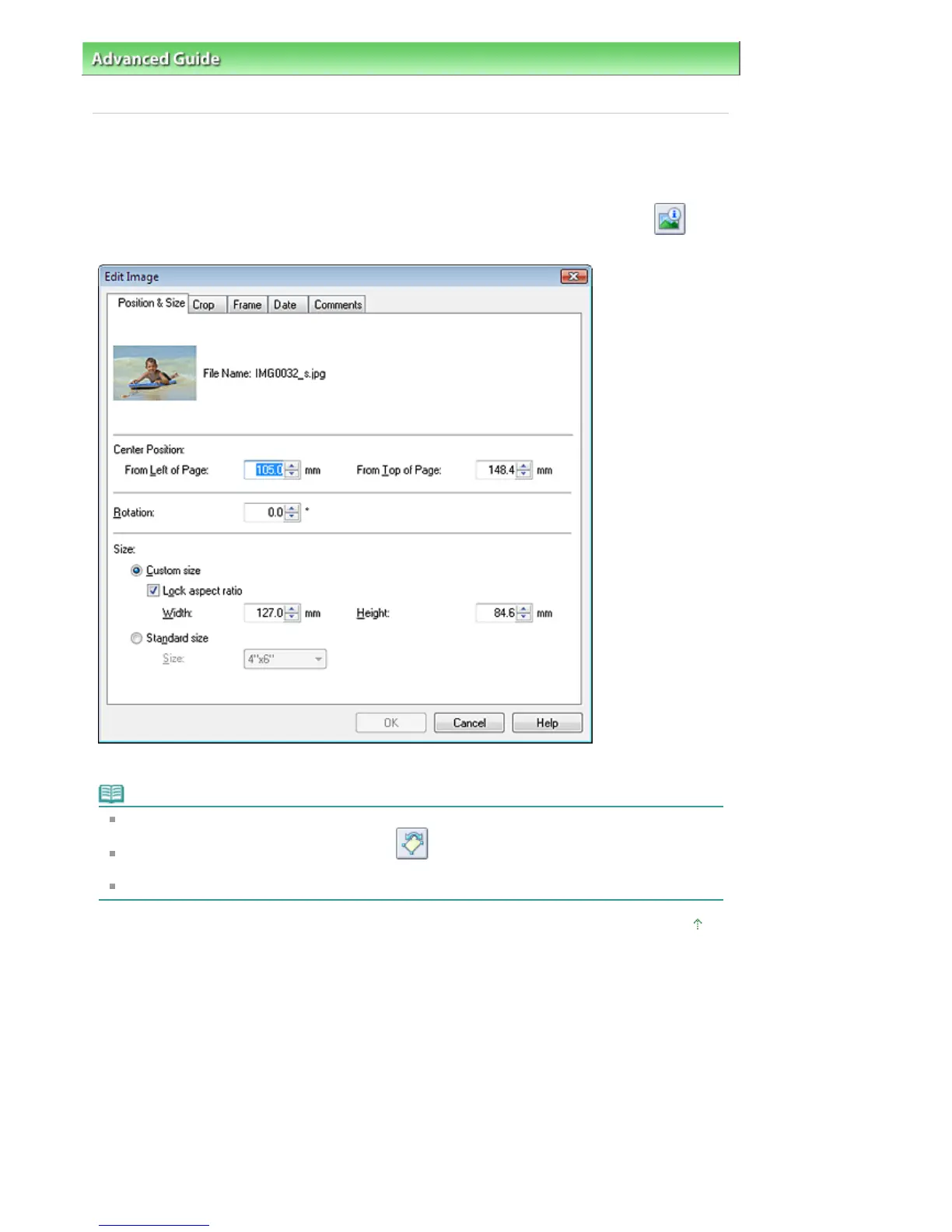
You can adjust the position, angle and size of images.
Select the image of which you want to change the position or size in the Edit screen and click
(Edit
Image) or double-click the image.
Set the Center Position, Rotation and Size, then click OK.
Note
You can also change the position and size of an image by dragging it in the Edit screen.
Select an image in the Edit screen, then click
(Free Rotate) and drag a corner of the image to
rotate it.
See Help for details on the position and size of images.
Page top
Стр. 184 из 366 стр.Changing Position, Angle and Size of Photos


 To Next Page
 Loading...