Advanced Guide
Troubleshooting
Contents
> Routine Maintenance > Cleaning the Pad in the Cassette
Cleaning the Pad in the Cassette
If the Pad in the Cassette is smeared with paper powder or dirt, two or more sheets of paper may be
ejected. Follow the procedure below to clean the Pad in the Cassette.
ou need to prepare: cotton swab
1.
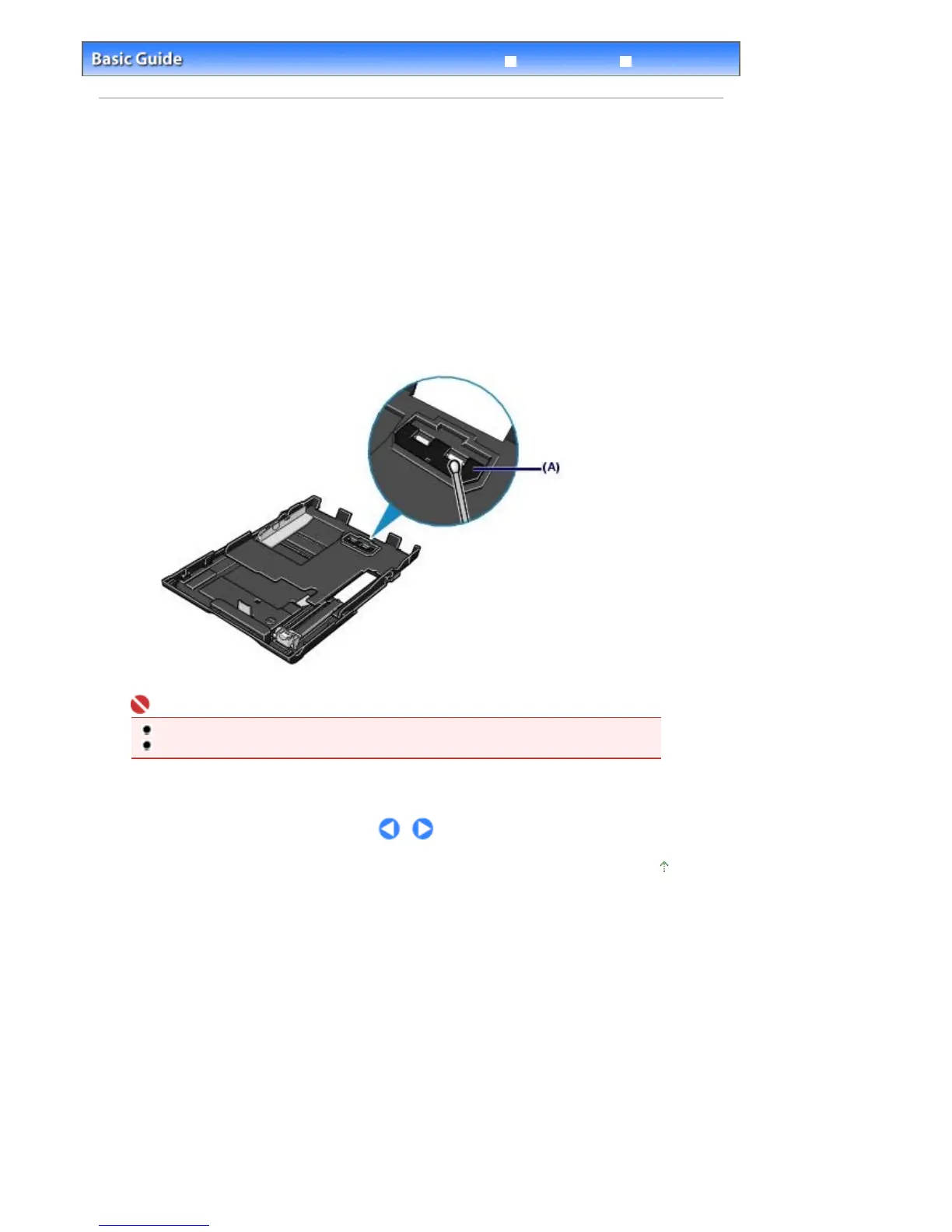
Pull out the Cassette from the printer, and remove all the papers.
2.
Clean the Pad sideways with a moistened cotton swab.
(A) Pad
Important
After cleaning the smeared Pad, dry it completely.
If the problem is not resolved, contact your Canon service representative.
Page top
Стр. 70 из 366 стр.Cleaning the Pad in the Cassette


 To Next Page
 Loading...