Advanced Guide
Troubleshooting
Contents
> Loading Paper > Loading Paper
Loading Paper
Paper Source to Load Paper
You can select to load paper from two paper source, Cassette or Rear Tray.
You can load paper in either one of the paper sources, depending on the page size and media type of
paper. If you select Automatically Select in Paper Source, paper is fed from the Cassette or Rear Tray
depending on the selection of the page size or media type.
See Media Types You Can Use
.
Note
For details on Automatically Select, see
Printing Documents (Windows)
or
Printing Documents
(Macintosh)
.
For details on other paper feeding, refer to the on-screen manual:
dvanced Guide
.
If you select A4, B5, A5, or Letter-sized plain paper when Automatically Select is selected in Paper
Source, the printer feeds the paper from the Cassette. If you select other sizes or types of paper
such as photo paper, the printer feeds the paper from the Rear Tray.
When printing, select the correct page size and media type. If you select wrong page size or media
type, the printer may feed the paper from the wrong paper source or may not print with the proper
print quality.
For details on loading paper in each paper source, see
Loading Paper
or
Loading Envelopes
.
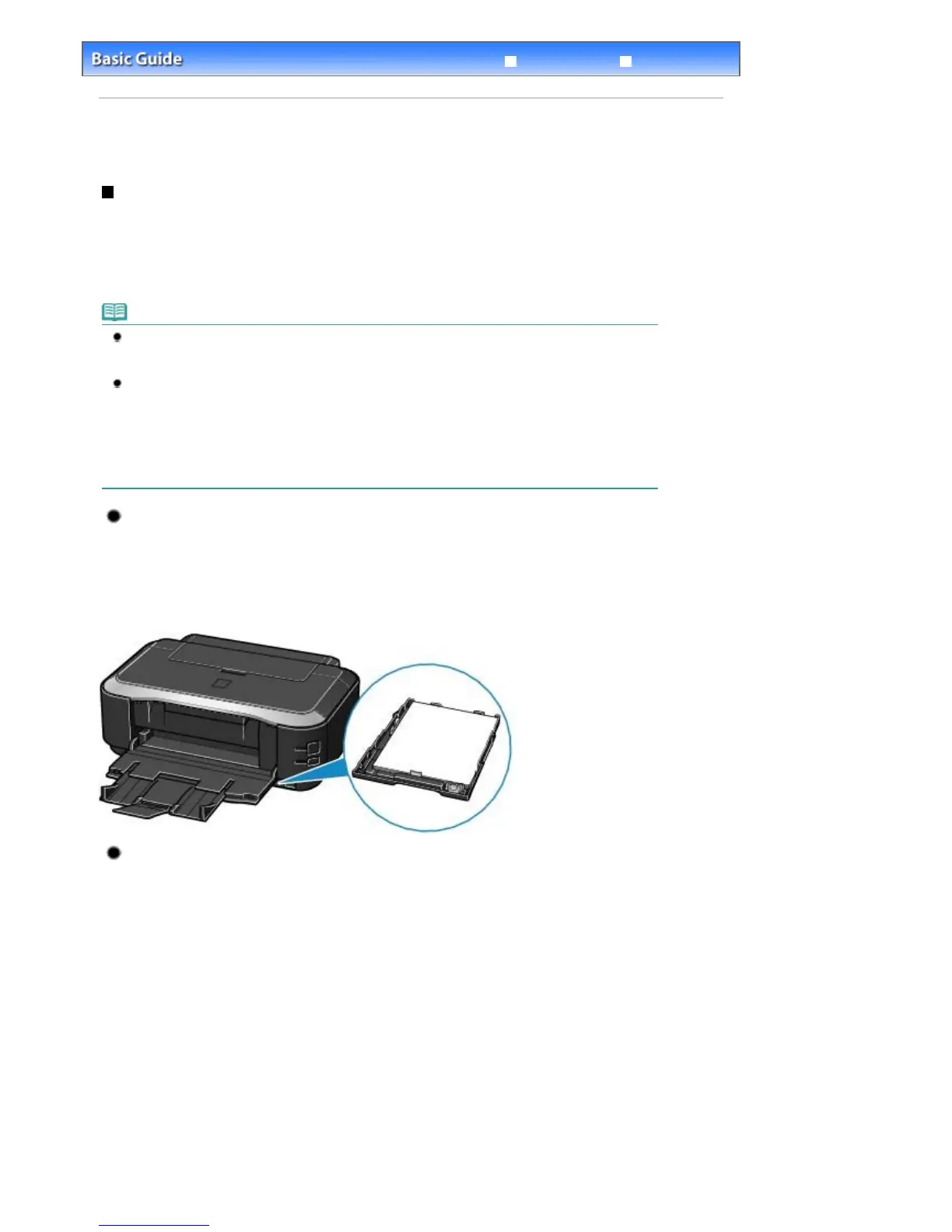
Loading plain paper in the Cassette
When you use A4, B5, A5, or Letter-sized plain paper, load it in the Cassette.
The Cassette is inserted at the bottom of the printer.
The printer feeds the paper from the Cassette automatically by selecting plain paper (A4, B5, A5, or Letter
size) in the print settings with the printer driver when printing.
For details on how to change the paper source, refer to the on-screen manual:
dvanced Guide
.
Loading Photo Paper in the Rear Tray
When you use photo paper, load it in the Rear Tray.
The printer feeds the paper from the Rear Tray automatically by selecting the media types other than
plain paper, such as photo paper, in the print settings with the printer driver when printing.
When you use plain paper other than A4, B5, A5, or Letter size, also load it in the Rear Tray.
Стр. 27 из 366 стр.Loading Paper


 To Next Page
 Loading...