ppendix 1: Easy-
PhotoPrint EX Settings
> Printing Dates on Photos
Printing Dates on Photos
You can print dates on images.
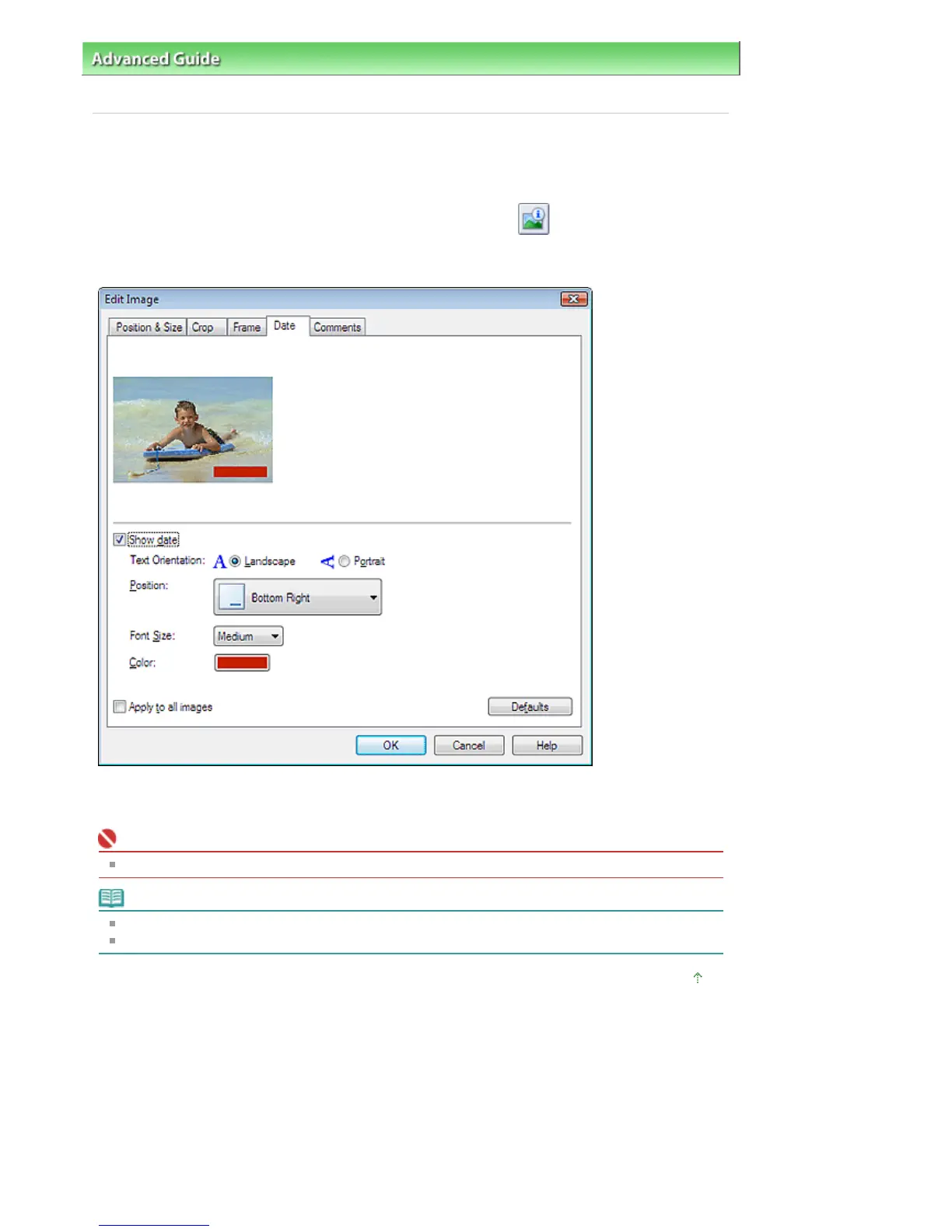
Select the image you want to print the date in the Edit screen and click (Edit Image) or double-click
the image.
Click the Date tab in the Edit Image dialog box.
Select the Show date checkbox.
Set the Text Orientation, Position, Font Size and Color, then click OK.
Important
You cannot print dates on framed images.
Note
The date is displayed in the short date format (mm/dd/yyyy, etc.) specified in your operating system.
See Help for details on setting dates.
Page top
Стр. 187 из 366 стр.Printing Dates on Photos


 To Next Page
 Loading...