47Installation and Service Guide Color Controller E-46A
Replacing parts
E-46A hardware
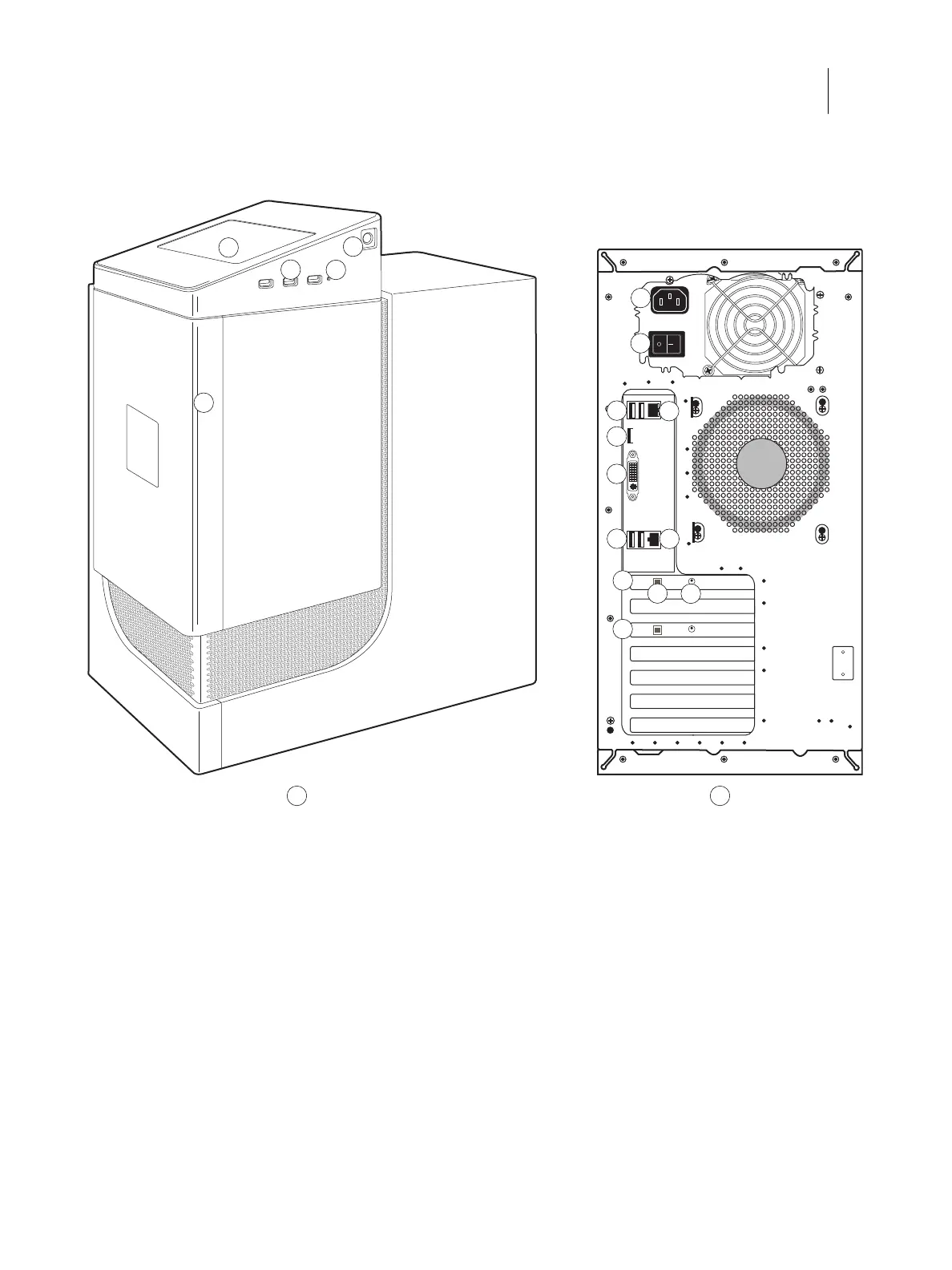
Figure 24: Front and connector panel
A Front panel B Connector panel
1 Fiery QuickTouch LCD 6 Power connector 12 USB3.0 ports (x2)
2 USB 3.0 ports (x3)
Note: Do not use the USB ports on the
Fiery QuickTouch for keyboard/mouse
connections for the service purpose.
7 Power switch
|: Power ON
O: Power OFF
13 Printer interface (crossover Ethernet) port
3 Reset button 8 USB2.0 ports (x2) 14 Printer interface board
4 Power button 9 Network port 15 Type B USB port for power synchronization
5 Front panel door 10 Display port 16 OFF/ON switch for power synchronization
OFF: Left
ON: Right
11 DVI port (for monitor) 17 Additional Printer interface board (optional)
1
4
2
A B
6
7
15
8
9
5
3
10
16
11
12
13
14
17


 To Next Page
 Loading...


