4 Controlling the unit
38 Gendex Dental Systems
207723 rev 7
4.5 Other sections
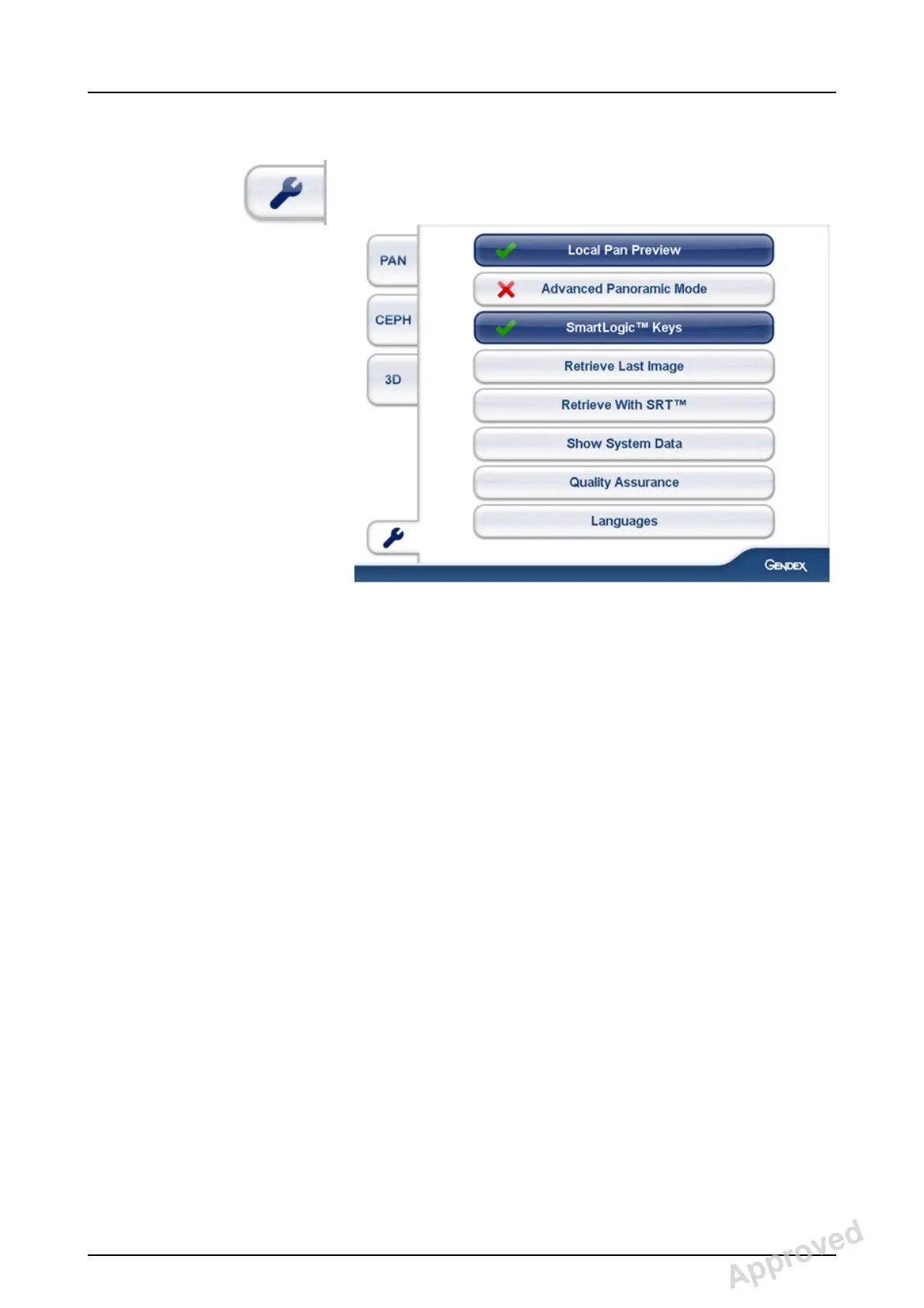
General settings
■ Local Pan Preview
- When activated, the Pan image is shown on the
device Touchscreen
■ Advanced Panoramic Mode
- When activated, the advanced Pan programs are
available
■ SmartLogic™ Keys
- When activated, the patient size and program se-
lections on each tab will default to the most fre-
quently used selections
- Press and hold to reset the counter
■ Retrieve Last Image
- Use this to retrieve the last image from the device
memory e.g. after a system crash
- Please make sure that the retrieved image is as-
sociated with the correct patient
■ Retrieve With SRT
- After taking a 3D image with SRT either on or off,
image can be re-reconstructed with different set-
ting by selecting either “Retrieve last image” or
“Retrieve With SRT” from the general settings on
the touch screen. If reconstruction with SRT is un-
available for the last captured image, e.g. last tak-
en image is cephalometric, “Retrieve With SRT”-
button will not be visible.
Approved: Laihonen Tuuli 2016-12-02 16:41
Reviewed: Nieminen Timo Antero 2016-12-02 15:31
Approved
See PDM system to determine the status of this document. Printed out: 2017-03-22 10:54:38
D507729, 7
Copyright © 2016 by PaloDEx Group Oy. All rights reserved.


 To Next Page
 Loading...





