11
Bluetooth
®
OPERATION
11-3
(Menu > Bluetooth > Bluetooth)
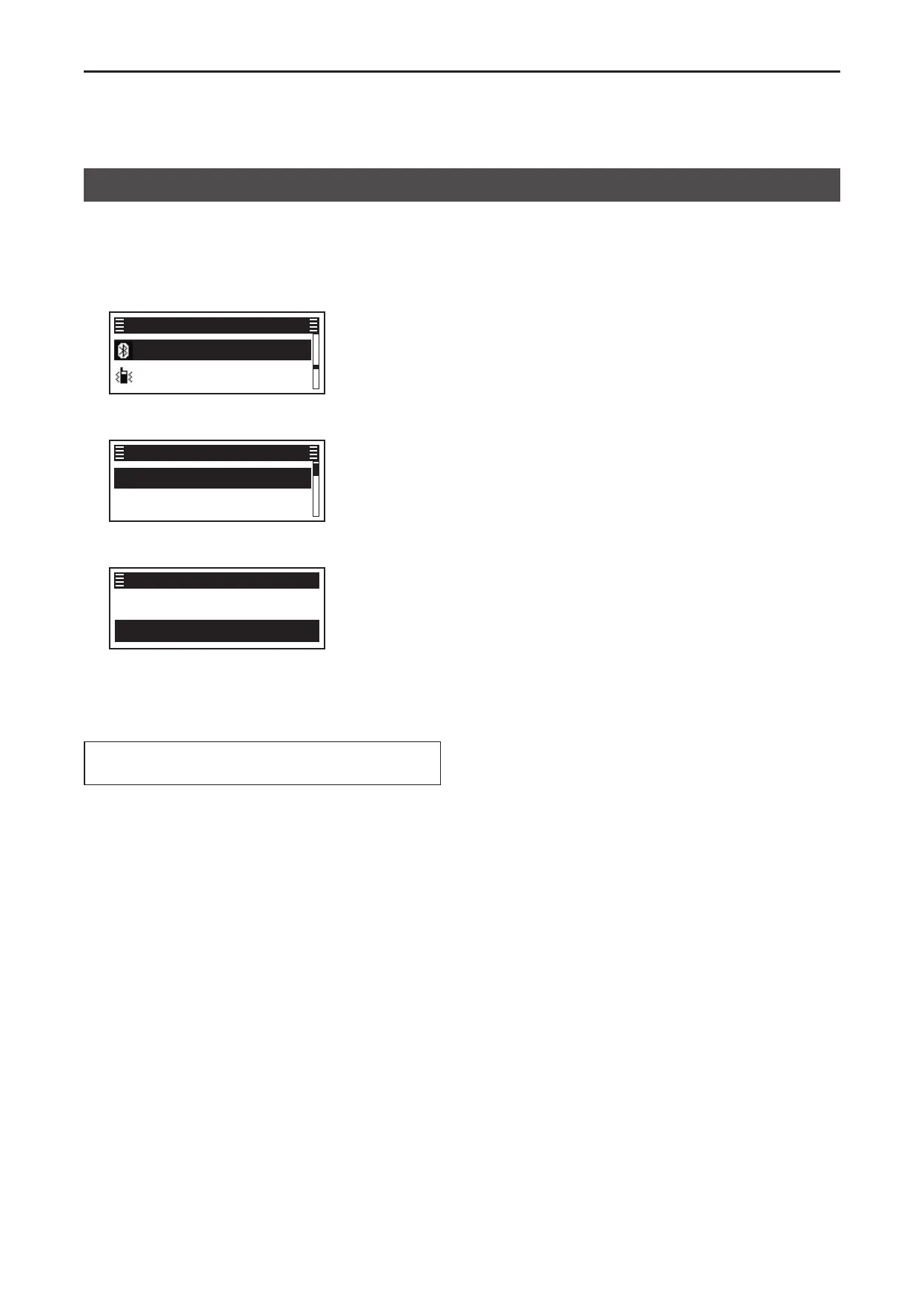
1� Push [Menu] to display the “Menu” screen�
2� Push [P2 (Up)] or [P1 (Down)] to select
“Bluetooth,” then push [OK]�
Bluetooth ►
Vibration ►
Menu
3� Push [P2 (Up)] or [P1 (Down)] to select
“Bluetooth,” then push [OK]�
Bluetooth ►
Bluetooth Reset ►
Bluetooth
4� Push [P2 (Up)] or [P1 (Down)] to select “ON,” then
push [OK]�
✔ OFF
✔ ON
Bluetooth
• The Bluetooth function is turned ON�
5� Hold down [Back] for 1 second to return to the
standby screen�
TIP: You can also turn the Bluetooth function ON or
OFF by pushing [Bluetooth]�
Turning ON the Bluetooth
®
function


 To Next Page
 Loading...