Manual Page 19
A.9 Content on Delivery
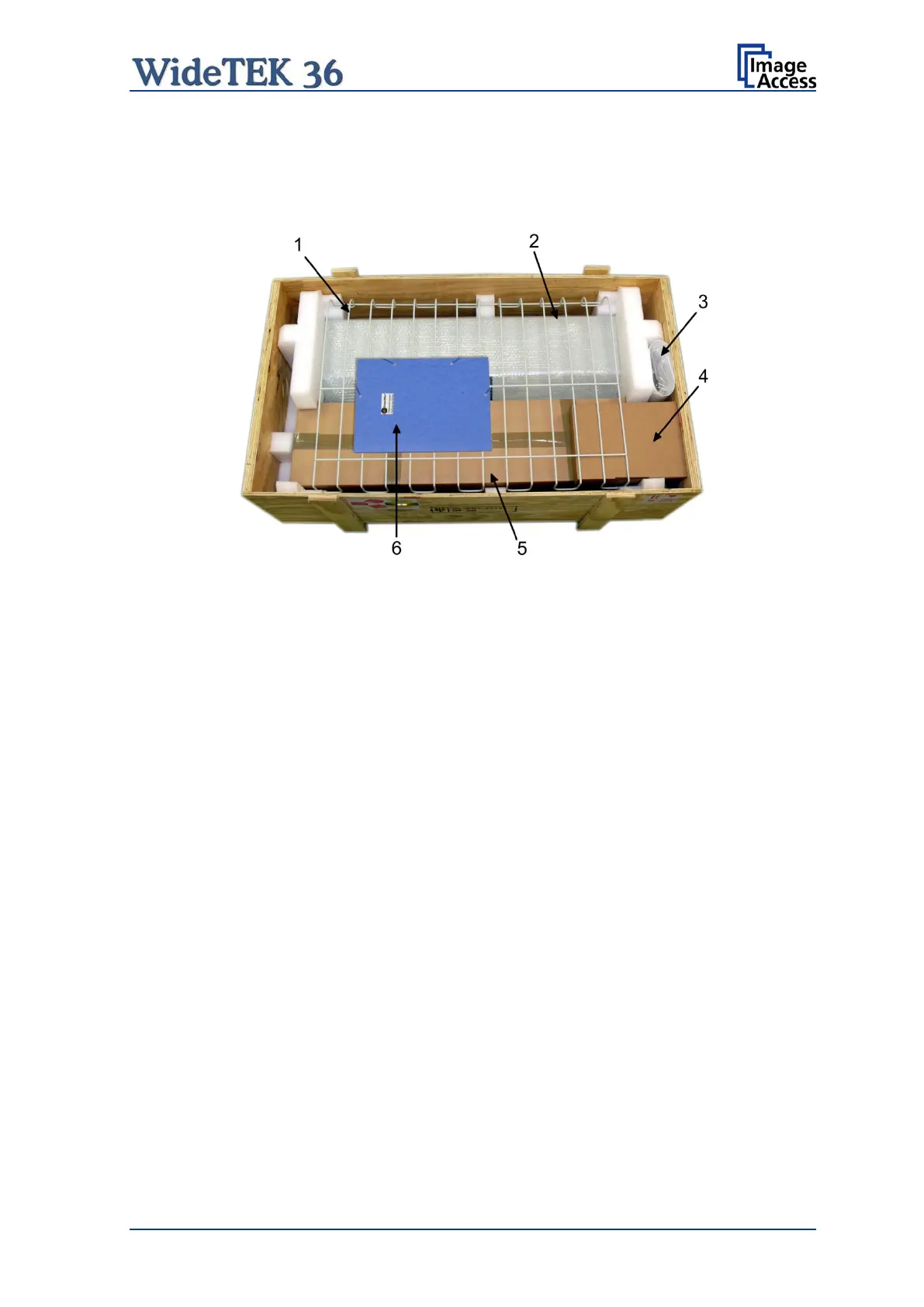
The scanner is delivered in a wooden transport box. The transport box also contains the
disassembled floor stand in a separate cardboard box and the paper catch basket.
Picture 2: Transport box opened
1: Paper catch basket
2: Scanner
3: White Reference Target
4: Box with cable set, manuals, and accessories (2x Recovery Key) .
The cable set consist of:
Network cable. The network cable connects the scanner to the network. All network
parameters such as IP address, subnet mask and gateway must be set via the front
panel prior to the first use.
Crossover cable. The crossover cable connects the scanner directly to a computer via
the network card.
Power cable. The power cable connects the scanner to the wall outlet.
5: Floor stand (optional) in separate cardboard box
6: Folder with CSTT-1 reference targets and the manuals.
Note: Keep the wooden transport box and the cardboard box for future use! In case of
guarantee the scanner must be sent back in the original transport box to avoid
transport damages.



 To Next Page
 Loading...






