CHECKS BEFORE START28
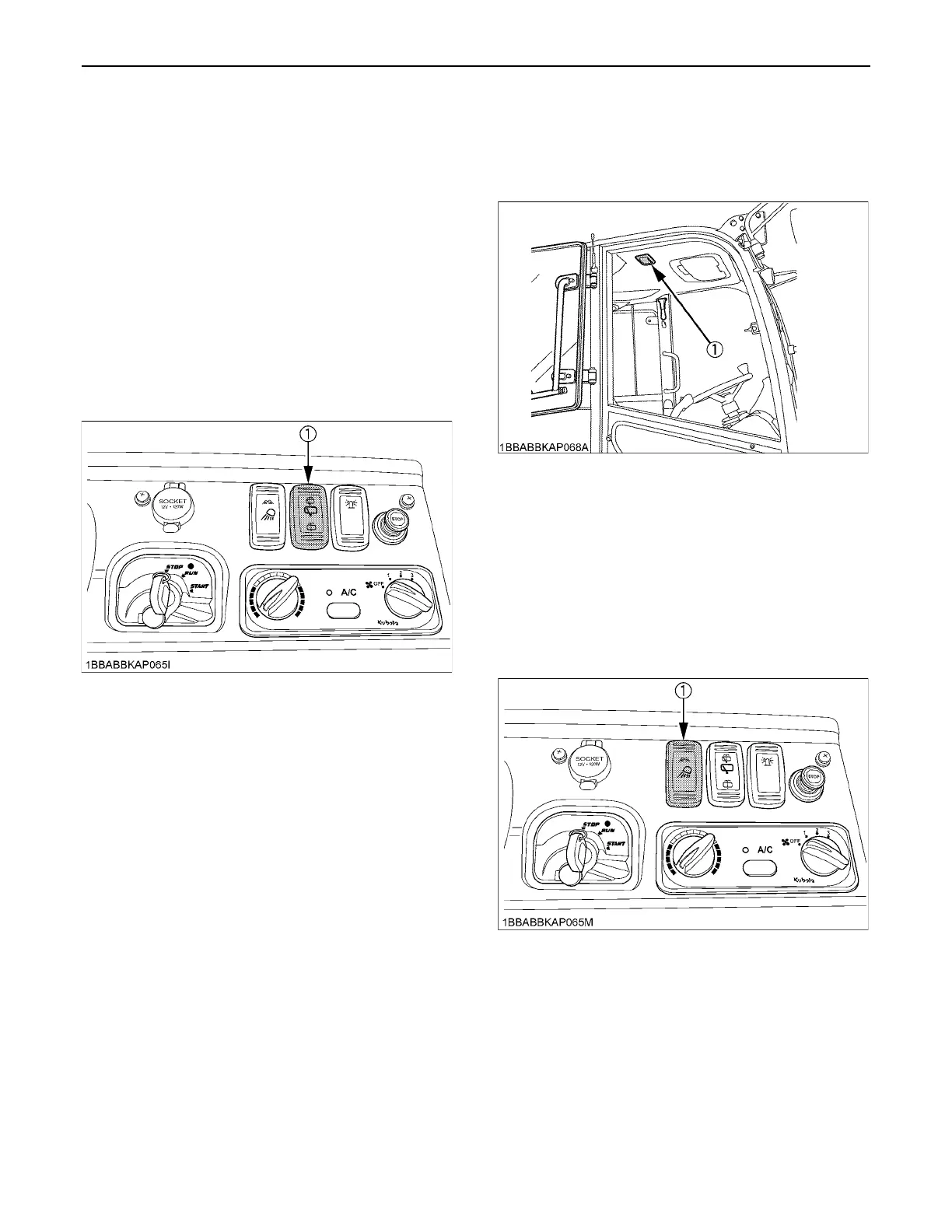
BRear Wiper/ Washer Switch
To move the rear wiper, turn on the switch for the rear
wiper when the starter key in position "RUN". A further
push on the switch will activate the washer system. Even
when the wiper switch is in position "OFF", the washer
switch functions if it is pressed.
A Do not activate the washer switch if the tank for the
cleaning fluid is empty; the pump can be damaged.
A Do not activate the wiper switch if the window is dry. In
this case, make sure that cleaning fluid is applied to
the window pane before activating the wiper.
A In frosty conditions, make sure that the wiper blade is
not frozen to the glass before switching-on. The motor
can be damaged if the wiper system is used under
such conditions.
BInterior Lamp
Press the lamp itself, and the lamp lights up. Press the
lamp again to turn it off.
BWorking Light Switch
This switch is operative with the starter key in the ON
position.
The switch has 3 positions. When positioned on your side,
the lights stay off. Move the switch to the first position to
turn on the front working light, and to the second position
to turn on both the front working lights and rear working
lights.
(1) Rear wiper / Washer switch
(1) Interior lamp
(1) Working light switch



 To Next Page
 Loading...