72
access from the Android Music application. Follow the onscreen instructions to
continue.
Opening the Music Library
►
Press Home and touch > Play Music. The Music library screen appears.
Playing Music
1.
On the Music library screen, touch a category name to view its contents. Available
categories are:
PLAYLISTS to select a customized playlist you’ve created.
RECENT to show the albums you have listened to recently.
ARTISTS to show your music library sorted by artist.
ALBUMS to show your music library sorted by album.
SONGS to list all of your songs in alphabetical order.
GENRES to show your music library sorted by genre.
2.
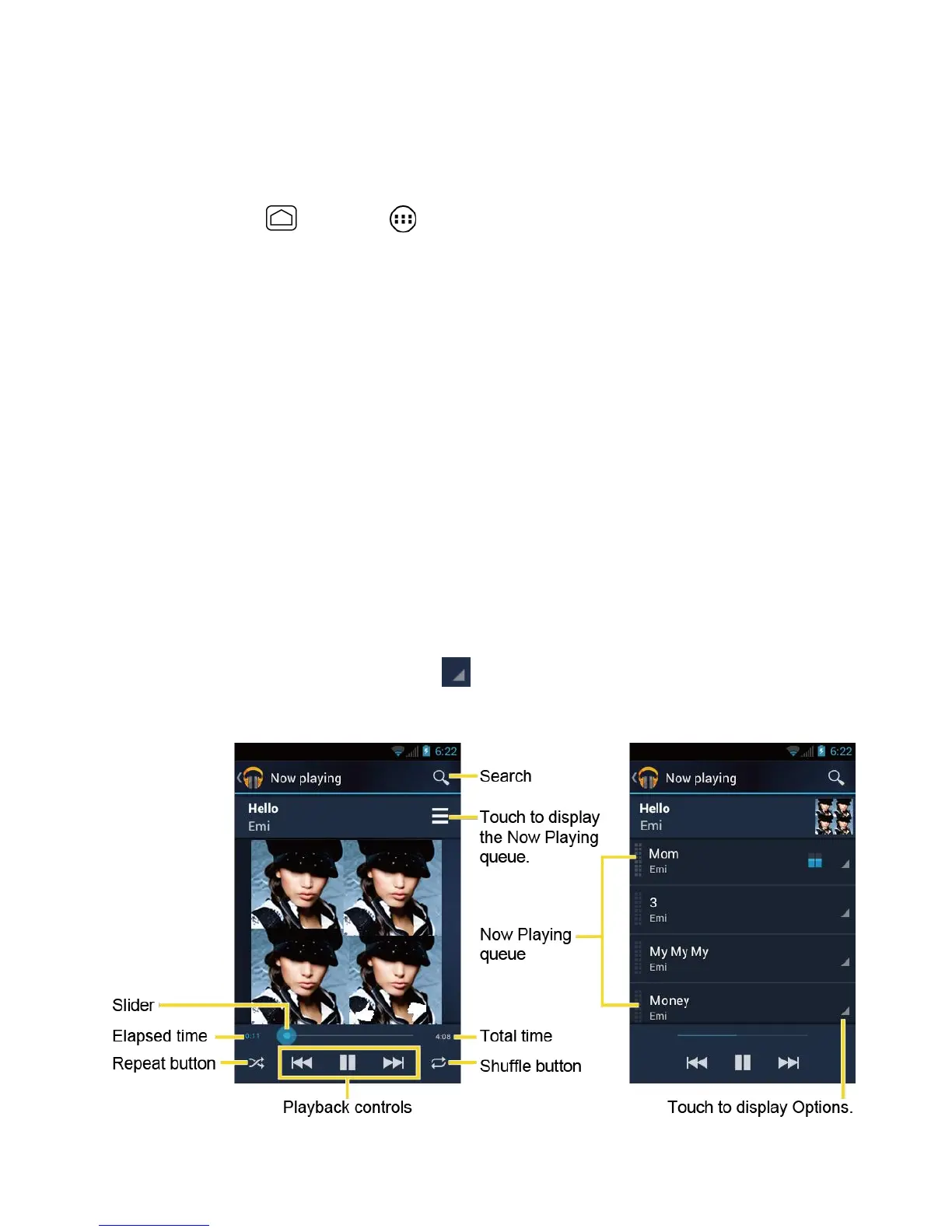
Touch a song in your library to play it. The Now playing screen opens.
- or-
Touch the triangular menu button next to an item and touch Play.
Now Playing Screen


 To Next Page
 Loading...








