3
STN
4. Remote Benchmark (RBM)
Determine Station Elevation
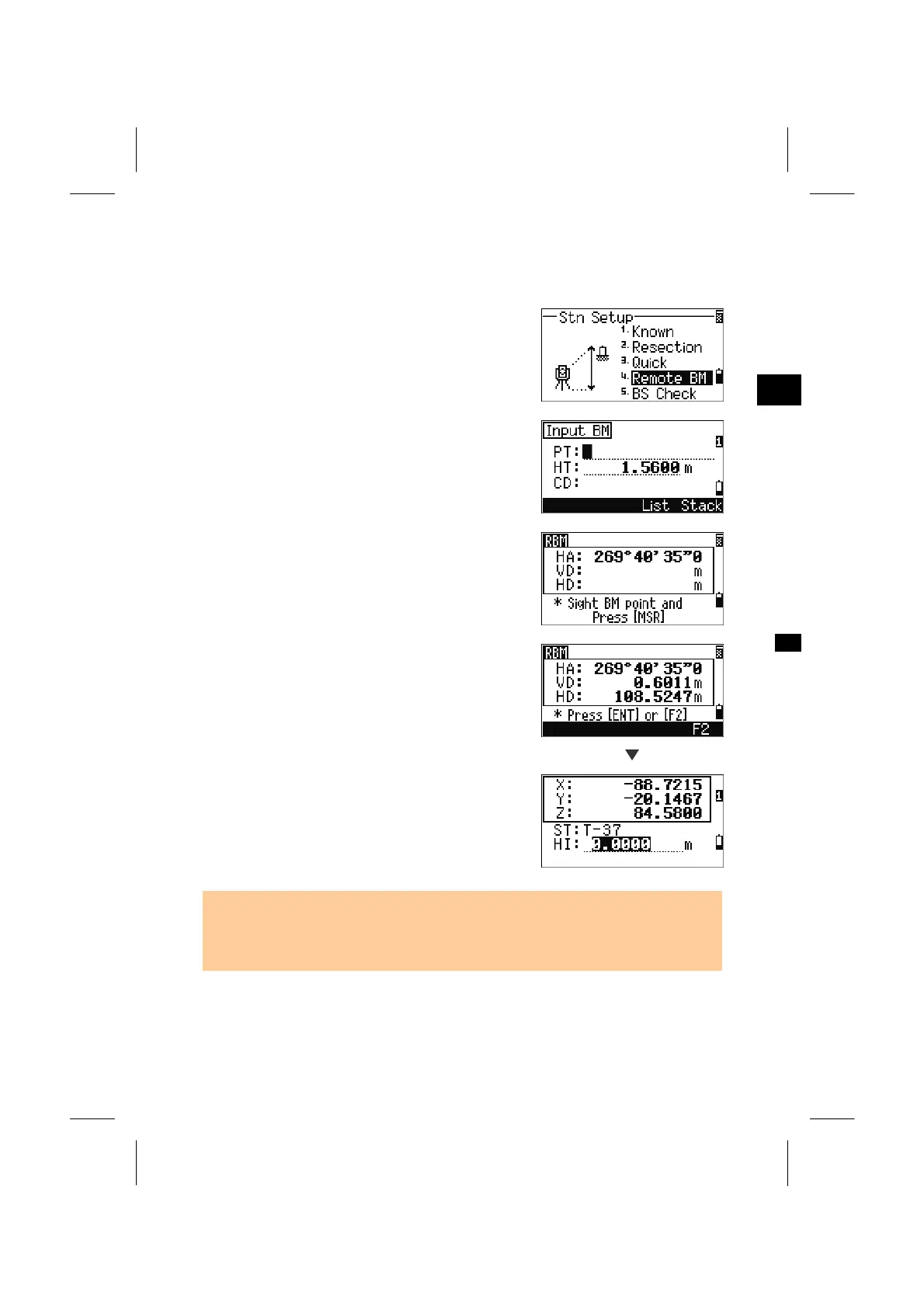
Press the [4] key on STN menu.
Input the BM point and press the [ENT] key. When
the point is found, it is displayed for a while and the
cursor moves to the HT field. Type HT and press
the [ENT] key.
Sight the BM point and press the [MSR1] or
[MSR2] key.
F1/F2 measurement is also available by pressing the
[F2] softkey or just flipping the telescope to Face2
after a distance measurement.
[ENT]
Updated station coordinate is displayed. The HI can
be changed on this screen.
Press the [ENT] key to record the updated STN.
• When the HI is changed, the Z-coordinate will be updated before recording the
station.
• A station setup must be completed before the Remote Benchmark function is used.
3-44


 To Next Page
 Loading...








