138
7
Main
Specications
Printing Area
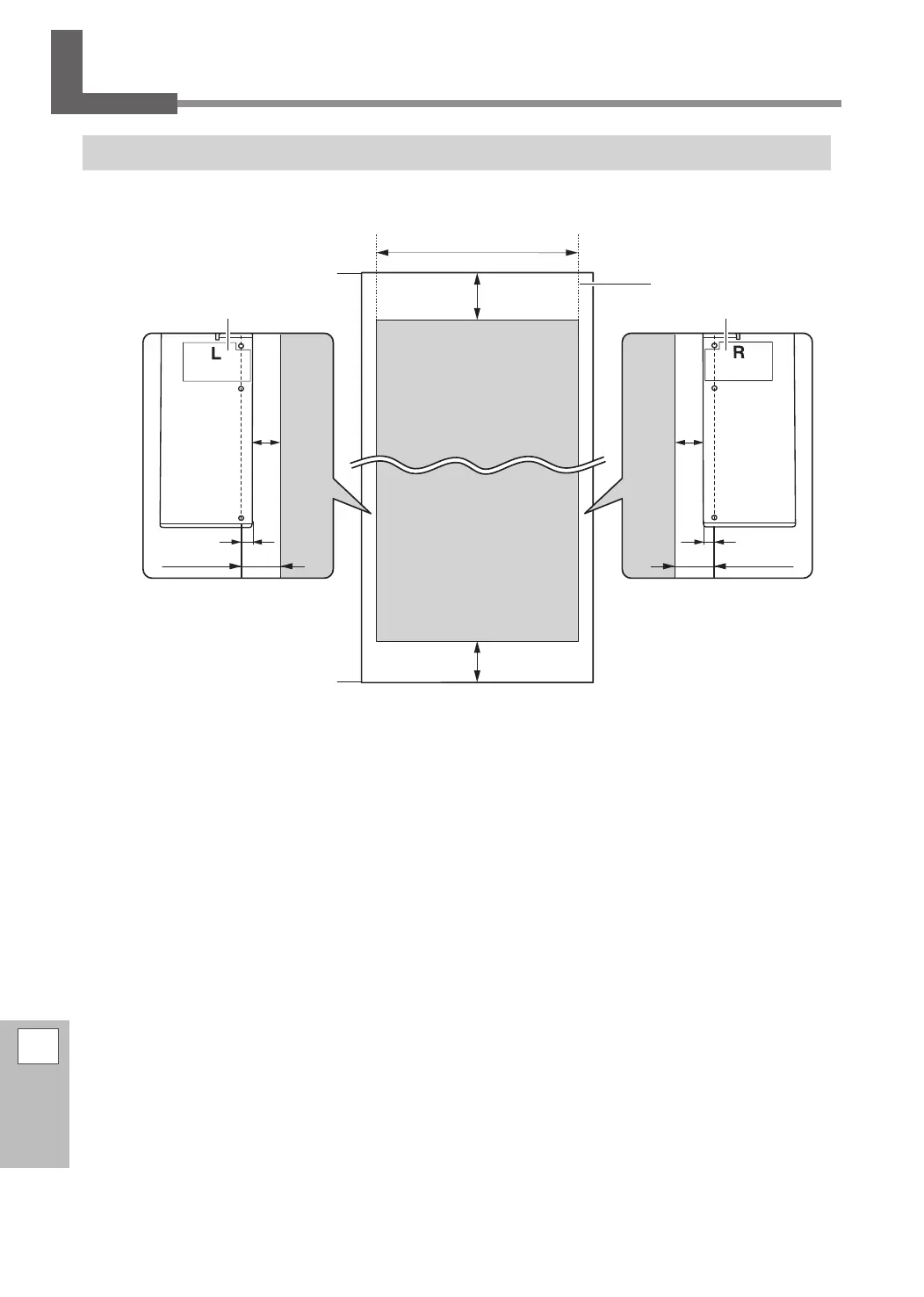
Maximum Printing Area and Margins
A: Setting of the [SIDE MARGIN] menu item (5 mm, 10 mm [default setting], or 25 mm)
B: Width clamped by the media clamp (approx. 5 mm (0.2 in.))
*1 The width of the left and right margins is the total of A and B. In the following cases, however, the setting
for A itself becomes the width of the margin.
• When media has been loaded without installing the media clamps
• When the [SHEET TYPE] menu item is set to [CLEAR] (regardless of whether the media clamps are present)
*2 You can change the width of the right margin by setting the base point (printing-start location).
P. 38, "Setting the Output-start Location"
95 mm
(3.7 in.)
Printing area
110 mm
(4.3 in.)
Max. 24,998 mm
(984.2 in.)
Origin of printing
coordinates
Max. 1,615 mm (63.6 in.)
Media
Trailing edge of the media
Leading edge of media
Right margin
(*1)(*2)
Left
margin (*1)
A
B
A
B
Media clamp
Media clamp


 To Next Page
 Loading...












