69
3
Maintenance
When Problems such as Dot Drop-out Are Not Fixed
When Problems such as Dot Drop-out Are Not Fixed
Perform the procedure below if ink discharge issues such as dot drop-out are not corrected after performing
cleaning using the cleaning function (normal, medium, powerful) or manual cleaning.
Procedure
Discard the discharged uid in the drain bottle.
Refer to P. 52, "Disposing of Discharged Fluid" to discard the discharged uid. Start from step
.
CAUTION
The discharged uid must be discarded at this stage.
A large amount of ink will be discharged during this operation. The discharged
uid must be discarded at this stage. If you do not discard it at this stage,
discharged uid may overow from the drain bottle during the procedure that
follows.
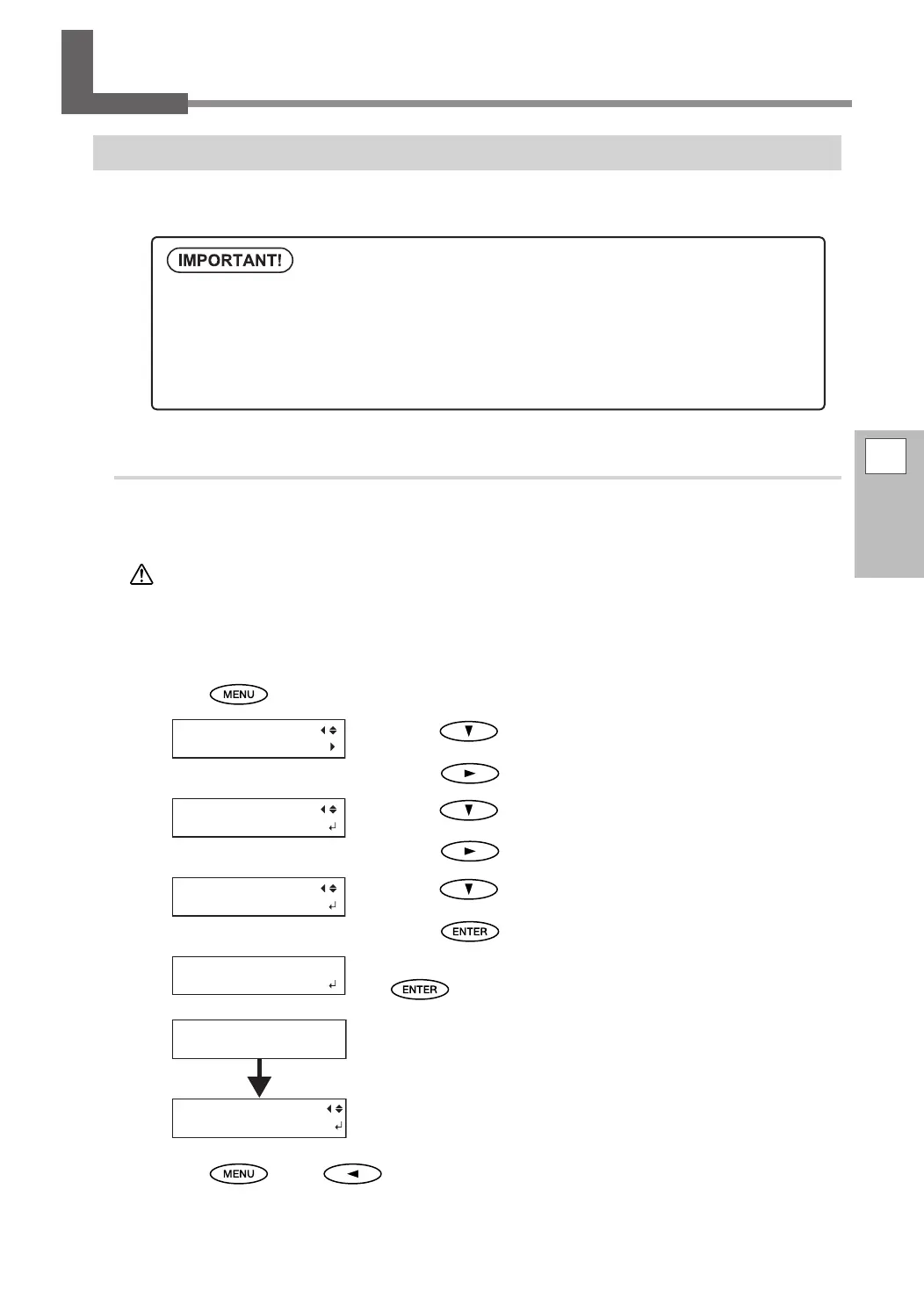
Press .
Press several times to display the screen shown
on the left.
Press
.
Press several times to display the screen shown
on the left.
Press
.
Press several times to display the screen shown
on the left.
Press
.
Check that the drain bottle is empty, and then press
.
The screen shown in the gure appears.
The remaining process time (estimated) is displayed on the screen.
("01:45" = "1 minute and 45 seconds")
When nished, the screen shown in the gure appears again.
Press , then to go back to the original screen.
A large amount of ink will be discharged during this operation. Perform this operation only when dot
drop-out cannot be corrected even after performing cleaning using the cleaning function (normal,
medium, powerful) or manual cleaning.
P. 52, "Maintenance That Should Be Performed Daily", P. 56, "When Normal Cleaning Is Not Effective", P.
60, "Maintenance That Should Be Performed Once a Month or More"
CHECK
DRAIN BOTTLE
RENEWING INK...
>>>>>> 01:45
INK CONTROL
INK RENEWAL


 To Next Page
 Loading...












