64
If the card is new or was previously formatted by another camera or
computer, format the card with this camera.
1
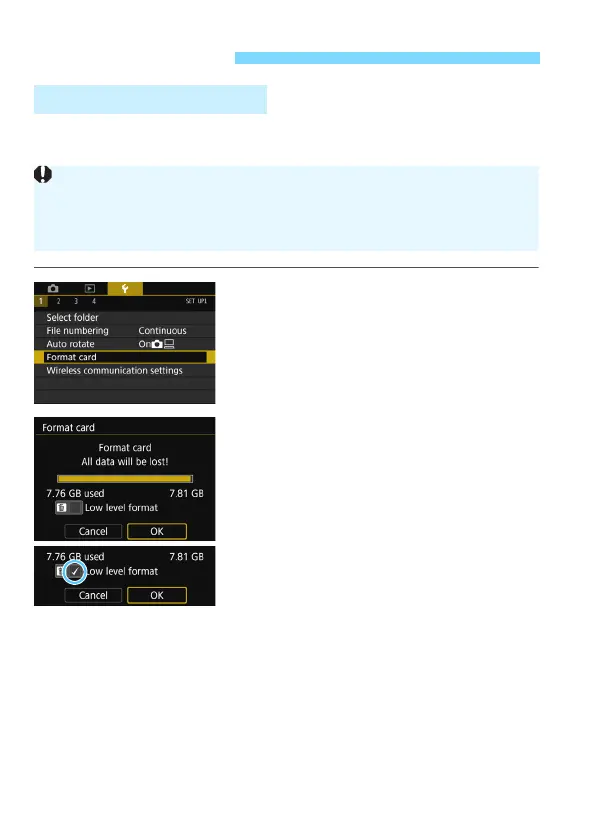
Select [Format card].
Under the [
51
] tab, select [
Format
card
], then press <
0
>.
2
Format the card.
Select [
OK
], then press <
0
>.
The card will be formatted.
When the formatting is completed,
the menu will reappear.
For low-level formatting, press the
<
L
> button to add a checkmark [
X
]
to [
Low level format
], then select
[
OK
].
Before You Start
3 Formatting the Card
When the card is formatted, all images and data on the card will be
erased. Even protected images will be erased, so make sure there is
nothing you need to keep. If necessary, transfer the images and data to
a computer, etc., before formatting the card.


 To Next Page
 Loading...










