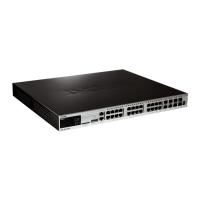
xStack® DGS-3620 Series Layer 3 Managed Stackable Gigabit Switch CLI Reference Guide
739
Chapter 61
LLDP Data Center
Bridging Exchange Protocol
(LLDP-DCBX) Commands
config lldp_dcbx ports [<portlist> | all] tlv-select [all | {pfc-configuration}] state [enable | disable]
show lldp_dcbx ports <portlist>
show lldp_dcbx local_ports <portlist>
show lldp_dcbx remote_ports <portlist>
61-1 config lldp_dcbx ports
Description
This command is used to specify which optional Type-Length-Value settings (TLVs) in the LLDP
DCBX management set will be transmitted and encapsulated in the LLDPDUs and sent to
neighbor devices.
Format
config lldp_dcbx ports [<portlist> | all] tlv-select [all | {pfc-configuration}] state [enable |
disable]
Parameters
ports - Specifies the ports that will be used for this configuration.
<portlist> - Enter the list of ports that will be used for this configuration here.
all - Specifies that all ports will be used for this configuration.
tlv-select - Specifies to transmit the selected TLV.
all - Specifies to transmit all TLVs.
pfc-configuration - (Optional) Specifies that the LLDP agent should transmit the PFC
state - Specifies the LLDP DCBX state.
enable - Specifies that the LLDP DCBX state will be enabled.
disable - Specifies that the LLDP DCBX state will be disabled.
Restrictions
Only Administrators, Operators and Power-Users can issue this command.
Example
This example shows how to enable transmitting all LLDP-DCBX TLVs on all ports.
DGS-3620-28PC:admin# config lldp_dcbx ports all tlv-select all state enable
Command: config lldp_dcbx ports all tlv-select all state enable
Success.



 To Next Page
 Loading...