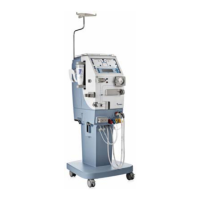
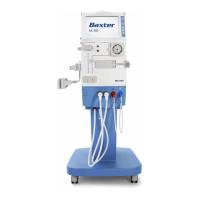
The Keypad is placed to the right, next to the Information Display. The
Keypad consists of 6 setting keys which are to be used to do settings on
the Information Display.
When a function button has been pressed, different displays and
menus appear on the Information Display. The Cursor keys and the
Display Up/Down keys are used to navigate within the menus on
the I nformation Display. The Select key and the Back key are also
connected to navigation and setting on the Information Display.
The Blood pump button, along with the UF Start/Stop button and
the Fluid Bypass button are exceptions to those described above,
as for these functions, the operator needs direct access. When the
Blood pump button is pressed the blood pump will be switched on
and off (no display). The blood flow rate is to be adjusted using
the Blood Pump Up/Down keys connected to the button. When the
UF Start/Stop button is pressed, the ultrafiltration starts and stops.
When the Fluid bypass button is pressed, the dialysis fl uid will enter or
bypass the dialyzer.
HCEN12239 Revision 12.2010
Program version 3.xx
AK 96
®
Operator's Manual - Operating the Machine
3:5


 To Next Page
 Loading...