Garmin G950 Pilot’s Guide for the Pilatus PC-6
190-00870-02 Rev. A
306
HAZARD AVOIDANCE
SYSTEM
OVERVIEW
FLIGHT
INSTRUMENTS
EIS
AUDIO PANEL
& CNS
FLIGHT
MANAGEMENT
HAZARD
AVOIDANCE
AFCS
ADDITIONAL
FEATURES
APPENDICESINDEX
Weather alert
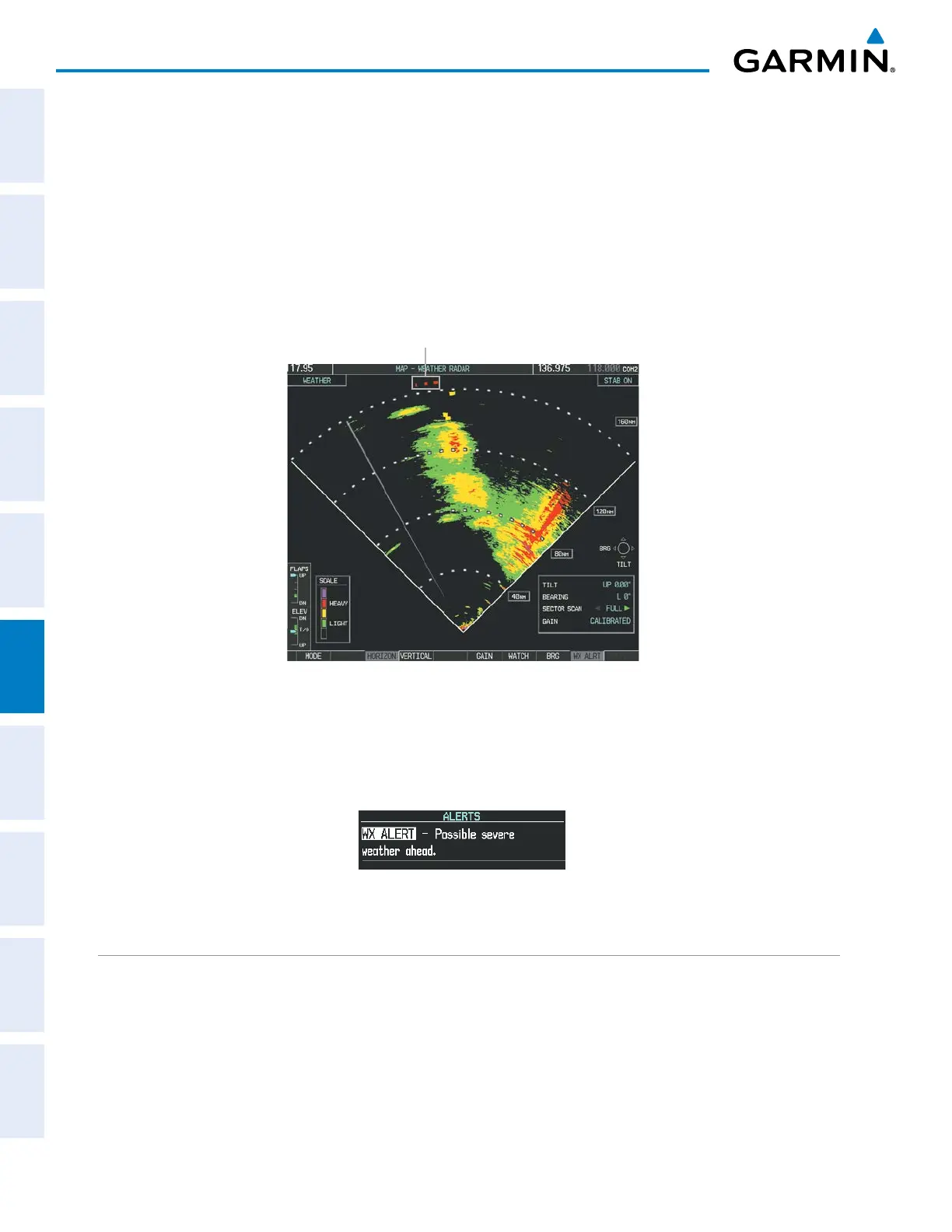
The Weather Alert feature indicates the presence of heavy precipitation between the ranges of 80 and 320
nm regardless of the currently displayed range. Weather Alert targets appear as red bands along the outer
range ring at the approximate azimuth of the detected returns.
If a Weather Alert Target is detected within ±10° of the aircraft heading, a textual alert is displayed on the
PFD in the Alerts Window.
If the antenna tilt is adjusted too low, a weather alert can be generated by ground returns. To avoid
unwanted weather alerts, deselect the WX ALRT Softkey..
Figure 6-19 Weather Alert Indications
Weather Alerts Targets
To enable or disable Weather Alerts on the PFD, press the WX ALRT Softkey. Activating and deactivating
enables or inhibits the alert on the PFD, and does not affect the display of the Weather Alert Targets on the
Weather Radar Page.
Figure 6-20 Weather Alert on PFD
GROUND MAPPING AND INTERPRETATION
A secondary use of the weather radar system is for the presentation of terrain. This can be a useful tool for
verifying aircraft position. A picture of the ground is represented much like a topographical map that can be
used as a supplement to the navigation map on the MFD.
Ground Map mode uses a different gain range than Weather mode. Different colors are also used to represent
the intensity levels. The displayed intensity of ground target returns are defined in Table 6-5. Use of the
GAIN and TILT controls help improve contrast so that specific ground targets can be recognized more easily.


 To Next Page
 Loading...









