Garmin G950 Pilot’s Guide for the Pilatus PC-6
190-00870-02 Rev. A
SYSTEM
OVERVIEW
FLIGHT
INSTRUMENTS
EIS
AUDIO PANEL
& CNS
FLIGHT
MANAGEMENT
HAZARD
AVOIDANCE
AFCS
ADDITIONAL
FEATURES
APPENDICESINDEX
462
APPENDIX B
NOTE: Garmin requests the flight crew report any observed discrepancies related to database information.
These discrepancies could come in the form of an incorrect procedure; incorrectly identified terrain, obstacles
and fixes; or any other displayed item used for navigation or communication in the air or on the ground. Go
to FlyGarmin.com and select ‘Report An Aviation Data Error Report.’
NAVIGATION DATABASES
The navigation database is updated on a 28-day cycle. The navigation database must be installed from the
Jeppesen or user supplied SD data card. Contact Jeppesen (www.jeppesen.com) for subscription and update
information.
NOTE: After the navigation database is installed, the card may be removed.
Updating the active navigation database (not using the Dual Navigation Database or Automatic
Database Synchronization Features):
1) With the system OFF, insert the SD card containing the new navigation database version into the top card slot of the
display (PFD or MFD) to be updated (label of SD card facing left).
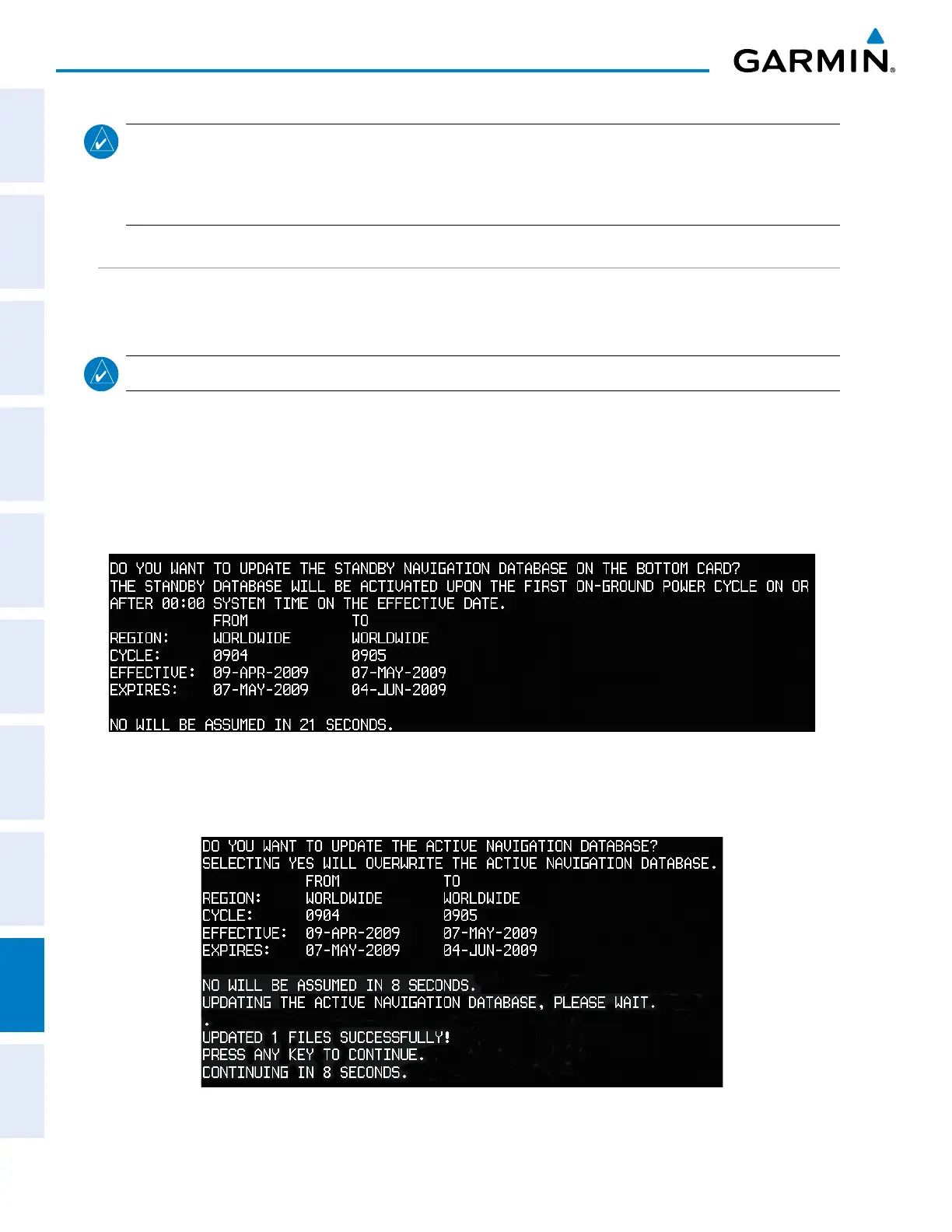
2) Turn the system ON. A prompt similar to the following is displayed in the upper left corner of the display:
Figure B-1 Standby Navigation Database Prompt
3) Press the NO Softkey to proceed to loading the active database.
4) A prompt similar to the following is displayed, press the YES Softkey to update the active navigation database.
Figure B-2 Database Update Confirmation


 To Next Page
 Loading...









