2-2 Operator’s Manual – OPTI CCA-TS2
2 SETUP
2.3 Setting up the OPTI CCA-TS2 Analyzer
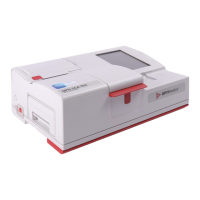
You are now ready to prepare your OPTI CCA-TS2 Analyzer for operation.
Begin by placing the analyzer on a secure table top that allows plenty of working space and is
convenient to a power connection.
1. Plug in the Power Supply
• Plug the power supply into the receptacle on
the left side of the unit (Fig. 2-1).
• Plug the power cord into the power supply.
• Plug the cord into a grounded electrical
outlet.
NOTE:ToprotectyourOPTICCA-TS2andother
electronicdevicesfromdamagecaused
byelectricalpowerspikes,OPTIMedical
recommendstheuseofasurgeprotector.
2. Install the Battery Pack in its Housing
• Push the battery pack into the opening on
the left hand side of the OPTI CCA-TS2
(Fig. 2-2).
NOTE: Thebatterywillneedtobecharged
foratleast2.5hourspriortousingthe
OPTICCA-TS2onbatterypower.
Itwillbechargedautomatically
whenevertheanalyzer’sexternalpower
supplyispluggedintoanelectrical
outlet.
The lower LED on the back of the analyzer turns
green while the battery is being charged.
The top LED turns green when charging is
complete.
3. Turn on the Power
• Locate the power button on the left side of
the unit and push down to turn the power on
(Fig. 2-3).
Fig. 2-1 Power Cord Connection
Fig. 2-2 Insert Battery Pack
Fig. 2-3 Power Button


 To Next Page
 Loading...