4 Scan
106 Xerox 6204 Wide Format Solution
Scan
4
Deleting a Mailbox
This section describes the procedure for deleting a mailbox.
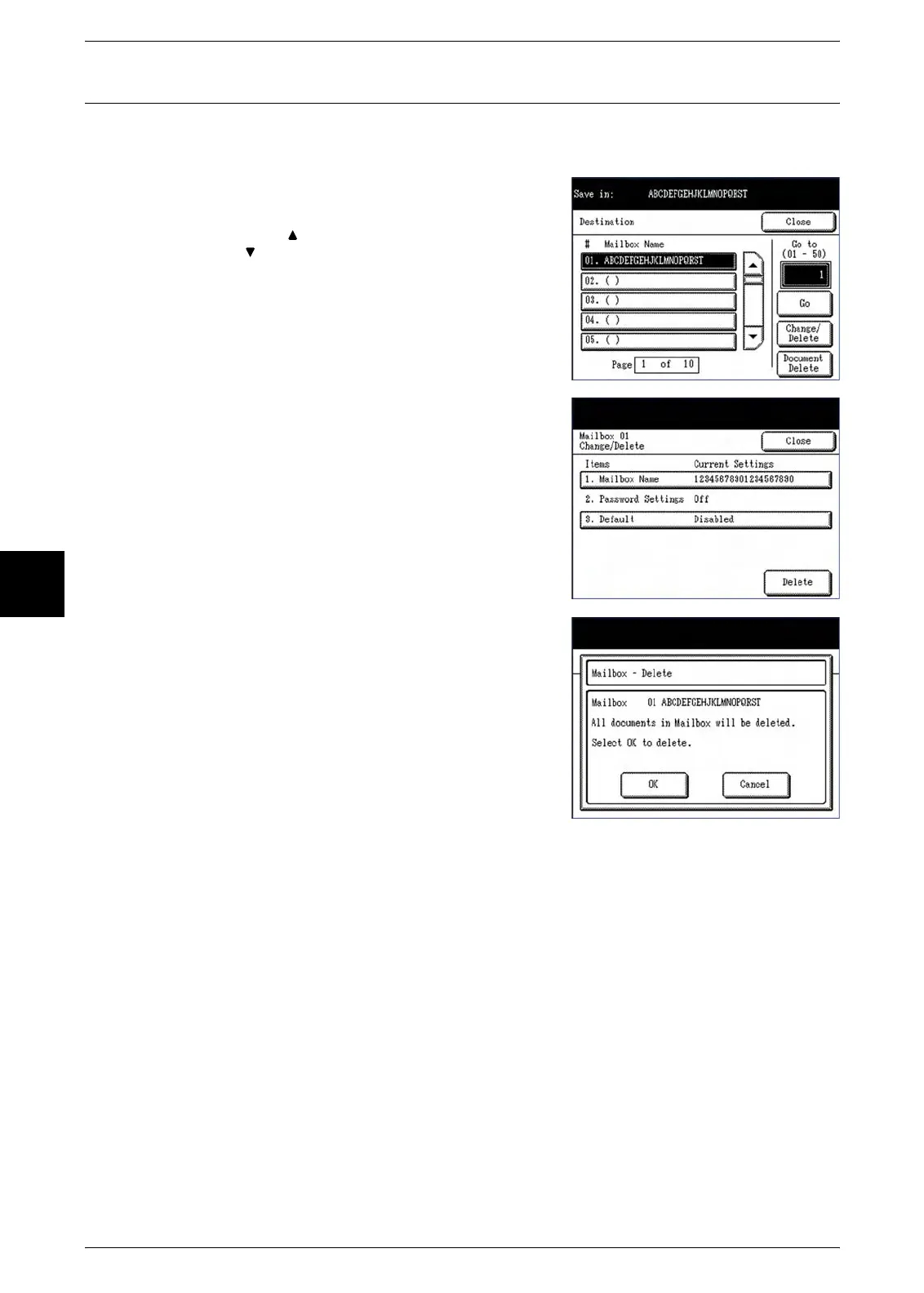
1 Select the mailbox to delete, and then select
[Change/Delete].
Note: Select [ ] to display the previous screen and select
[ ] to display the next screen.
The [Change/Delete] screen will display.
2 Select [Delete].
A confirmation screen will display.
3 Select [OK] to delete the selected mailbox.
The mailbox will be deleted.



 To Next Page
 Loading...