6 System Setup
134 Xerox 6204 Wide Format Solution
System Setup
6
Timers
The [Timers] selection of the [Setup] menu allows you to set up the values for the time-
out features. Five timeout features may be set up:
1. Low-power . . . . . . . . . . . . . . . . . . . . . . . . . . . . . . . . . . . . . . . . . . . . . . . . . . . . . . . . . . . . 134
2. Sleep . . . . . . . . . . . . . . . . . . . . . . . . . . . . . . . . . . . . . . . . . . . . . . . . . . . . . . . . . . . . . . . . 136
3. Features . . . . . . . . . . . . . . . . . . . . . . . . . . . . . . . . . . . . . . . . . . . . . . . . . . . . . . . . . . . . . . 137
4. Print Interrupt . . . . . . . . . . . . . . . . . . . . . . . . . . . . . . . . . . . . . . . . . . . . . . . . . . . . . . . . . . 138
5. File Deletion . . . . . . . . . . . . . . . . . . . . . . . . . . . . . . . . . . . . . . . . . . . . . . . . . . . . . . . . . . . 139
1. Low-power
The procedure for setting up the Low-power mode follows. The setting range is 5 to 240
minutes. The factory default setting for [1. Low-power] is 15 minutes.
Procedure
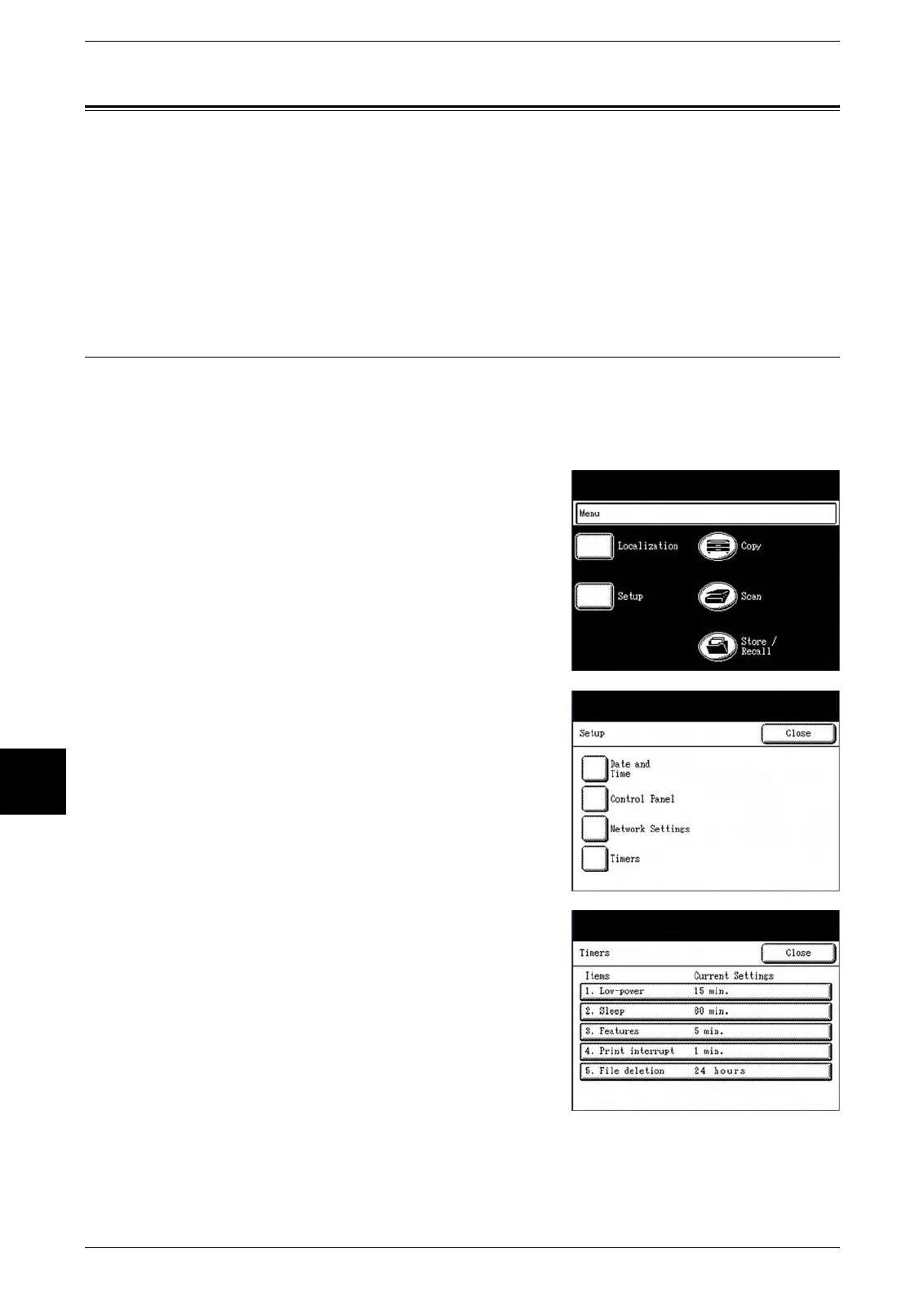
1 Select the [Setup] button on the [Menu] screen.
The [Setup] menu will display.
2 Select [Timers] on the [Setup] menu.
The [Timers] menu will display.
3 Select [1. Low Power].
The [Auto Power Saver] screen will display.



 To Next Page
 Loading...