7 System Administration
158 Xerox 6204 Wide Format Solution
System Administration
7
Shutdown
The Shutdown feature permits you to either fully power down the system (Copier/
Printer and controller) or reboot the system.
Procedure
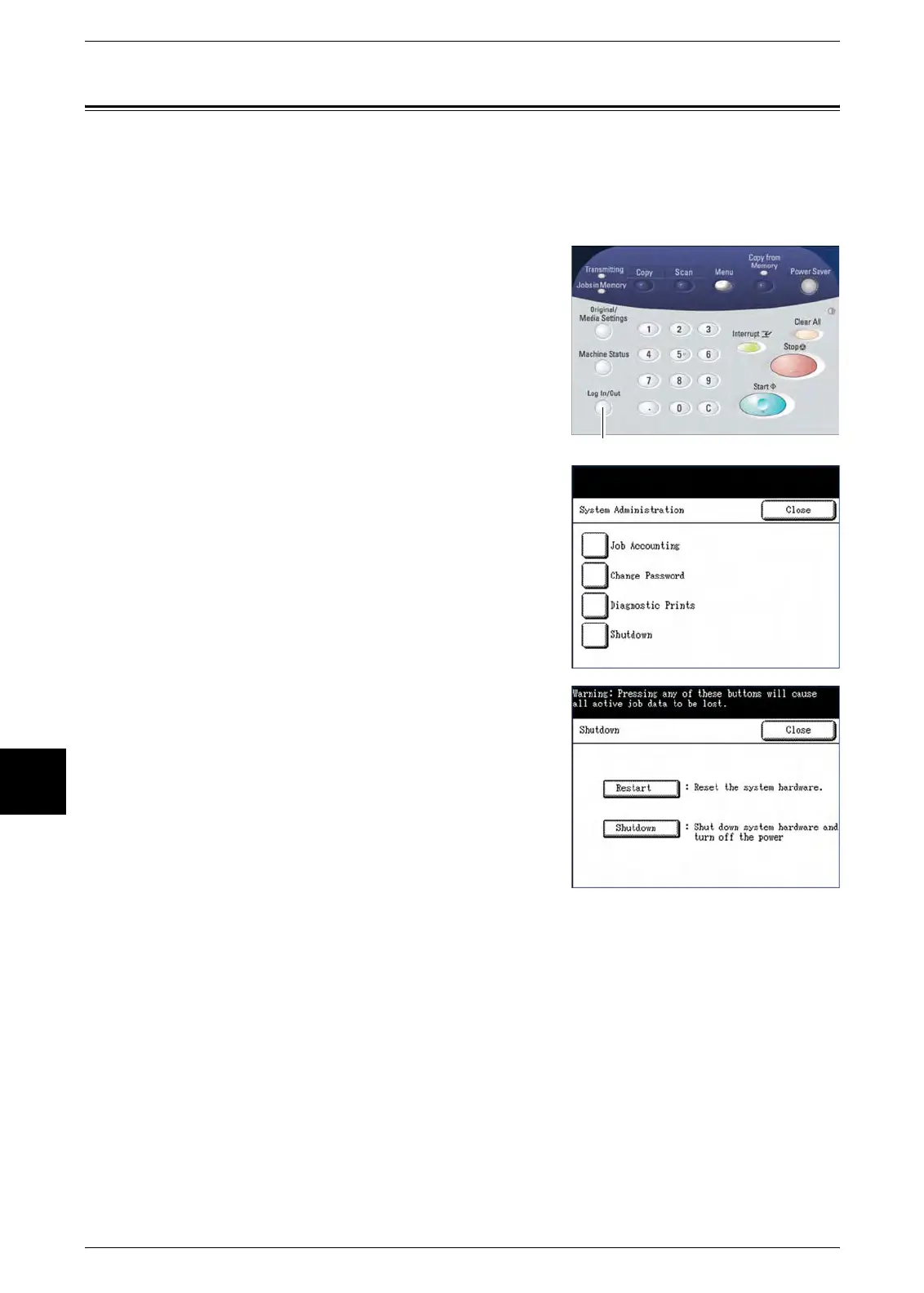
1 Press the <Log In/Out> button.
The machine will enter the System Administration
mode and display the [System Administration] menu.
2
Select [Shutdown].
The [Shutdown] menu will display.
3 Select the appropriate option:
Shutdown
Selecting [Shutdown] safely powers down the
system (Copier/Printer and controller).
Restart
Selecting [Restart] reboots the system. Use this
selection if there appear to be problems with
queued jobs not printing.
<Log In/Out>



 To Next Page
 Loading...