28
Names of Parts
Num-
ber
Name Function Refer to
(10) Front cover Open this cover to remove the film stuck in the
heat process unit or the cooling / transport unit
when a jam occurs. Also, open it to change the
deodorant filter.
―
(11) Supply trays 1
and 2
Holds films. 2.2.5 Supply Tray (page 32)
(12) Supply tray 3 Used to install the optional expansion tray and
mammography media expansion tray.
2.2.6 Expansion tray (optional)
(page 32)
2.2.7 Mammography media expan-
sion tray (optional) (page 33)
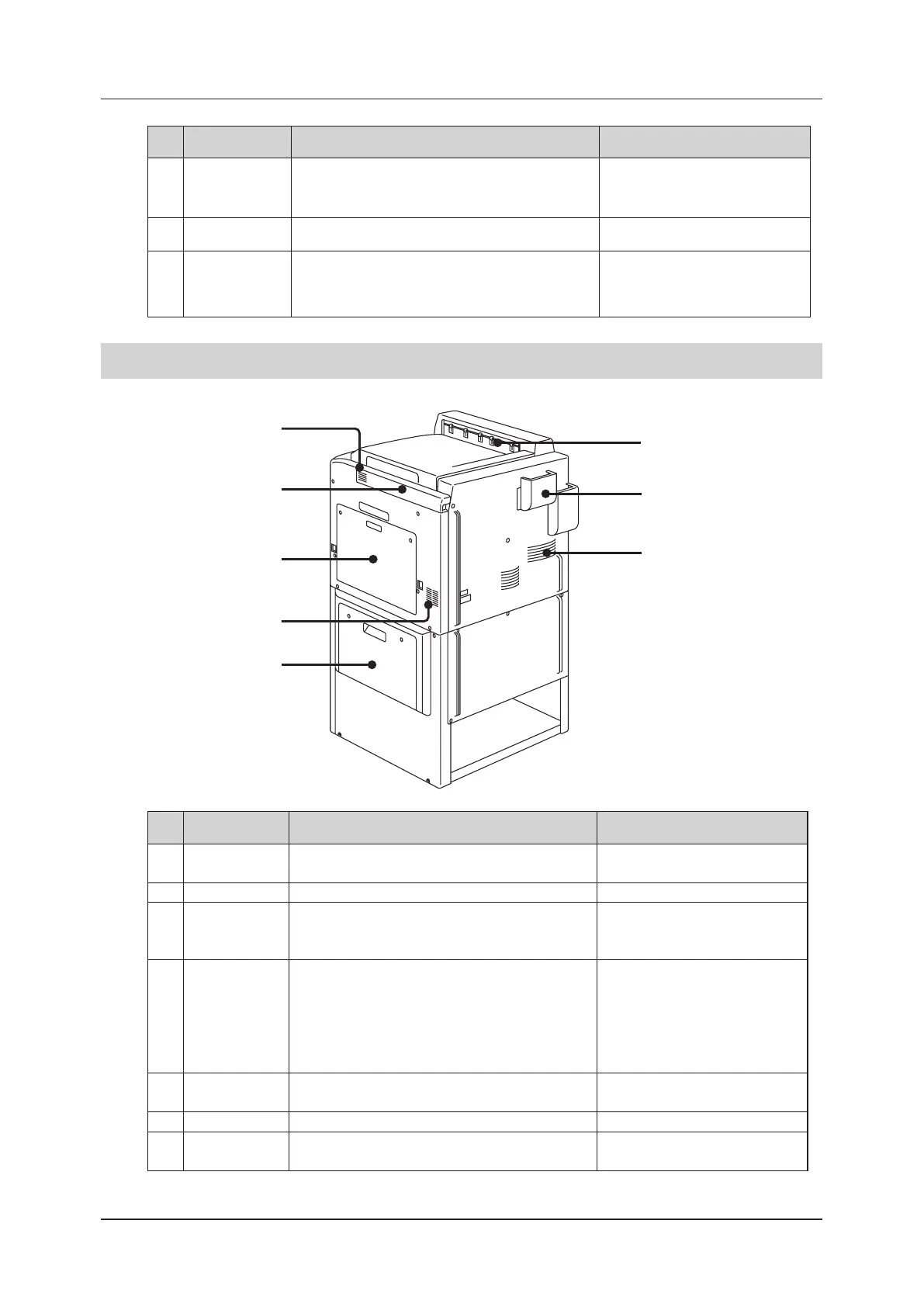
2�2�2
Rear, Right Side and Top
(7) Air outlet
(1) Air intake
(4)
Lower right cover
(5) Film ejection port
(6) Exhaust duct
(1) Air intake
(2) LAN cover
(3) Top right cover
Num-
ber
Name Function Refer to
(1) Air intake Draws air to cool the inside. 5.3.3 Cleaning Air Intakes/Outlets
(page 108)
(2) LAN cover Ethernet port and UPS serial port cover. 2.2.4 Interior (page 30)
(3) Top right cover Open this cover to remove the film stuck in the posi-
tion regulation unit when a jam occurs.
4.5.1 Film Jam Between the Sup-
ply tray 1 and 2 and the Position
Regulation Unit (page 85)
(4) Lower right
cover
If a film jam occurs in the expansion supply tray,
open this cover and remove the jammed film.
4.5.4 Film Jam from Supply tray
3[optional] (Elevating Transporta-
tion Unit) (page 93)
4.5.5 Film Jam from Supply tray
3[optional] (Position Regulation
Unit) (page 95)
(5) Film ejection
port
Printed films are ejected. ―
(6) Exhaust duct Discharges air used to cool the inside. ―
(7) Air outlet Discharges air used to cool the inside. 5.3.3 Cleaning Air Intakes/Outlets
(page 108)


 To Next Page
 Loading...






