5. Set the engine speed to provide recommended
PTO speed.
NOTE :
• If the PTO system is engaged and you stand
up from the operator's seat without using
stationary PTO system, the engine stops
automatically after standing up.
4. How to use the stationary PTO
[HST type]
To park the tractor and use the PTO system for chipper
or pump, for example, start the PTO system in the
procedure in this section.
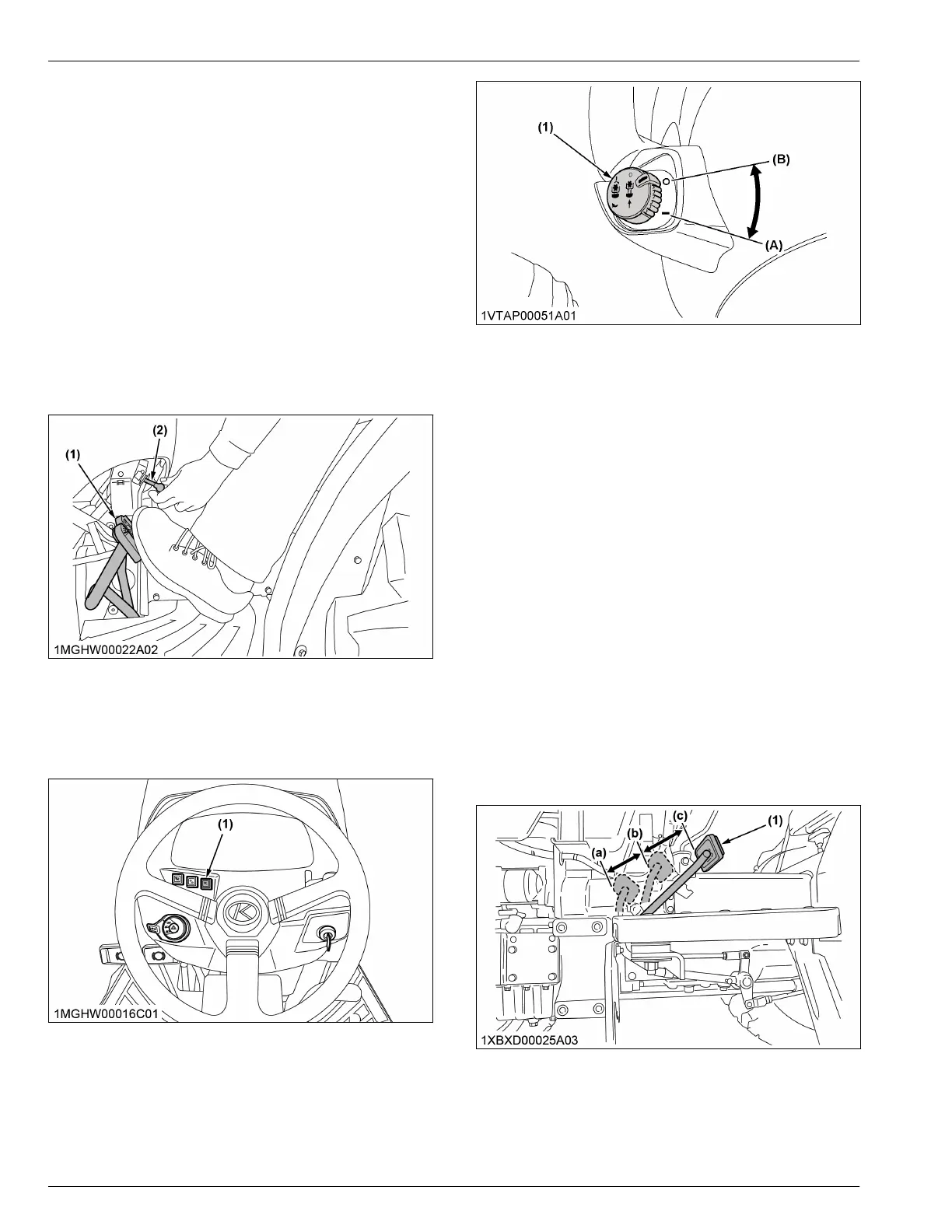
1. Apply the parking brakes and set blocks at the tires.
(See Setting the parking brake on page 39)
(1) Brake pedal (2) Parking brake lever
2. Make sure the shift levers are at the “NEUTRAL”
position, and start the engine.
3. Push the stationary-PTO switch for 3 seconds to
turn on the switch lamp.
(1) Stationary PTO switch
4. Set the PTO clutch-control switch to engage “ON.”
(See PTO clutch control switch [HST type] on page
78)
(1) PTO clutch-control switch
(A) On (engage)
(B) Off (disengage)
5. Set the engine speed to provide recommended
PTO speed.
NOTE :
• If the PTO system is engaged and you stand
up from the operator's seat without using
stationary PTO system, the engine stops
automatically after standing up.
5. Operating the live PTO with dual
clutch [L3902 Manual transmission
type only]
1. Set the live PTO with clutch pedal in the order of a.
to c.
a. Fully depress the clutch pedal. Then, move the
PTO gear-shift lever to the “ON” position and
select the traveling speed.
b. Release the clutch pedal half-way.
The PTO will be engaged, but transmission
clutch remains disengaged.
c. Release the clutch pedal and start the tractor.
(1) Clutch pedal
POWER TAKE-OFF (PTO) PTO OPERATION



 To Next Page
 Loading...