48
Chapter 4 Inspection
VIDEO SYSTEM OTV-SI
• When the videoscope or camera head is not connected to
this instrument, the video monitor shows the color bar image.
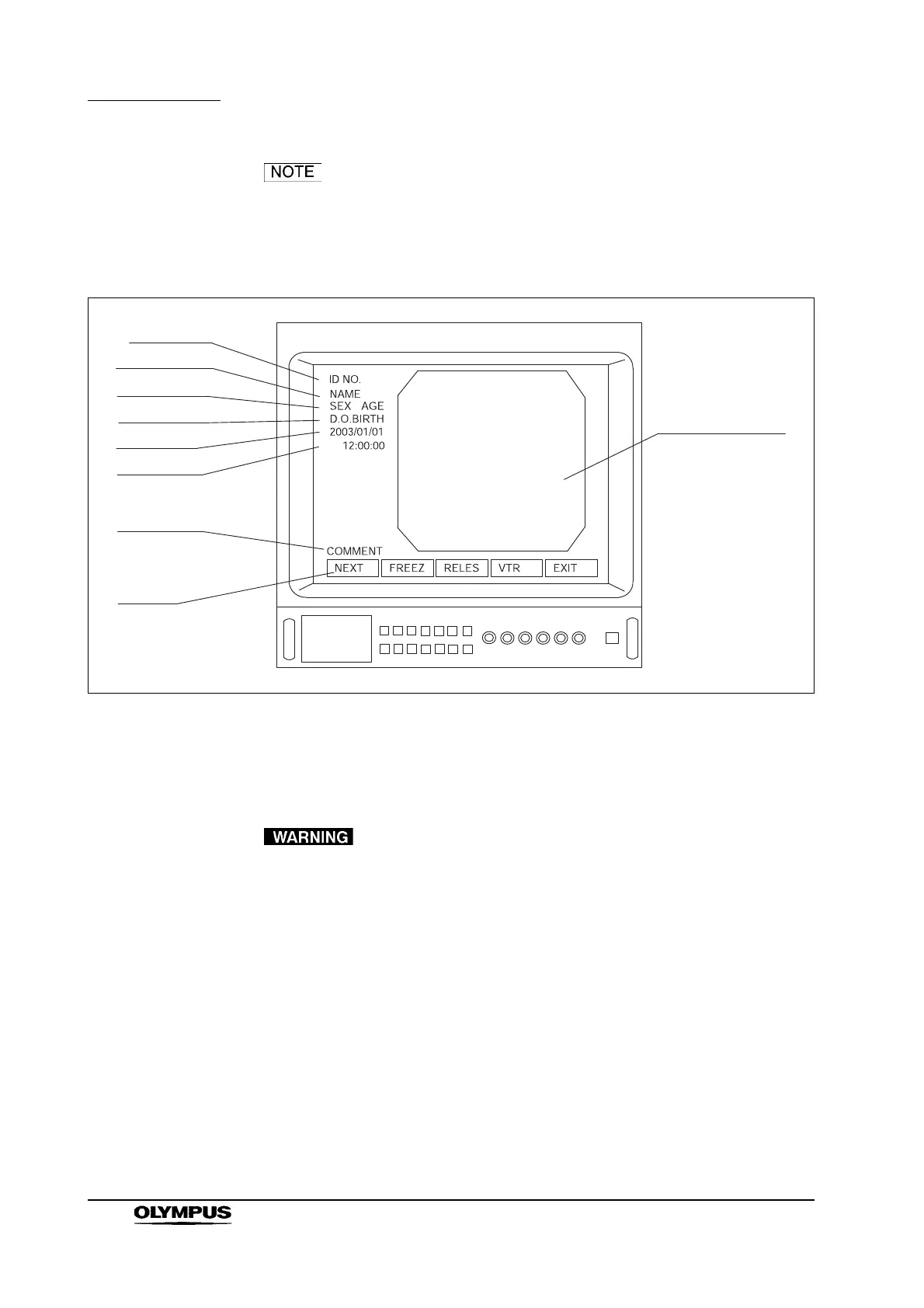
• If the date and time are not displayed, press the “F2” key on
the keyboard to display them.
Figure 4.4
4.4 Inspection of the freeze function
Do not use this instrument if the live image cannot be
restored. If the procedure is performed without a live image,
patient injury may result.
Refer to Section 5.10, “Freeze”. Confirm that freeze and live images are
displayed properly on the video monitor.
4.5 Inspection of the release function
Refer to Section 5.15, “Photography with the color video printer (OEP-3/OEP-not
available in some countries)”. Confirm that a picture can be taken.
ID number
Patient name
Sex, Age
Date of birth
Date
Time
Comments
Menu
Endoscope image



 To Next Page
 Loading...









