3 - 24
Feed unit
Main unit
4 FPM holder assembly attachment
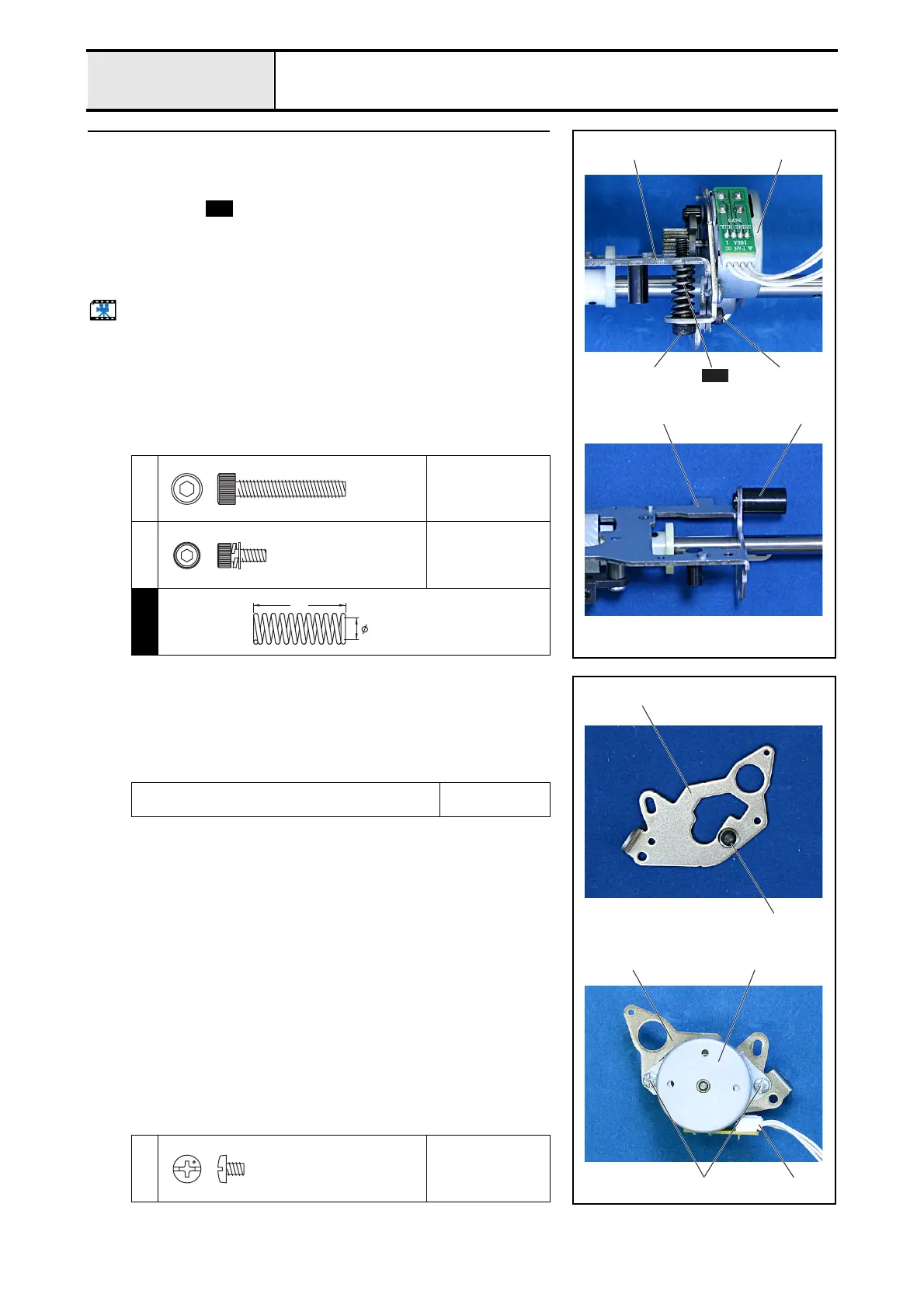
1. Insert the FPM holder assembly 1 into the feed adjuster shaft 3 of the
base plate assembly 2.
2. Insert spring between the base plate assembly 2 and the FPM holder
assembly 1, and secure them with the screw 1.
*Key point
• Tighten the screw 1 until the tip of the screw protrudes 7 mm.
3. Attach the screw 2.
Start movie clip (CD-ROM version only)
1
2
Torque
0.59 – 0.78 N
·m
S08
21
1
S08
2
23
S08
Bolt, Socket
M4X25
Color; Black
Screw
M3X8
Color; Black
21
5
SPRING
XC2537***
4-1 FPM assembly
1. Attach the rubber 2 to the caulking shaft of the FPM holder assembly 1.
2. Attach the FPM 3 with the 2 screws 1.
3. Apply 1 or 2 drops of FBK OIL RO 100 to the shaft bushing of FPM 3.
4. Attach the lead wire assembly (FPM-LE) 4.
Apply FBK OIL RO 100 to the shaft bushing of FPM.
1 - 2 drops
XC8388***
1
Torque
0.78 – 1.18 N
·m
1
3
4
1
1
2
Screw, Bind
M3X4
Color; Silver


 To Next Page
 Loading...