Paper Jams
221
Problem Solving
11
Paper Jams in Trays 2 to 4
The following describes how to clear paper jams occurring in Trays 2 to 4.
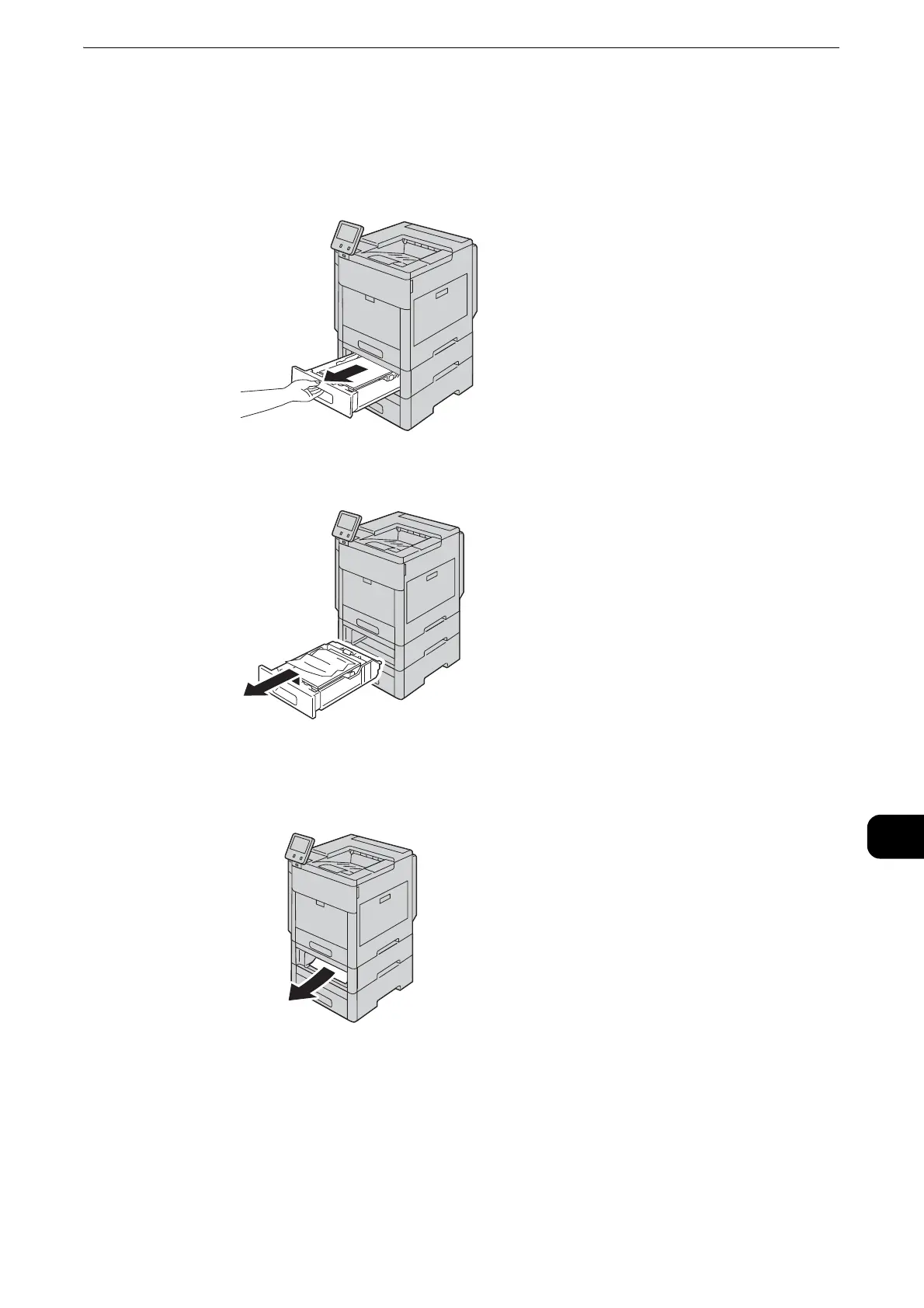
1 For the tray reported on the touch screen display, pull out the tray until it stops.
2 Lift the front of the tray slightly, and remove the tray from the printer.
3 Remove any crumpled paper from the tray and any remaining paper jammed at the
front of the printer.


 To Next Page
 Loading...