KomVision
• Physically make sure the adjacent safety around the machine. Do not make sure with just the moni-
tor images.
• The work equipment will always show on the top of the monitor screen, regardless of the direction
of the sprocket. Be aware of the direction of the machine.
KomVision is the CCTV system for Komatsu machines.
PRECAUTIONS WHEN USING KomVision
• In these cases, it is necessary for a Komatsu distributor to adjust the monitor screen.
• When you cannot confirm the normal range of the camera visibility
• When the blade type or the overall length of the track is changed
• The monitor image may not be visible because of snow, fog, rain, dust, or insufficient light.
• Cameras do not display any obstacles at high position than camera. Do not hit any obstacles at high posi-
tion than cameras, for example, working equipment of larger machine, or tree branches.
• The reference line is calibrated for flat ground. The distance of the reference line is not correct on slopes or
rough ground.
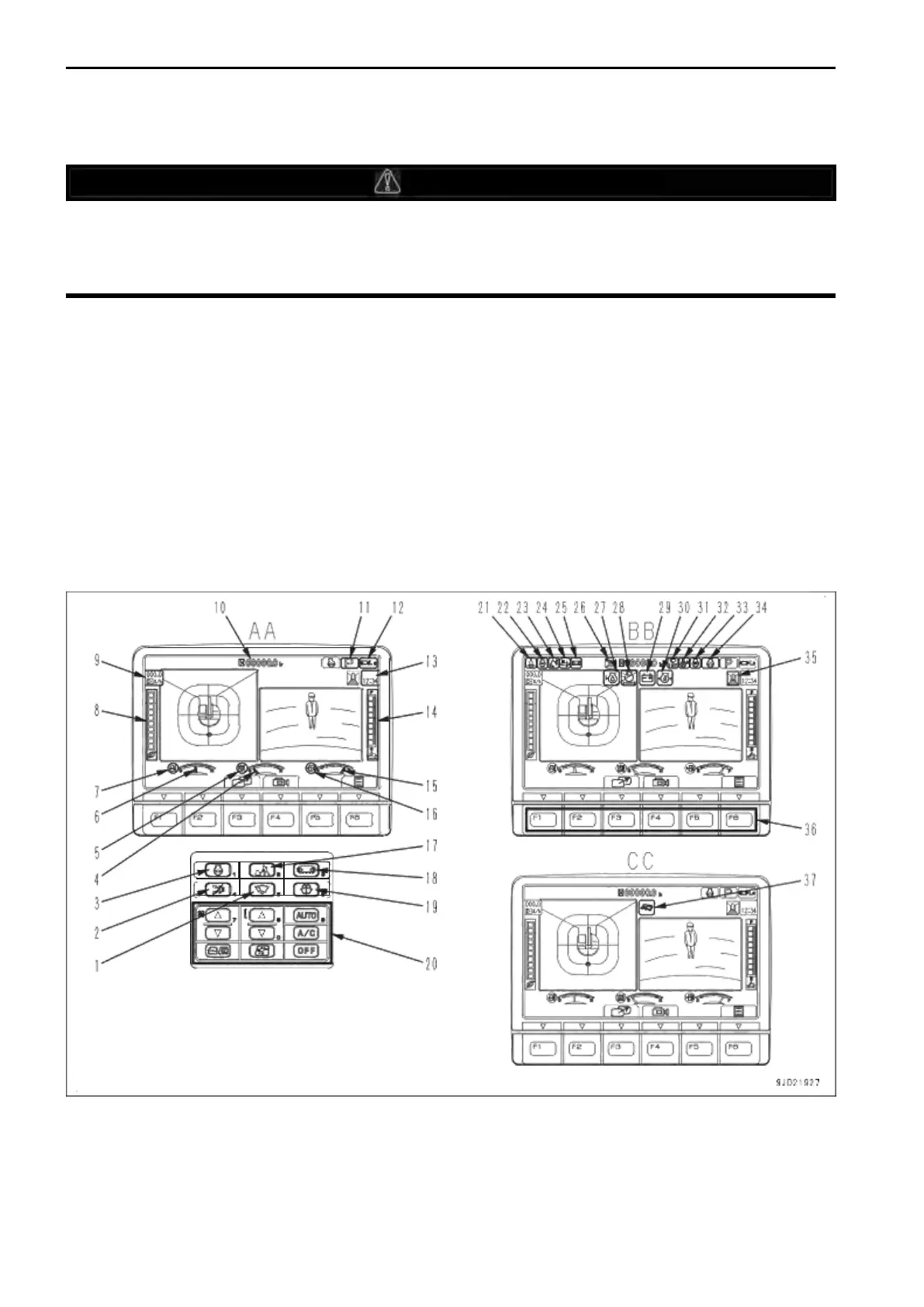
MACHINE MONITOR EQUIPMENT NAME
AA: Standard screen, BB: Check before starting screen, CC: Maintenance time warning screen
(1)Wiper switch
(2)Buzzer cancel switch
(3) Auto-deceleration switch
(4) Hydraulic oil temperature gauge
(5)Hydraulic oil temperature caution lamp
(6)Engine coolant temperature gauge


 To Next Page
 Loading...