8 - 5
8 Operation
OMNUC G5-series (Pulse-train Input Type) AC Servomotors and Servo Drives User’s Manual
8-3 Using the Front Panel Display
8
8-3 Using the Front Panel Display
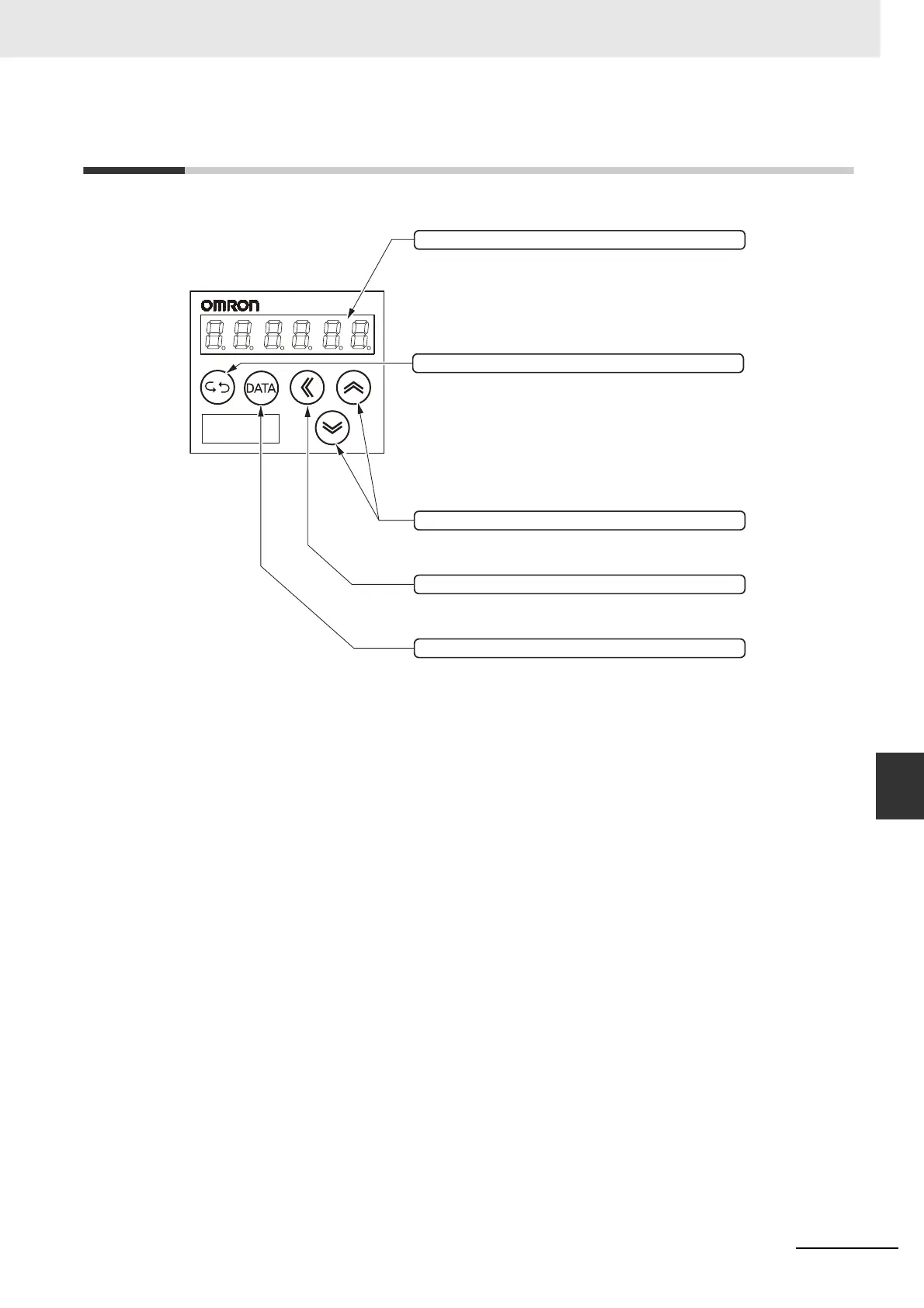
LED display (6-digit)
When an alarm occurs, all LED flashes and then
alarm screen is displayed.
Shift key
Shift the operating digits to the left.
Mode key
Switch between 4 modes.
●
Monitor Mode
●
Parameter Setting Mode
●
Auxiliary Function Mode
●
Parameter Write Mode
Increment and Decrement key
Increase and decrease the parameter No. or
data value.
Data key
Switching the parameter and data display or storing
the data.


 To Next Page
 Loading...