Making Connections Messaging 128
Create and Send an Email Message
Composeandsendemailusinganyaccountyouhavesetuponyourphone.Increaseyour
productivitybyattachingfilessuchaspictures,videos,ordocumentstoyouremailmessages.
1.
Fromhome,tap Apps >Samsung >Email .
TheemailInboxopens.
l Ifyouwanttoswitchtoadifferentemailaccount,taptheaccountnameatthetopofthe
screenandselectanotheraccount.
2.
TapCompose new email .
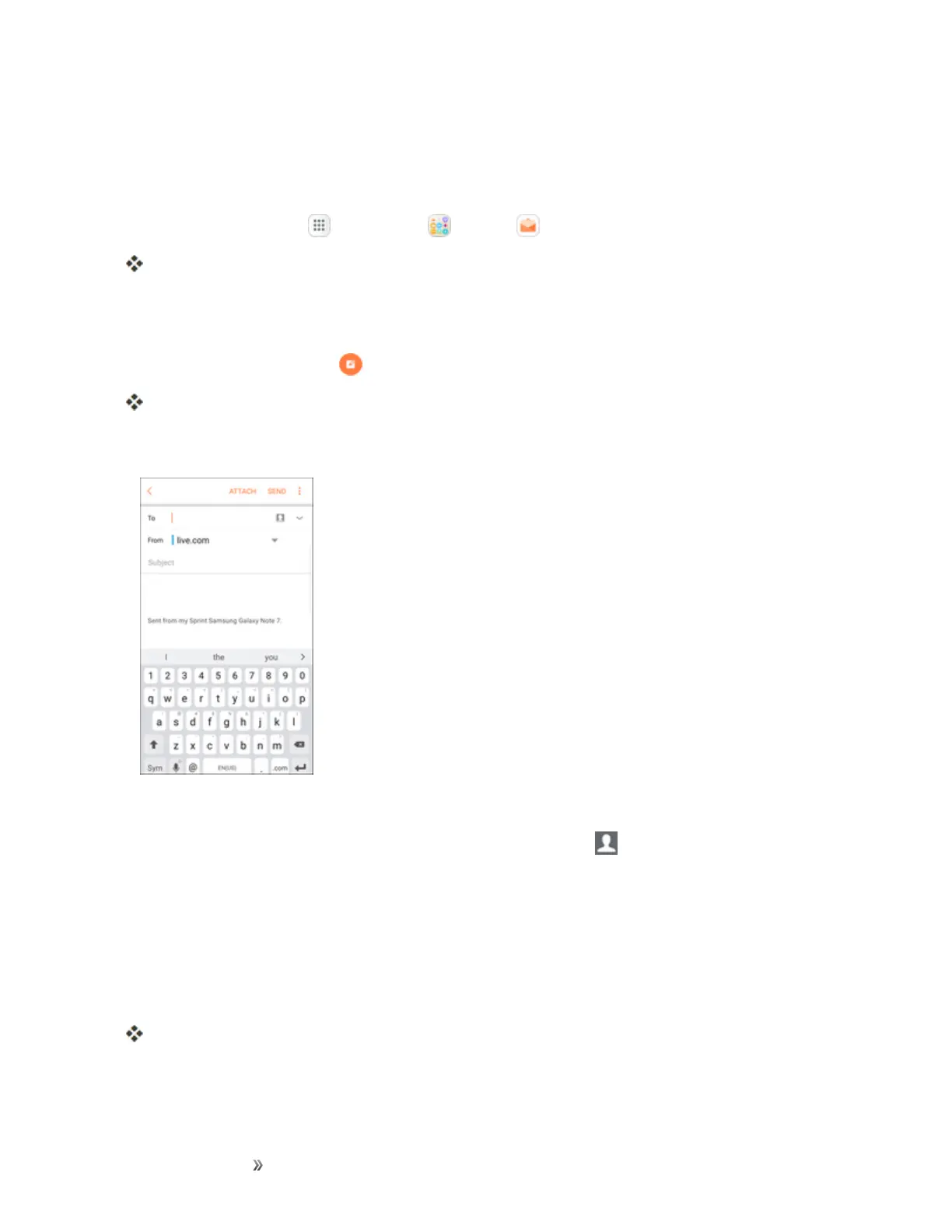
Theemailcompositionwindowopens.
3. Enterthemessagerecipient(s).
l Youcanaddmultiplerecipientstoanemailmessage.
l
ToaddrecipientsfromContacts,tapAdd fromContacts ,selectthecontact(s)youwish
toinclude,andthentapDone.
4. Entertheemailsubjectandmessage.
l Toaddanattachmenttothemessage,tapAttach,selectanattachmenttypeandan
attachment,andthentapDone.
5. TapSend.
Theemailmessageissent.


 To Next Page
 Loading...













