94 Maintenance
Replacing the fan in auxiliary control cubicle
WARNING! Read and follow the instructions on the first pages of this manual.
Ignoring the instructions can cause physical injury or death, or damage to the
equipment.
1. Ensure that the converter is disconnected from the power supply network and all other
precautions described in section Safety in installation and maintenance, page 12 have
been taken into consideration.
2. Disconnect the 230 V AC supply cables from connectors X1 and X2 at the right side of
the cabinet.
3. Open the door and pull the sliding frame out of the cubicle. For instructions, see page
86.
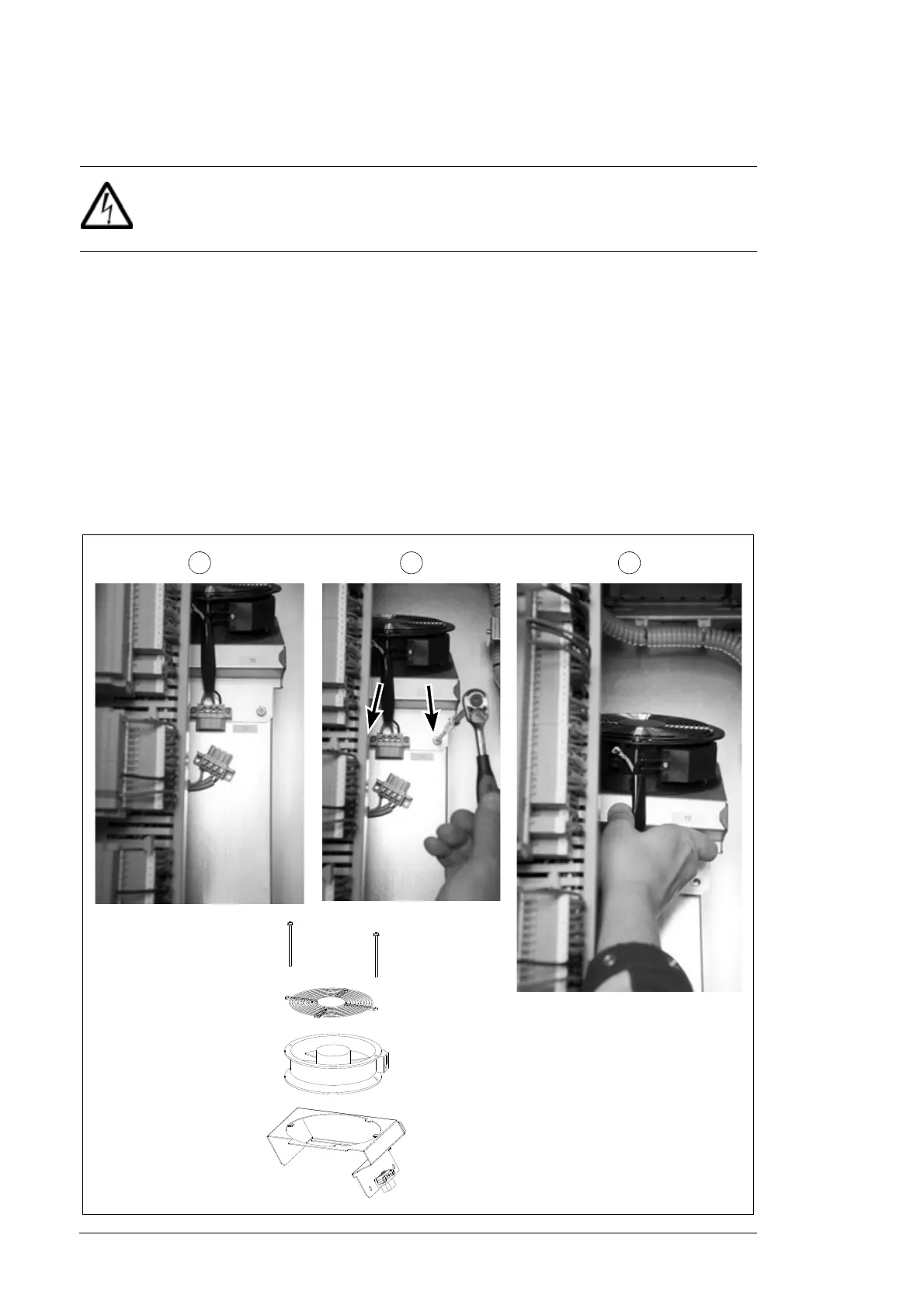
4. Disconnect the plug.
5. Undo the two fastening screws of the fan.
6. Pull the fan out. Remove the two screws if you want to remove the fan from the collar.
7. Install a new fan in reverse order.
4 5 6
Removing the fan from
the collar


 To Next Page
 Loading...