6. CHART OVERVIEW
6-15
6.5 How to Select the Presentation Mode
The presentation mode depends on the chart operating mode, as shown in the table
below.
*1
When monitoring a route.
*2
Motion mode (TM) is not shown. For example, “North up”.
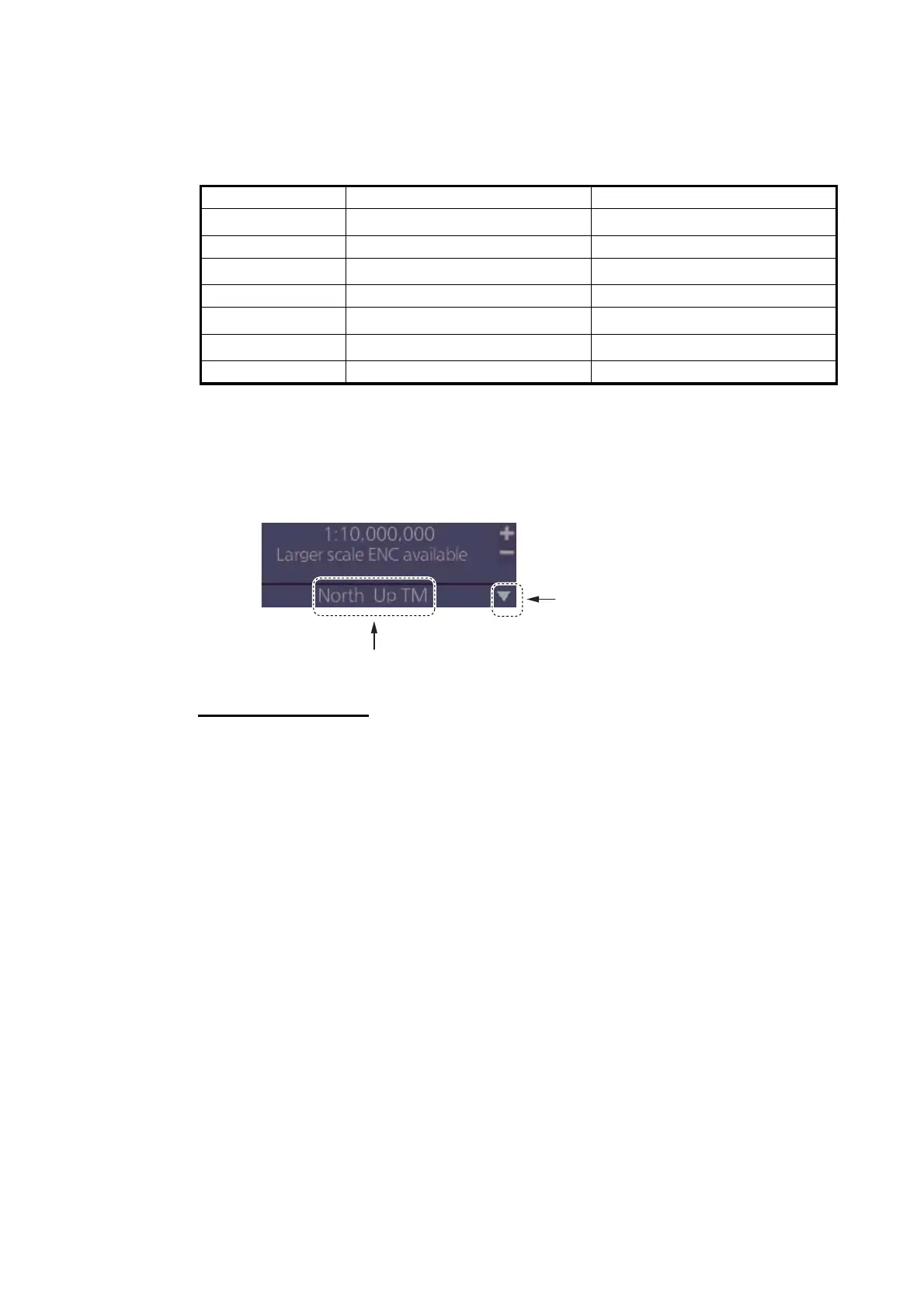
To select a presentation mode, click the presentation mode indication to cycle through
the presentation mode choices or click the triangle to show the drop-down list of pre-
sentation modes.
Presentation modes
North up: North (0 degrees) is at the top of the display.
Course up: The course is put at the top of the screen the moment it is selected.
Route up: The planned course is put at the top of the screen, in route monitoring.
When route monitoring is canceled, the course up presentation mode is automatically
selected.
Head-up: Heading is put at the top of the display.
TM (True Motion): Own ship mark follows ship’s movement. The chart is fixed.
RM (Relative Motion): Own ship mark is put at the screen center and is fixed. The
chart moves relative to own ship movement.
Voyage navigation mode Voyage planning mode
North up TM Yes
Yes
*2
North up RM Yes No
Course up TM Yes
Yes
*2
Course up RM Yes No
Route up TM
*1
No
Yes
*2
Route up RM
*1
Yes No
Head up RM Yes No
Presentation mode
Click to show drop-down list of
presentation mode choices


 To Next Page
 Loading...