9-34
Repeating Automatically or Selecting Repeating Times
(Repeat: AUTO/ Repeat Mode)
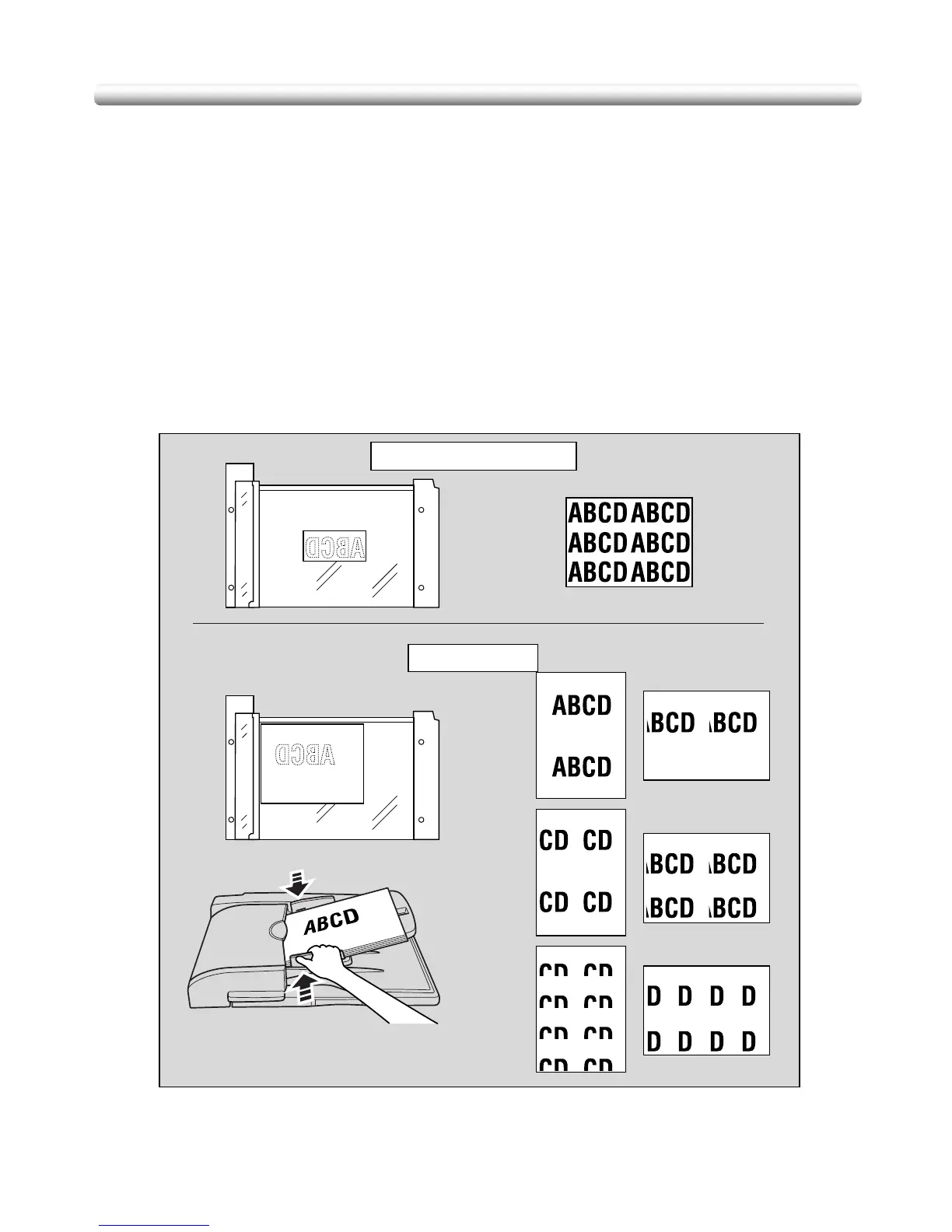
Auto Detection mode will automatically set the equal repeat area to the size of the original
placed onto the platen glass by activating Non-image area erase.
Repeat mode will scan the image area specified by the selected paper size and mode (2
Repeat, 4 Repeat, or 8 Repeat), then arrange the image by specified times in one copy
sheet.
Auto Detection/ Repeat Mode Specifications
❒ Auto Detection Mode: Use the platen glass. RADF cannot be used.
❒ Repeat Mode Magnification ratio: 1.00 (100 %) fixed
❒ Incompatible Conditions: Using RADF (Auto Detection mode only), 2-2 (Auto Detection
mode only), 2-1 (Auto Detection mode only), APS, AMS, Sort, Staple, Punch, Group,
Rotation Sort, Rotation Group, Mixed Original, Folded Original (available in Repeat
mode using RADF to scan), Non-Standard Size, Sheet/Cover Insertion, Chapter,
Combination, Booklet, Transparency Interleave, Image Insert, Book Copy, Upside
Down, Reverse Image (Auto Detection mode only), Frame/Fold Erasure, AUTO Layout,
Image Shift, Stamp, Overlay
Auto Detection mode
Repeat mode
Copy
(2 Repeat)
Copy
(4 Repeat)
Copy
(8 Repeat)
Copy


 To Next Page
 Loading...









