Loading Paper (continued)
2-26
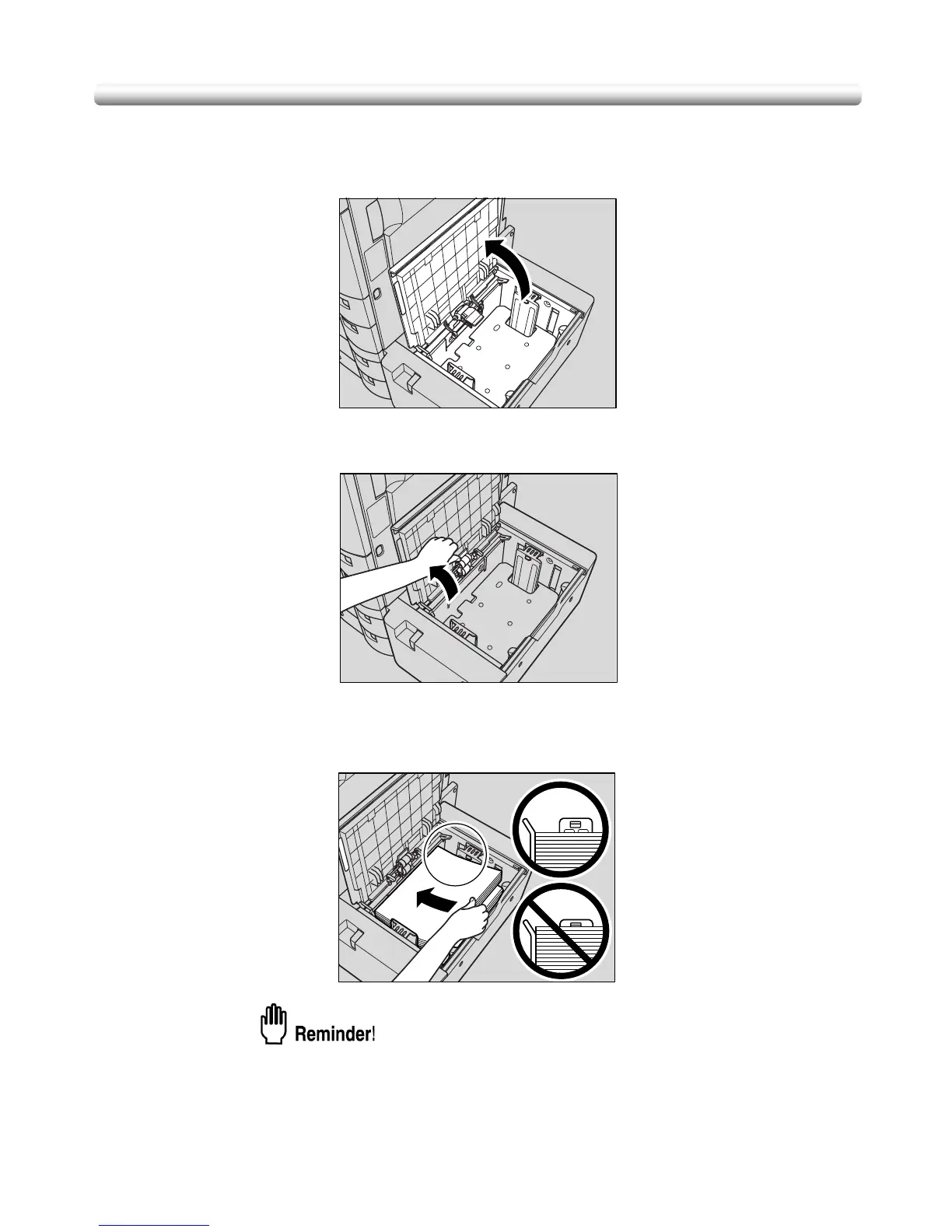
Loading Paper in LT-203 Large Capacity Tray
1. Open the LCT top door.
2. Open the paper feed roller.
3. Load the paper into the LCT.
Load paper, aligning it to the left side of the tray.
• Do not load paper above the bent line of the guide plate.
• Be sure that the rear guide plate is correctly positioned according to the
paper size loaded; otherwise machine trouble may occur.


 To Next Page
 Loading...









