11-12
Inserting a New Staple Cartridge into FS-114 Finisher
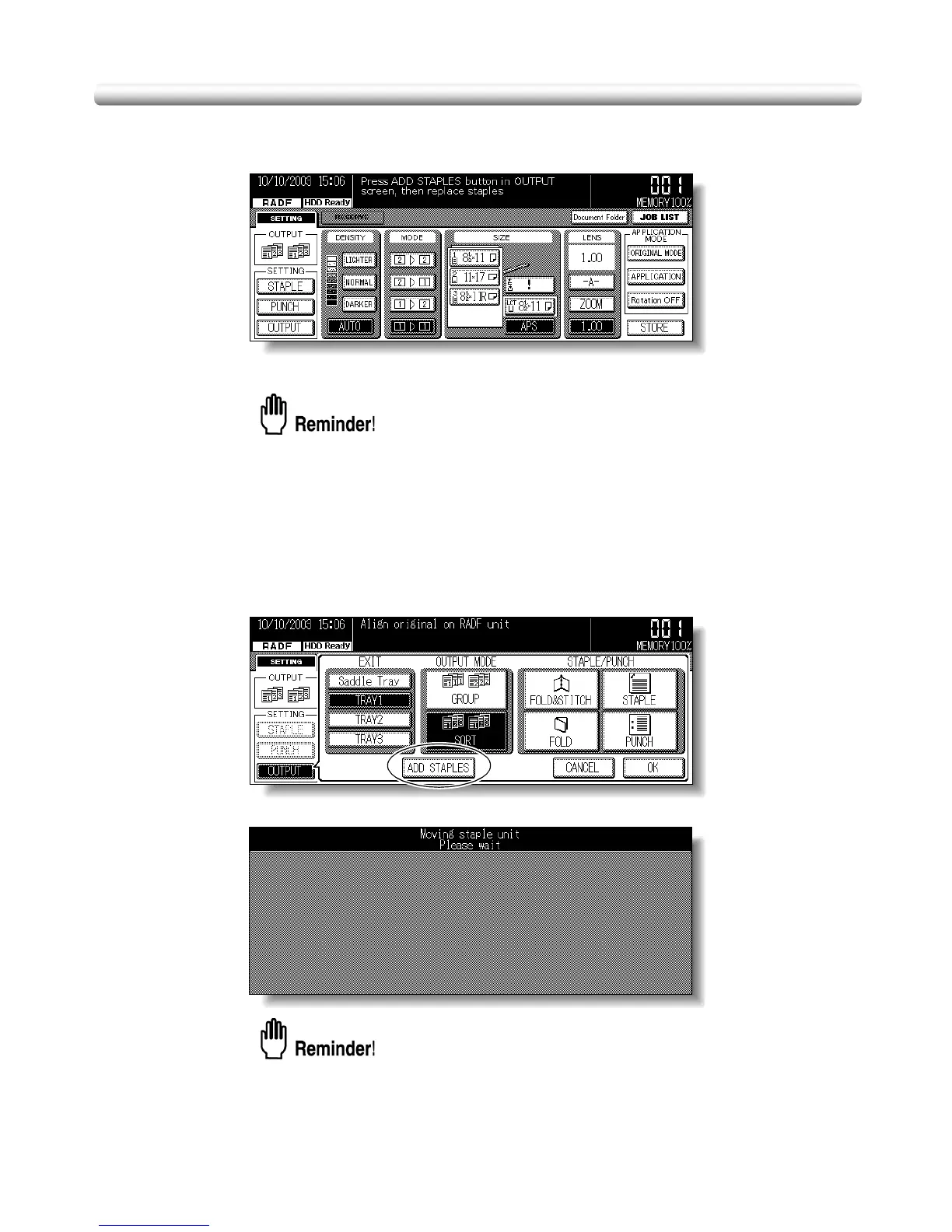
When the staple cartridge becomes empty in the FS-114 Finisher, the Basic Screen
displays the following message in the message area.
Follow the procedure below to replace the staple cartridge.
Use only the staples supplied by us. To purchase, please contact your service
representative.
1. Touch [OUTPUT] on the Basic Screen to display the Output Mode
Popup Menu.
2. Touch ADD STAPLES.
The Moving Stapler Screen will be displayed while the stapler deeply positioned inside
the finisher moves toward the finisher front door.
DO NOT open the finisher front door while the Moving Stapler Screen is
displayed; otherwise the stapler stops before completing the movement and
cannot be reached to replace the staple cartridge.



 To Next Page
 Loading...








