Configuration and Operation
55
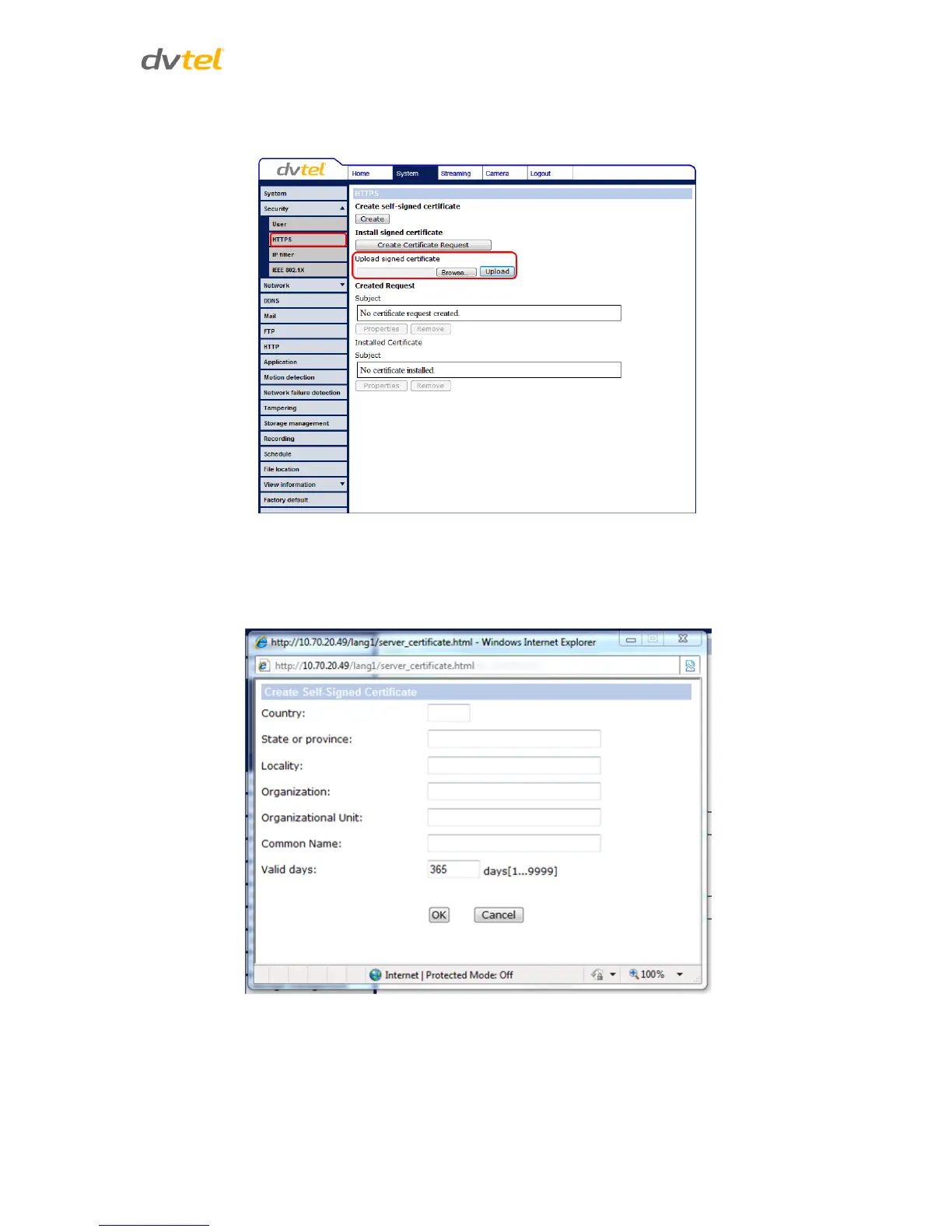
4. When the signed certificate is returned from the CA, install it by uploading the signed
certificate as seen below.
Figure 36: HTTPS Screen – Upload Signed Certificate
To provide the certificate information:
To create a self-signed HTTPS certificate or a Certificate Request to CA, enter the information in the
Create a Self-signed Certificate screen. A definition of each of the requested fields follows.
Figure 37: Example of Self-Signed Certificate



 To Next Page
 Loading...