Quasar CP-3211/CP-4221 User and Installation Guide
62
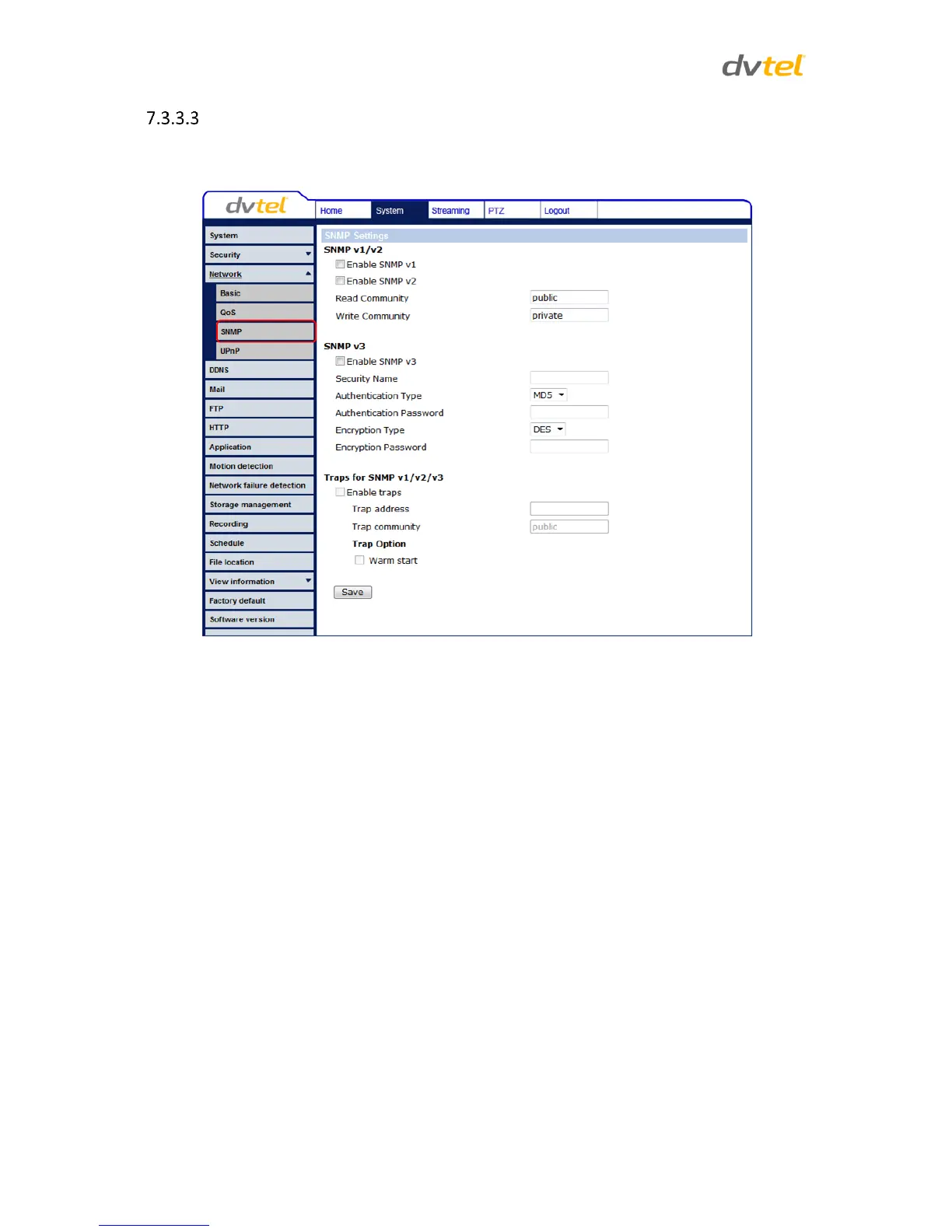
SNMP Settings
Simple Network Management Protocol (SNMP) enables the camera to be monitored and managed
remotely by the network management system.
Figure 43: SNMP Settings Screen
SNMP v1/v2
Enable SNMP v1 or Enable SNMP v2 – Select the version of SNMP (v1 or v2) to use by
checking the relevant box.
Read Community – Specify the community name that has read-only access to all supported
SNMP objects. The default value is public.
Write Community – Specify the community name that has read/write access to all supported
SNMP objects (except read-only objects). The default value is private.
SNMP v3
SNMP v3 provides important security features including:
Confidentiality – Encryption of packets to prevent snooping by an unauthorized source.
Integrity – Message integrity to ensure that a packet has not been tampered with in
transit including an optional packet replay protection mechanism.
Authentication – To verify that the message is from a valid source.


 To Next Page
 Loading...