Cancelling Transmission - (continued)
6-35
Cancelling Reserved Jobs
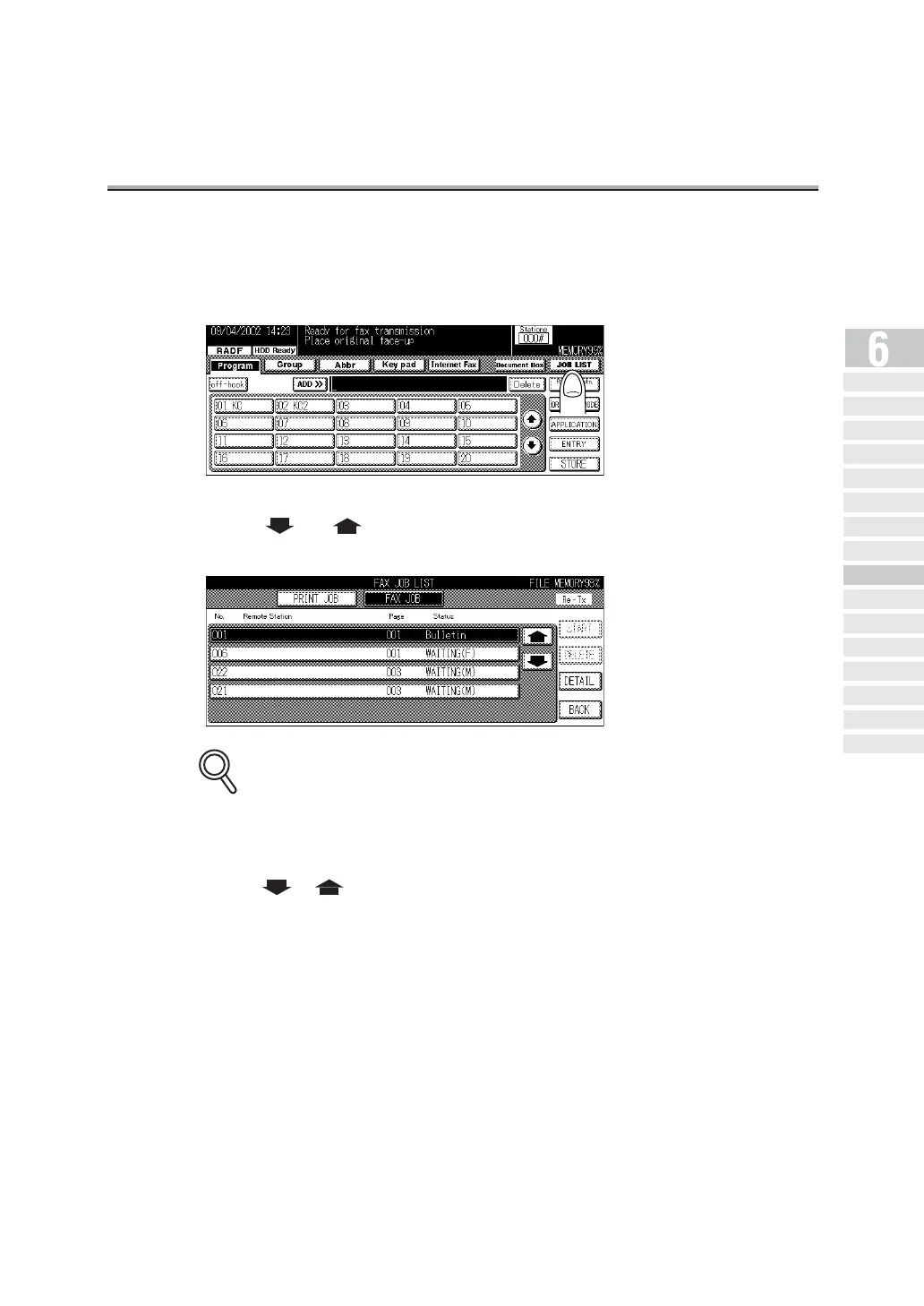
1. Press JOB LIST on the FAX Basic screen.
2. Press or to select the reservation document desired
to be cancelled.
JOB LIST Screen
• Jobs currently in progress are simultaneously displayed on the JOB LIST screen.
• Pressing BACK returns the display to the FAX Basic screen.
• Press or to display the next or previous screen.
3. Press DELETE.
4. Press YES on the Job delete confirmation screen.
The reserved document is deleted.
5. Press BACK key.
The display returns to the FAX Basic screen.
DETAILS
Simple FAX
Transmission
Placing the Or iginal
on the Machine
Setting Transmission
Conditions
Selecting a
Remote Station
Sc anni ng
Tran smit ti ng
Reserving
Transmission
Manua l Tra nsmi ssi on
Cancelling
Transmission
Co nfi rming Re se rved
Do cum en ts
Confirming
Communication Results
Memo ry
Transmissions
Total Page Set
Timer
Transmission
International
Communica tion
Sender
Information


 To Next Page
 Loading...








