10-5
Application Functions Overview
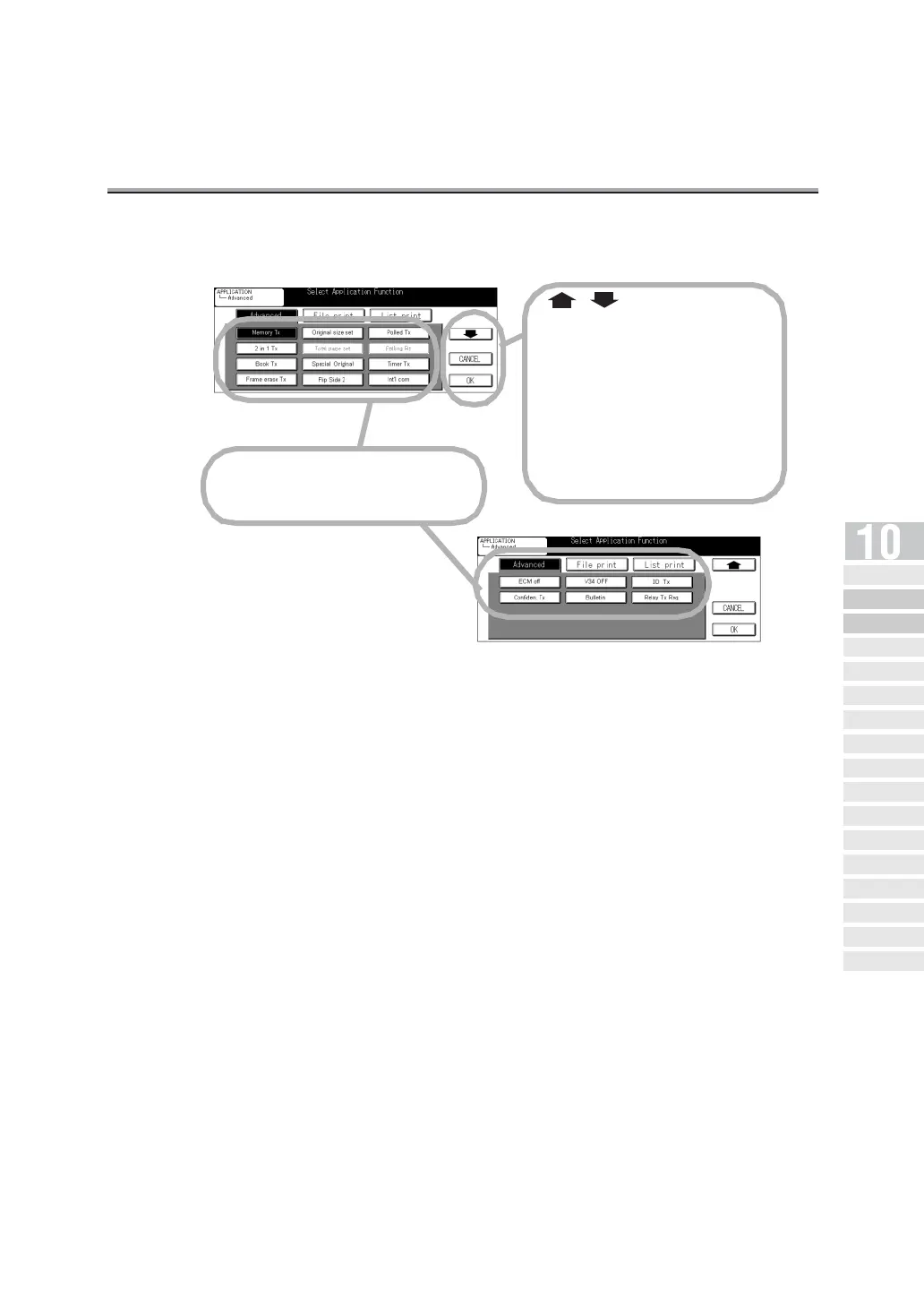
The FAX Application Menu screen consists of two screens.
• Memory Tx : This function allows you to scan and store in memory the document
before the machine starts transmission. (p. 6-39)
• 2 in 1 Tx : This function allows you to combine two pages into one wide page and
transmit them together. (p. 10-8)
• Book Tx : This function allows you to produce two successive pages from two
opposite pages in a book. (p. 10-10)
• Frame erase Tx : When transmitting pages in a book, this function allows you to erase
dark bands that would otherwise be reproduced in the marginal areas
of the transmitted pages. (p. 10-13)
• Original size set : This function allows you to designate the size of the document to be
transmitted. It is convenient when you intend to transmit part of a page
or pages. (p. 10-16)
• Total page set : In Quick Memory Transmission, the total number of pages transmitted
can be included in the page number information. (p. 6-42)
Select Application Function key.
Touch this to select functions.
,
Used to display the next or previ-
ous screen.
CANCEL
Touching this deselects the set-
ting and restores the original com-
munication settings.
OK
Touching this to return to the Fax
Basic screen.
Opening the
Application Screen
Difference between Internet
Fax and Fax Functions
Application Functions
Ov er v iew
2 in 1
Transmission
Book
Transmission
Frame Erase
Transmission
Original Size
Set
Mixed Original
Folded Original
Long Original
Flip Side 2
ECM Off
Confidential
Communication
V34 OFF
ID
Transmission
Relay Transmission
Request
Program Dial


 To Next Page
 Loading...








