Setting the Confidential Boxes - (continued)
13-36
Scheme of Confidential Communication
In confidential communication, the transmitting and receiving stations work as shown below.
Registering the Confidential Boxes
The procedure for registering the confidential box is as follows.
1. Press [FAX] to display the FAX Basic screen if it is not
already displayed.
2. Press ENTRY.
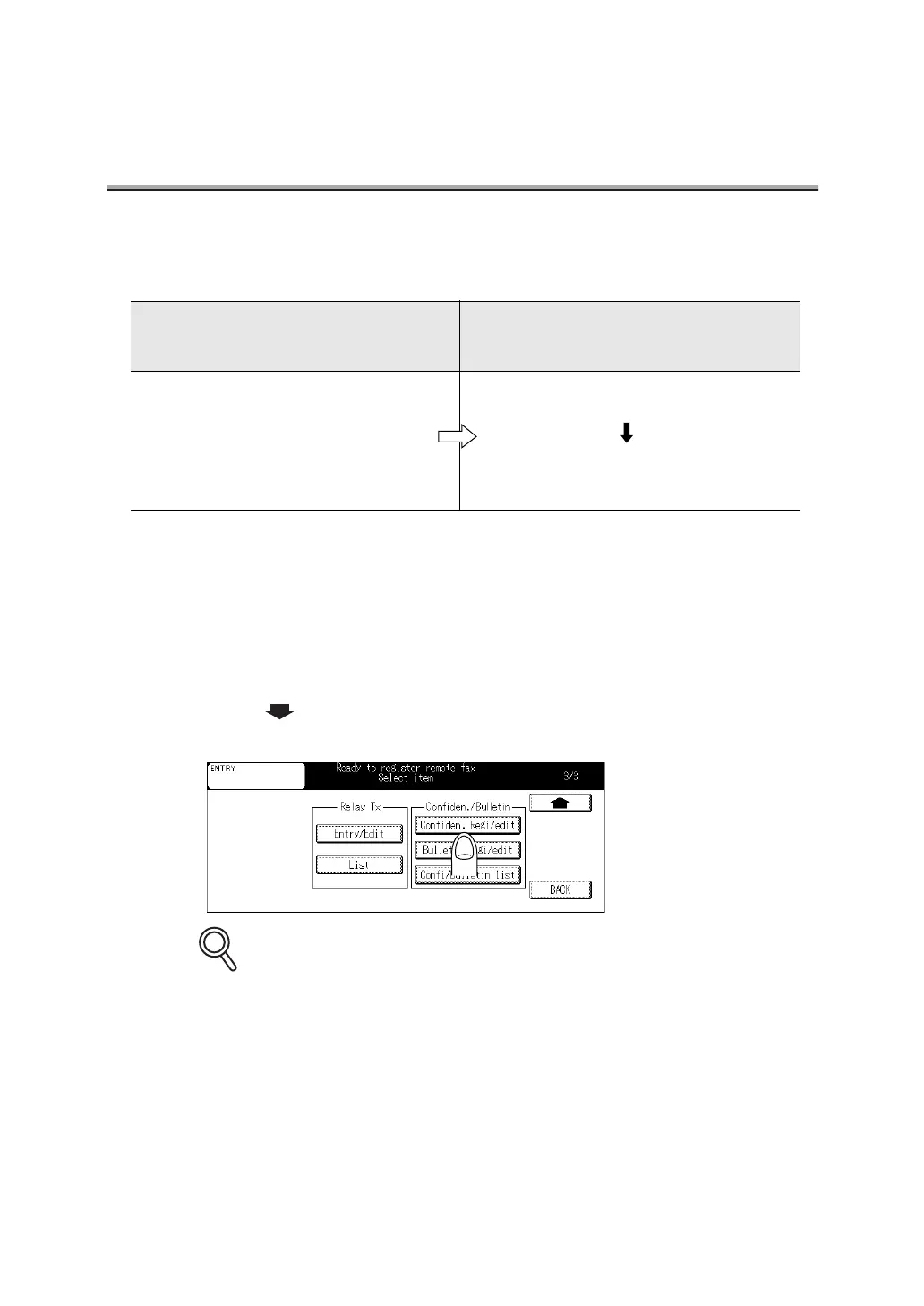
3. Press twice and then press Confiden. Regi/edit in the
Confiden/Bulletin.
Pressing
Confi/Bulletin list
displays the Confi/Bulletin list screen. In this screen, you can
press
EDIT
to edit or delete the definition. For the operating procedures, see "Changing the
Confidential Boxes" (p. 13-38).
Originating station
Specifies a Confidential box
and transmits.
Receiving station
Opens Confidential box to receive
the document.
A restricted access box number and
confidential password initiate transmis-
sion of a FAX document.
The document received stored the speci-
fied Confidential box in the memory.
The access protect number (if required)
prints or deletes the document held in the
restricted access box.
DETAILS



 To Next Page
 Loading...








