2-2
Simple Internet Fax Transmission
This Chapter describes the flow of E-mail transmission with the Internet Fax function.
Basic procedure to transmit one-sided document by simple operation is described in this
Chapter. This machine is provided with various other functions for convenient transmission.
Refer to "Chapter 10 Transmission Applications" for details.
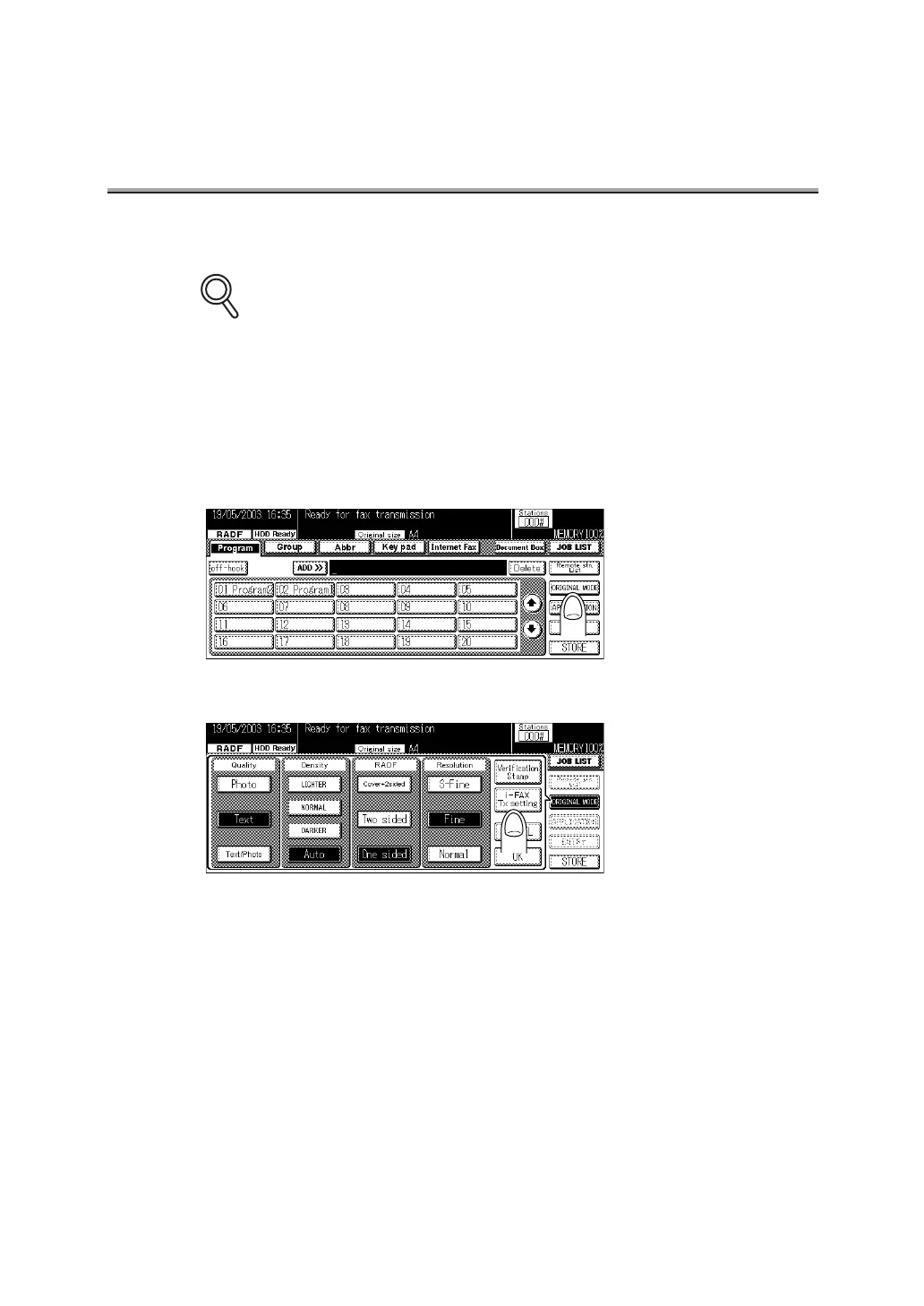
1. Press [FAX ] on the control panel to open the FAX Basic
screen.
2. Press ORIGINAL MODE.
3. Press i-FAX Tx setting.
DETAILS



 To Next Page
 Loading...








