6-36
Confirming Reserved Documents
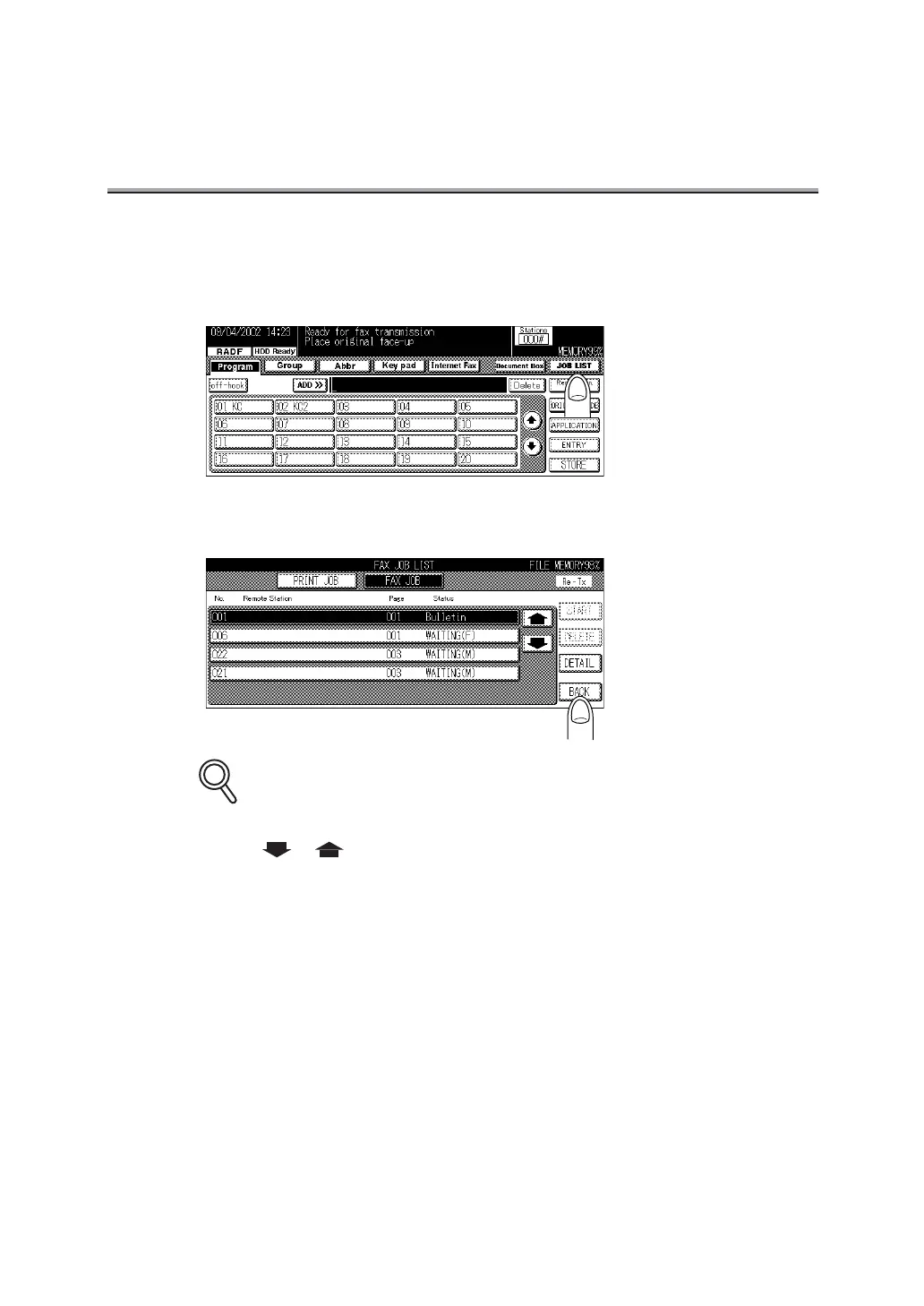
Transmission reservation documents stored in memory can be confirmed on the job list screen.
1. Press JOB LIST on the FAX Basic screen.
2. Press BACK when confirmation is completed.
The display returns to the FAX Basic screen.
•
Jobs currently in progress are simultaneously displayed on the JOB LIST screen.
• Press or to display the next or previous screen.
• Press DETAIL to display the detailed information on the job.
• Remaining memory capacity is indicated on the right above the Job List screen. This
memory is active and the memory is indicated while the facsimile is being operated.
When the optional HD-103 Type-A is installed, its remaining memory capacity is indi-
cated.
DETAILS


 To Next Page
 Loading...








