15-40
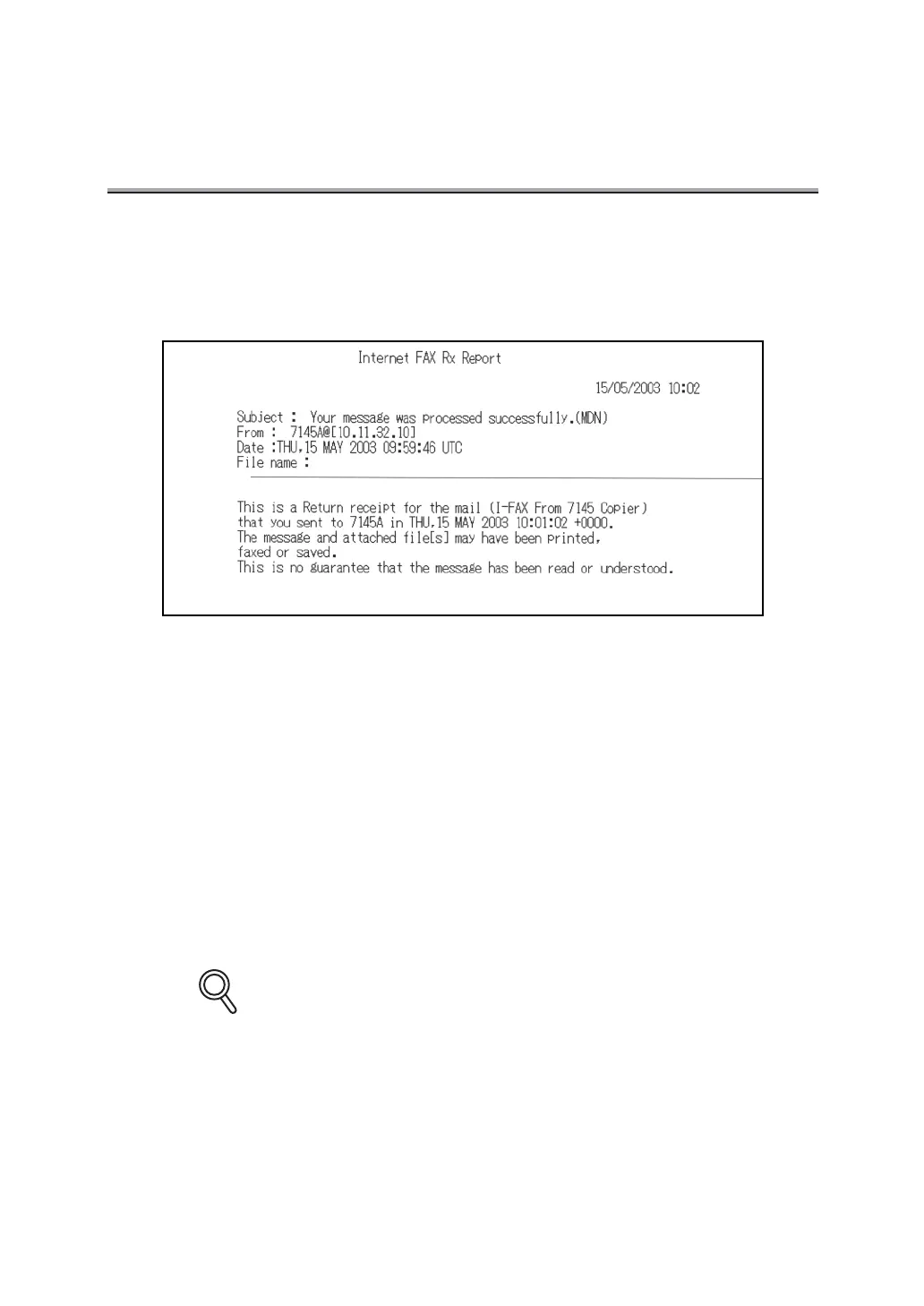
Internet FAX Rx Report (MDN)
A message is automatically printed when a recipient receives the email (confirmation of recep-
tion).
Automatic printout can be set to ON or OFF with [Internet FAX Rx Report (MDN)] at [Report Out-
put Set] of Key Operator mode. For detail, see "Report Output Set" (p. 14-30).
Subject: .......................Mail receiving condition is indicated.
From: ...........................Mail address of the sender is indicated. When the mail address is reg-
istered in the i-FAX entry list, also the name is indicated.
Date:............................Date when MDN is responded is indicated.
File name:.................... None
Mail message: ............. Contents of response to MDN is indicated in the form below (In case
of Konica 7145).
"This is Return receipt for the mail (subject of received mail) that you
sent to (mail address of the remote station) in (date of reception of E-
mail).
(If an error occurred, details of the error is also indicated as follows.)
An error occurred while attempting to decode the attached files."
Details of Internet FAX Rx Report (MDN) vary depending on the remote stations.
DETAILS


 To Next Page
 Loading...








