Folded Original - (continued)
10-23
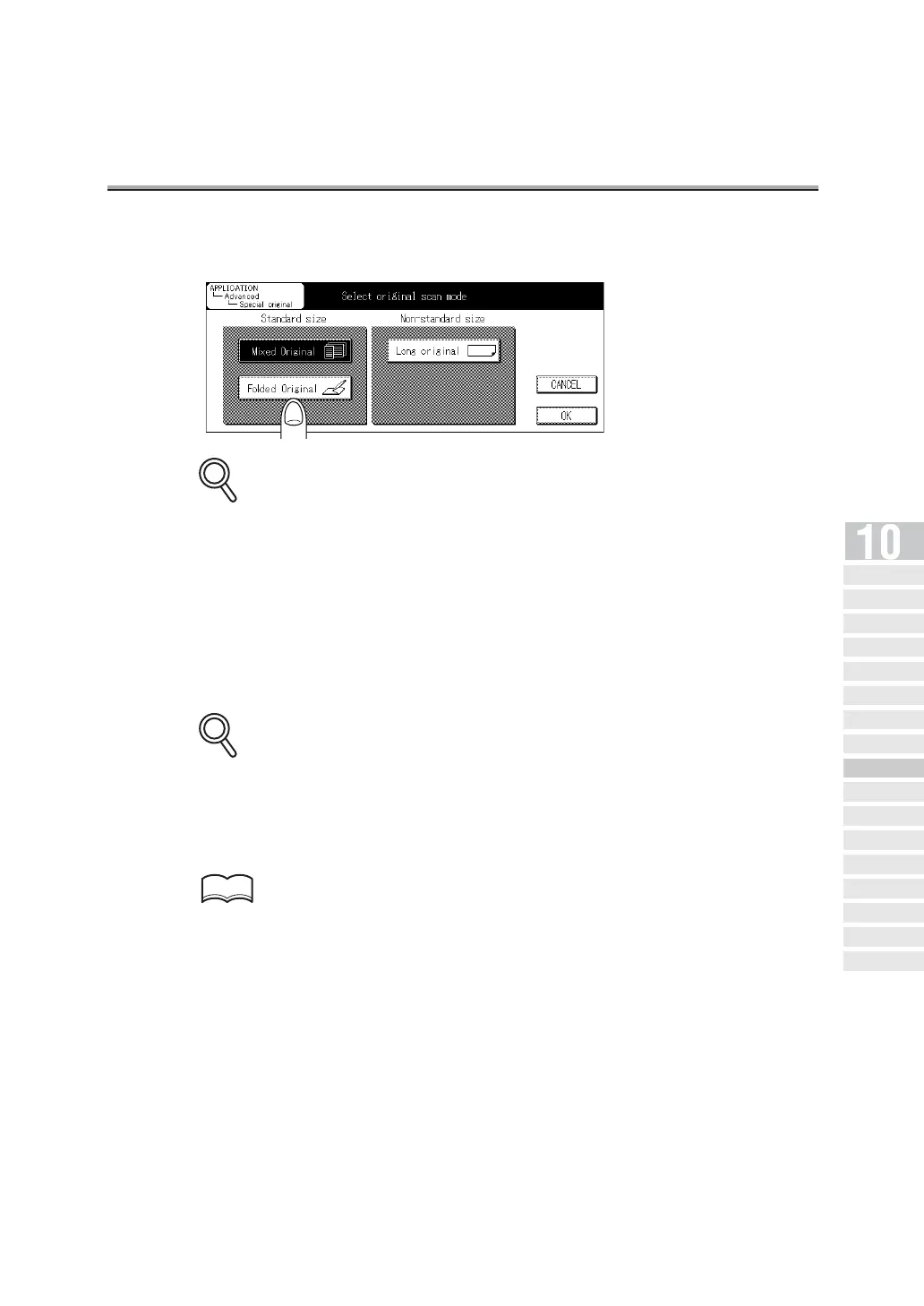
4. Press Folded Original.
To release the setting, press CANCEL.
5. Press OK.
The FAX Application Menu screen will be restored.
6. Press OK.
The FAX Basic screen will be restored.
7. Set other functions if necessary.
See "Setting Transmission Conditions" (p. 6-10) for information about setting functions in the
Fax Basic screen. See "Application Functions Overview" (p. 10-5) for information about set-
ting functions in the Fax application menu.
8. Designate the remote station.
See "Selecting a Remote Station" (p. 6-14) for information about designating the remote sta-
tion.
DETAILS
DETAILS
HINT
Opening the
Application Screen
Difference between Internet
Fax and Fax Functions
Application Functions
Ov er v iew
2 in 1
Transmission
Book
Transmission
Frame Erase
Transmission
Original Size
Set
Mixed Original
Folded Original
Long Original
Flip Side 2
ECM Off
Confidential
Communication
V34 OFF
ID
Transmission
Relay Transmission
Request
Program Dial


 To Next Page
 Loading...








