External Connections
146
6
Video Output Configuration
NOTES
• b When the camcorder is connected via HDMI OUT terminal to
an external monitor, the video signal output from the HD/SD SDI
terminal will be the same as that from the HDMI OUT terminal.
SD Output
When HD video (16:9 aspect ratio) is converted and output as SD video
(4:3 aspect ratio), you can choose how it appears on the external monitor.
1 Open the [SD Output] submenu.
[N Video Setup] [SD Output]
2 Select the desired option and then press SET.
Options
[N Video Setup]
[SD Output]
[Squeeze]
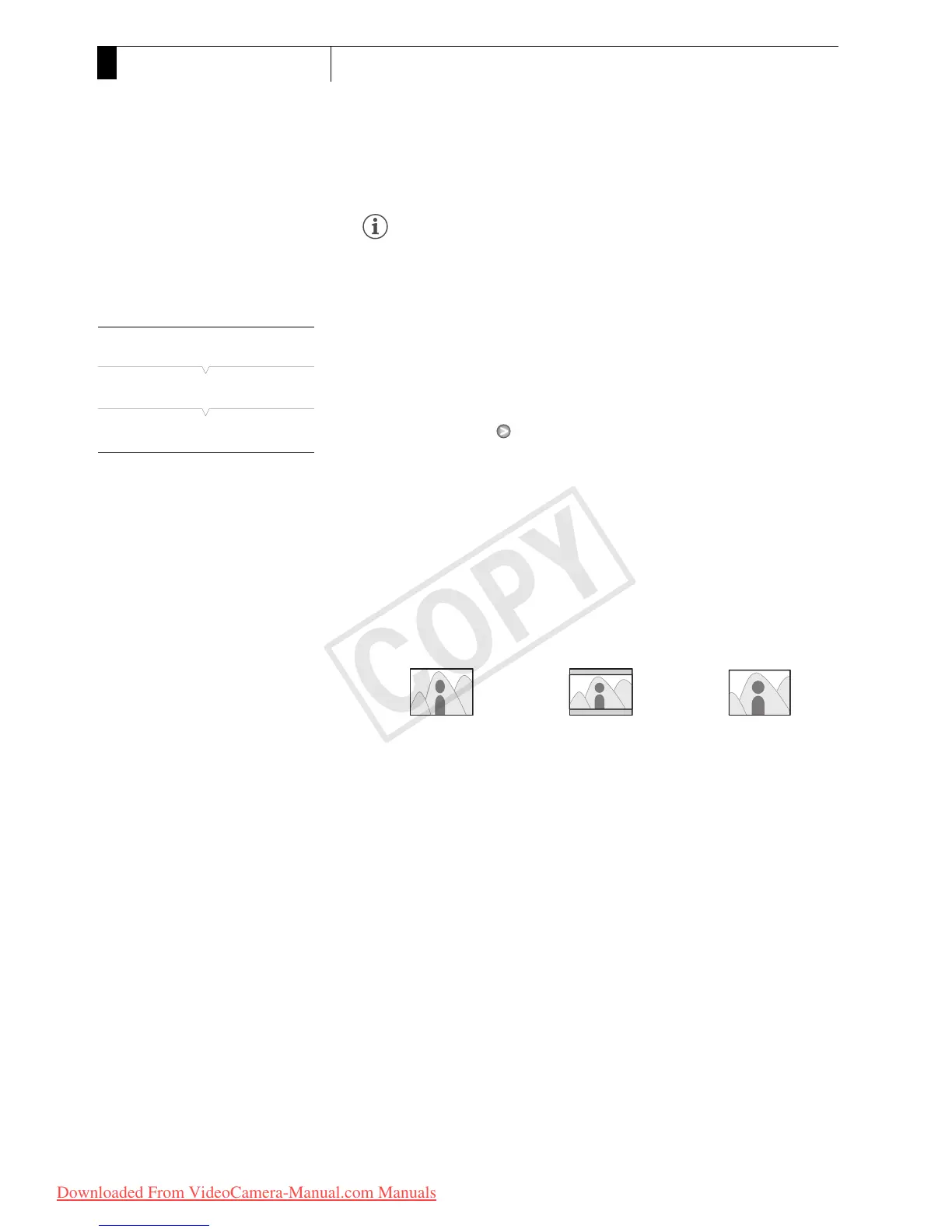
[Squeeze]: The image is squeezed from the left and right so that the entire
image fits within the screen. The image will appear normal if the
external monitor also has a 16:9 aspect ratio.
[Letterbox]: The 16:9 aspect ratio is maintained but black letterbox bars
are added to the top and bottom of the image.
[Side Crop]: The left and right sides of the image are cropped so that the
central part of the image fits within the screen.
[Squeeze] setting [Letterbox] setting [Side Crop] setting


 To Next Page
 Loading...