14
E
LCD – How to set/display parameters
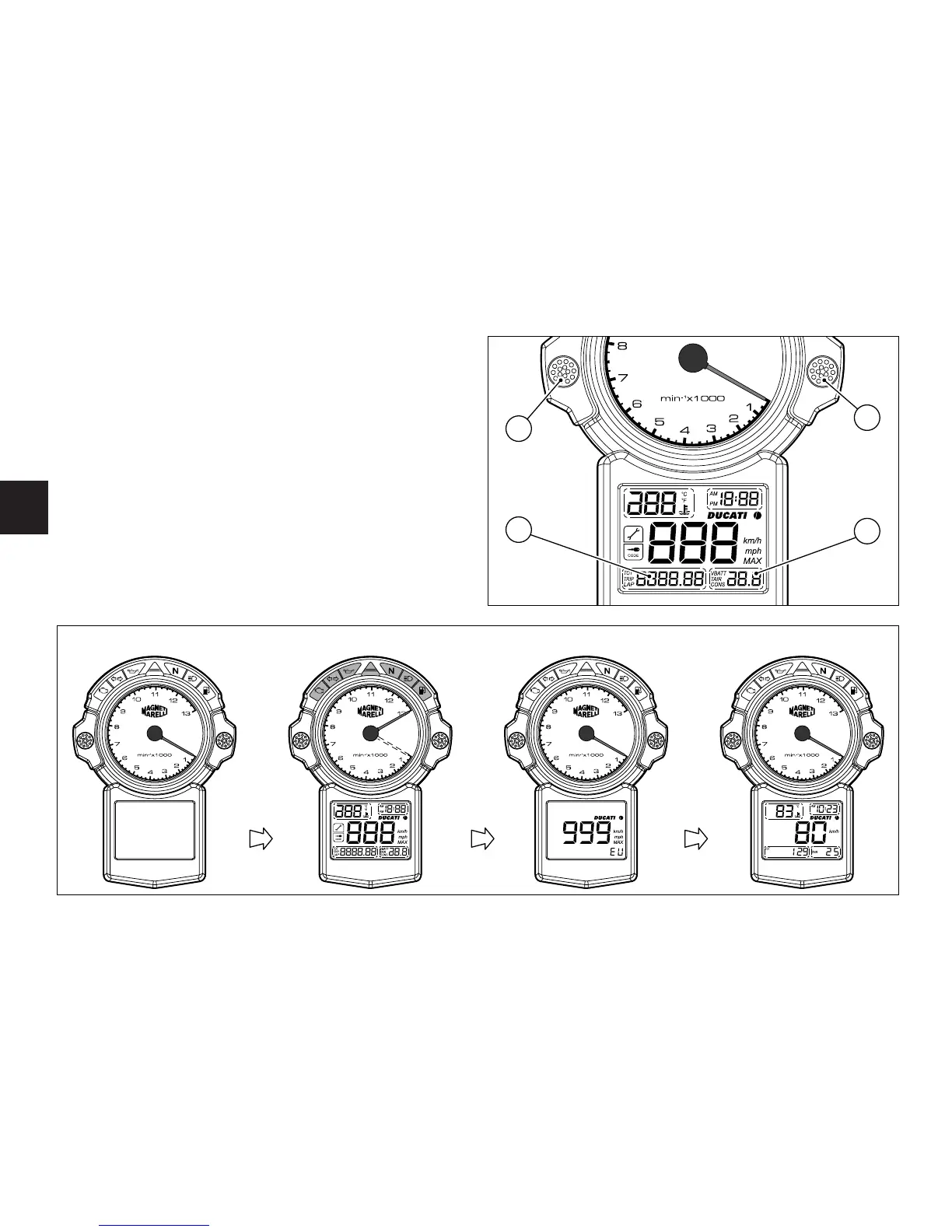
When the key is turned from OFF to ON, the instrument
panel runs a check-up routine of all instruments
(pointers, display, lights) (See fig. 7).
Calling up the left display functions (A).
Press the button (1) (fig. 6) with the key turned to ON to
cycle through trip meter, odometer and lap time
indication.
Calling up the right display functions (B)
Press the button (2) (fig. 6) with the key turned to ON to
cycle through battery voltage, air temperature and
consumption indication.


 To Next Page
 Loading...