QVM6800+ Installation and Operation Manual 23
Chapter 3: Using ZConfigurator
Introduction to the Layout Editor
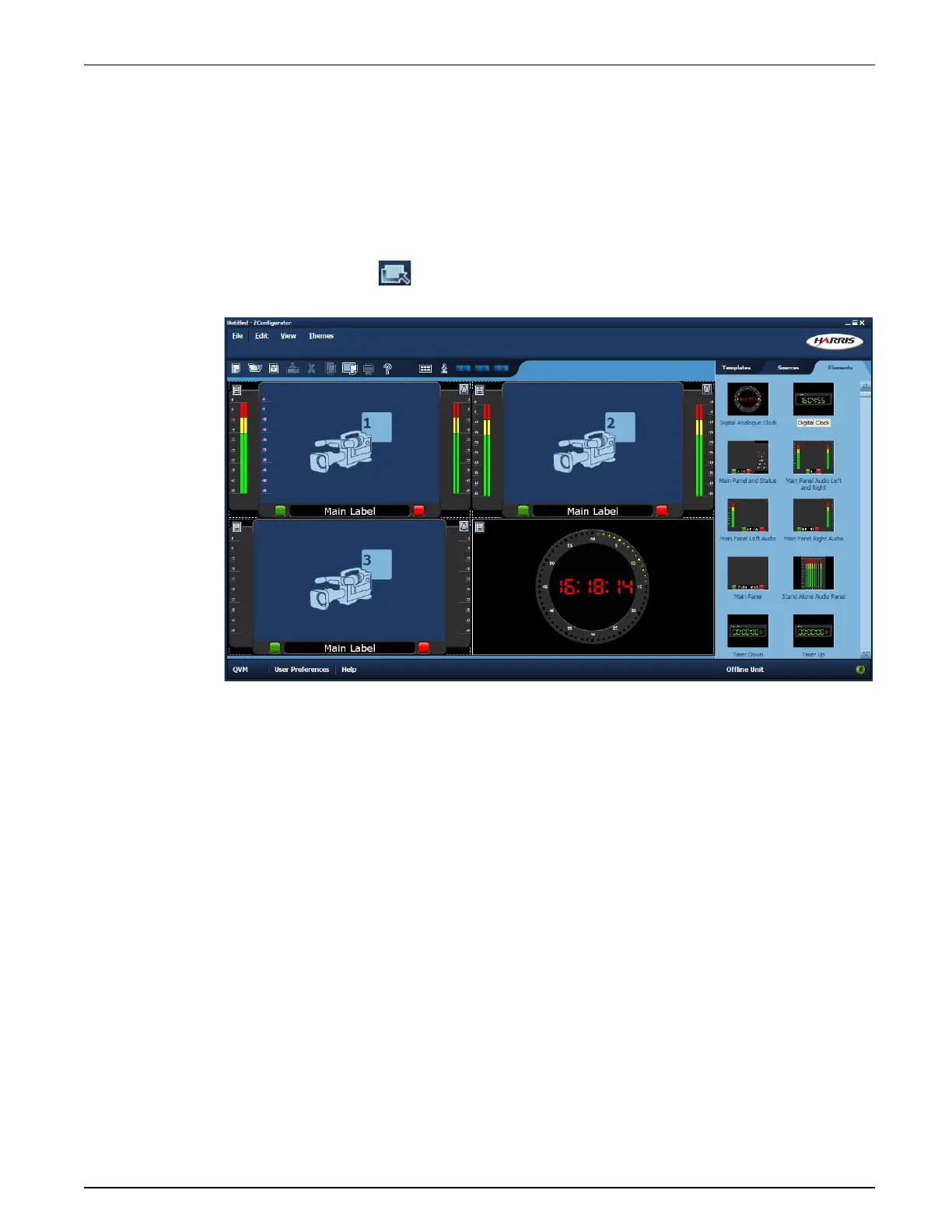
The Layout Editor is the main workspace where basic templates from the Template Library
are furnished with PiP elements such as sources, borders, labels, UMDs, clocks, timers, alarms
and bitmap backgrounds.
There are also ready made PiP designs containing many of these items which can be
drag-n-dropped from the Elements Library to any PiP.
Click on Edit Layout from the main start-up application to display the Layout Editor
with the current preset loaded.
Templates, Sources and Elements
Layouts can also be created from scratch using Templates, Sources and Elements.
Templates provide a range of PiP arrangements that can be used as the underlying pattern that
layouts are based on. A single template can be used to make numerous layouts.
Video Sources are the video inputs available on the system. These can be assigned to any PiP in
the layout by drag-n dropping camera icons from the Sources tab.
The Elements tab in offers a variety of pre-selected PiP elements with borders, labels, alarms,
bargraphs, clocks and timers. The exact graphic style used for these elements varies according
to the System Theme active on a multiviewer. The System Theme is the overall style used by
the multiviewer when it renders each individual PIP element.
To understand how to insert and configure tallies, labels, UMDs, audio panels, bargraphs and
other special graphic elements such as Canvas objects, its necessary to understand how the
panels that contain these objects dock together in the PiP Container.



 To Next Page
 Loading...