31
Using the Panel Sheet for ILME-FR7
When using an ILME-FR7 with this unit, greater efficiency can be achieved by using the supplied panel
sheet for ILME-FR7 with the function names printed on it that correspond to the button/knob names
when the target camera is an ILME-FR7.
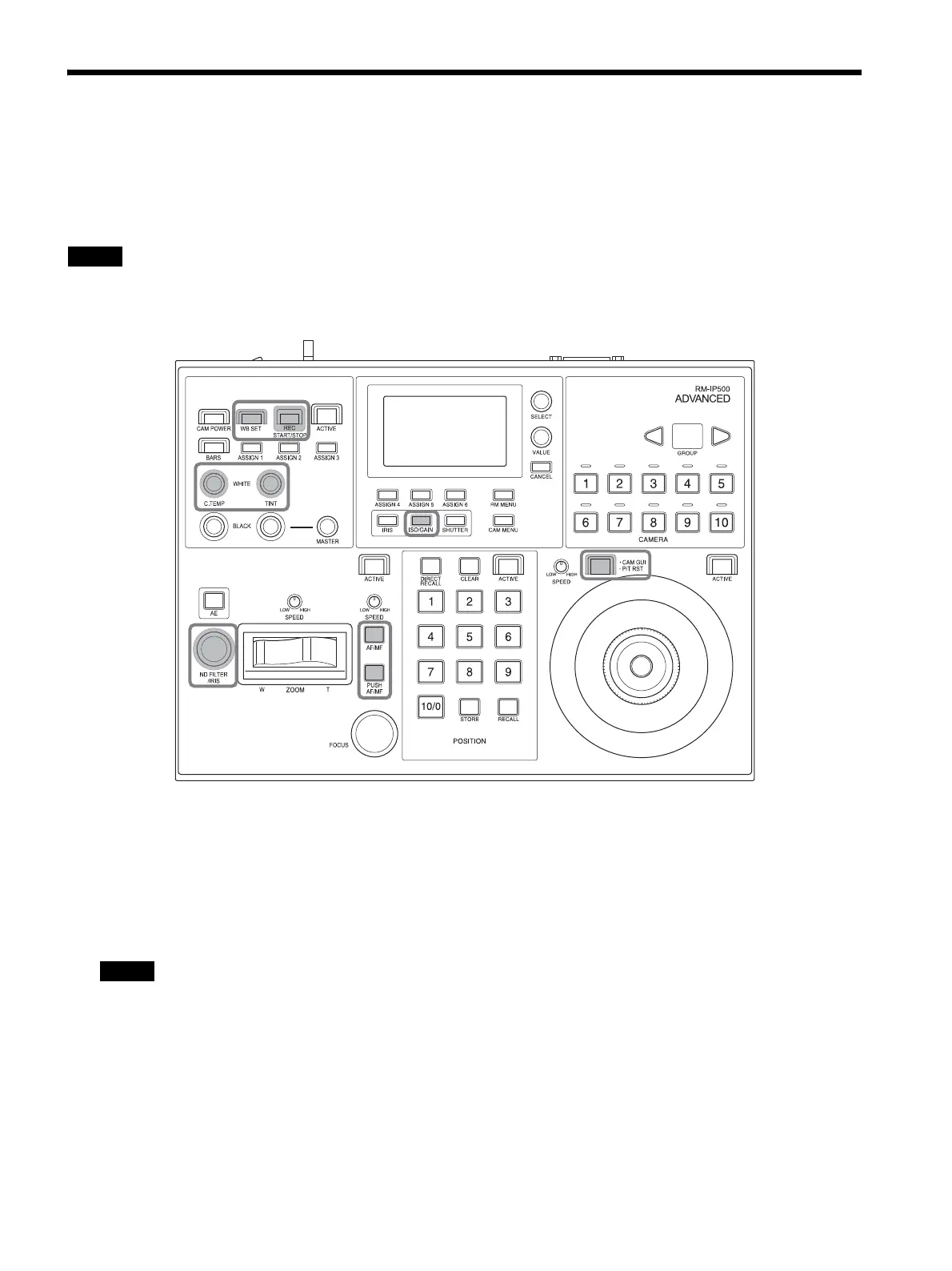
The following diagram shows the panel sheet attached to the unit. The buttons and knobs shown in the
thick frames are marked with the function name for an ILME-FR7.
Note
If you already use this unit, you can purchase the panel sheet separately. For details, consult with your
Sony dealer.
To use the panel sheet adhesively attached to
the
panel surface, attach the panel sheet using
the following procedure.
1
Remove any dirt from the panel surface.
Clean the surface using a cloth moistened
w
ith a diluted neutral detergent.
Note
Do not use alcohol or solvent to clean the
panel surface as it may damage the panel
surface.


 To Next Page
 Loading...









