41
Adjusting a Camera
(ILME-FR7)
The button/knob names used in the panel
surface diagrams are the names when the panel
sheet for ILME-FR7 is used.
Adjusting the focus
1
Select the target camera to control.
For details about selection, see “Selecting a
Camera” (page 34).
2
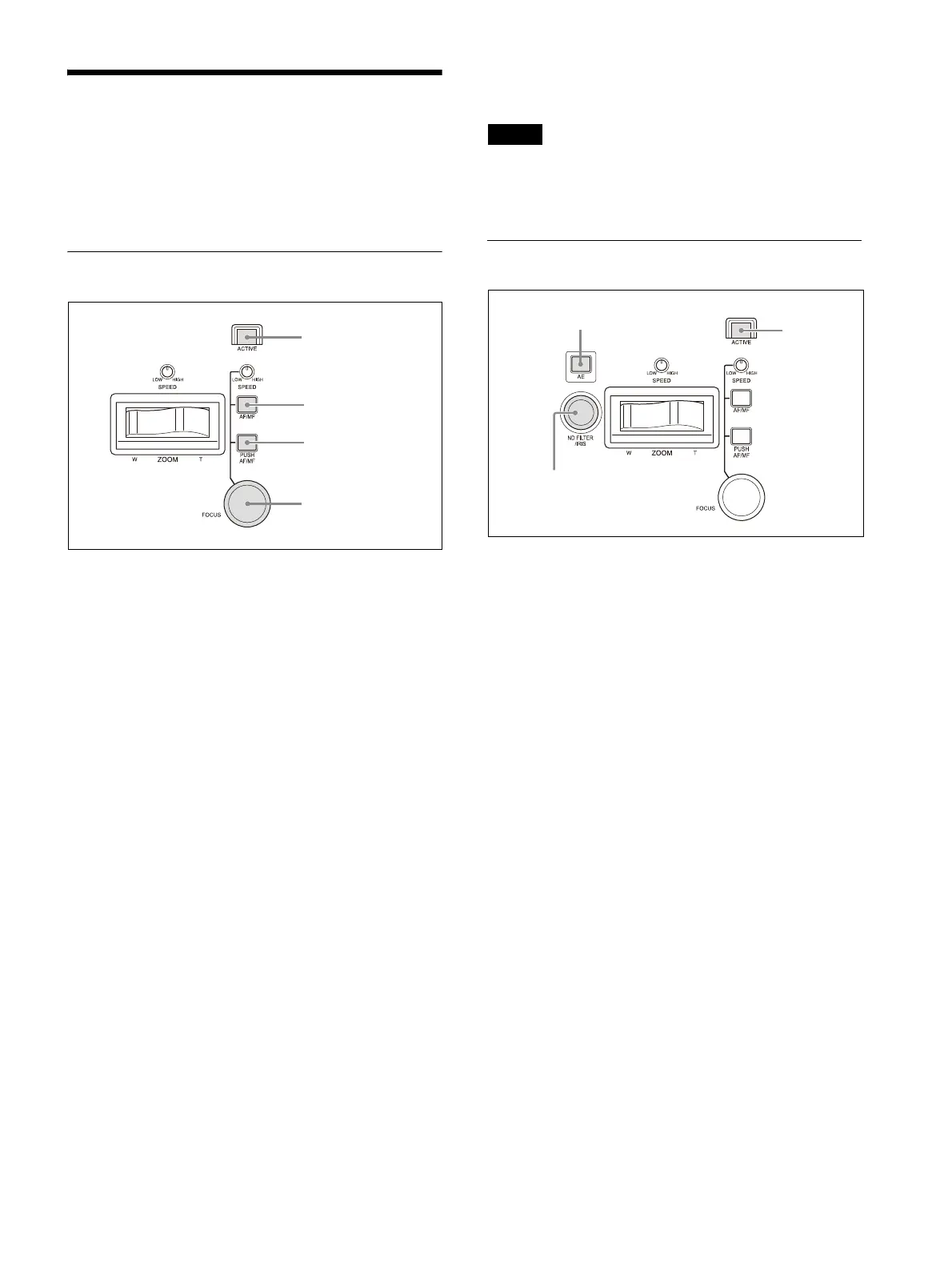
Press the ACTIVE button, turning it on
(button is lit), on the lens control block.
The lens control block becomes enabled.
To adjust the focus automatically
Press the AF/MF button, turning auto focus on
(button is lit yellow).
While the Push AF/MF button is pressed, auto
focus op
eration stops (push manual focus).
During auto focus operation, you can change the
focus targ
et manually by turning the FOCUS knob
(AF Assist).
You can also use the joystick to
move the auto
focus target area (focus area) and select a face
detection frame. See “Operating with the Screen
Display Overlaid on the Camera Image (CAM GUI
Operation Mode) (ILME-FR7)” (page 50).
For details about the focus functions, refer to the
H
elp Guide of the camera.
To adjust the focus manually
Press the AF/MF button, turning auto focus off
(button is not lit), and adjust the focus manually
using the FOCUS knob. The focus speed is set
using the FOCUS SPEED knob.
While the Push AF/MF button is pressed, auto
f
ocus operates (push auto focus (AF/AF-S)).
Tip
You can perform more accurate operation using
the Web App of the camera. For details, refer to
the Help Guide of the camera.
Adjusting the brightness
1
Select the target camera to control.
For details about selection, see “Selecting a
Camera” (page 34).
2
Press the ACTIVE button, turning it on
(button is lit), on the lens control block.
To adjust the exposure automatically
Press the AE button, turning it on (button is lit).
Setup items used for auto adjustment are
co
nfigured using CONFIG >RM SETUP >AE
CONFIG2 in the RM menu.
However, some items may not switch to
a
utomatic adjustment depending on the status
of the camera.
For details, see “To select items used for
automatic exposure compensation” (page 42).
To adjust the exposure manually
1
Press the AE button, turning it off (button
is not lit).
The ND filter, iris, ISO/gain, and shutter are
all se
t manually.
2
Turn the IRIS knob to adjust the iris of the
camera.
You can also set the ND filter as the target of IRIS
k
nob operation. For details, see “To operate the
ND filter using the IRIS knob” (page 42).
AF/MF operation is
reversed while
button is pressed
Manual adjust
AF/MF mode switch


 To Next Page
 Loading...









