A detailed description is given in the sections that follow.
NOTE
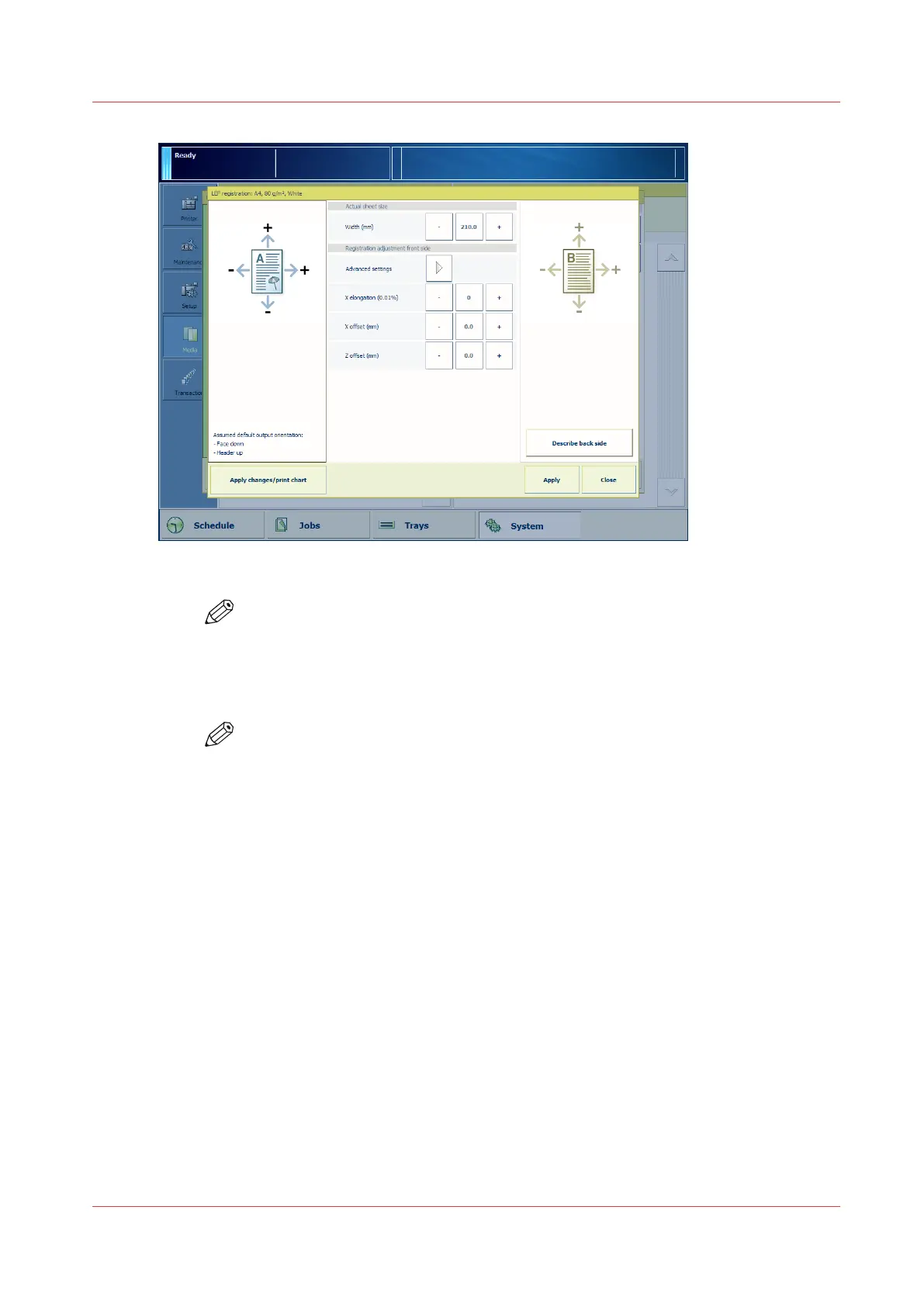
X means an adjustment in the feed direction.
Z means an adjustment perpendicular to the feed direction.
9. You can verify the result of the manual registration adjustment on the verification chart.
Touch [Print verification chart] to print the verification chart.
NOTE
• Depending on the media type and the media size, the dots, circles and lines on
the verification chart do not have to match perfectly.
• You can also perform a manual media registration via the Settings Editor. The
manual media registration via the control panel is preferred because you can
print the verification chart immediately after you changed a setting.
Media Registration Quick Start
Chapter 13 - Media Handling
317
Canon varioPRINT DP line


 To Next Page
 Loading...




